

 Reply With Quote
Main Menu>Preferences>CompizConfuguration..>Effects>Ani mations Add-on[x]Originally Posted by fenzda

Uncheck this option.


I got the knoppix latest version. Booted with knoppix64 from DVD. uname shows
that it is using the 64 bit version. Cool. Installed to hard drive, but it installs 32 bit?
I installed it to an SSD drive which makes it very fast, but not all of the memory is
recognized.
Another thing is that version 7 doesn't allow the Browse for smb printers. Version 6
works perfectly and finds my XP host and printer. Everything is good with that.
Wireless detected perfectly in knoppix 7. How do I get rid of the exploding windows
when they close. I cannot find out how to change that. It should be an easy right?
Thanks - you guys are all great. Gals too.
Main Menu>Preferences>CompizConfuguration..>Effects>Ani mations Add-on[x]
Uncheck this option.
Thank you so much. Could not find it!!
I tried to boot with a DVD and knoppix64 fromhd=/dev/sda. It is looking for a usb. sda is the hard drive. How would I
get it to see the hard drive. It also says my SSD is not partitioned. I thought I did that when installed it to the hard drive.
Hmmm. I think if I tried to use gpart I would lose all my data. No big deal, since I can start over if needed.
What happens if you tryWhat is the output fromCode:knoppix fromhd=/dev/sda1andCode:blkidCode:fdisk -l
Thanks Werner!
root@Microknoppix:/home/knoppix# blkid:
/dev/zram0: UUID="3e104d0a-d92e-44bb-b375-02cbb0259263" TYPE="swap"
/dev/sda1: UUID="0d71ae1b-0b47-4a51-b158-c5911839c787" TYPE="swap"
/dev/sda2: UUID="b65f0041-e743-41f4-94a2-6496dfbcae97" TYPE="reiserfs"
/dev/sr0: LABEL="KNOPPIX" TYPE="iso9660"
root@Microknoppix:/home/knoppix# fdisk -l
Disk /dev/sda: 120.0 GB, 120034123776 bytes
255 heads, 63 sectors/track, 14593 cylinders, total 234441648 sectors
Units = sectors of 1 * 512 = 512 bytes
Sector size (logical/physical): 512 bytes / 512 bytes
I/O size (minimum/optimal): 512 bytes / 512 bytes
Disk identifier: 0x00000000
Device Boot Start End Blocks Id System
/dev/sda1 1 2104514 1052257 82 Linux swap / Solaris
/dev/sda2 * 2104515 234436544 116166015 83 Linux
knoppix fromhd=/dev/sda2 looks for usb??
If I put knoppix64 on a usb it works. Not so much a hard drive.
Go to /boot and copy vmlinuz-3.6.11-64 into vmlinuz and it will default to the 64 bit kernel on boot.
No, it looks for a Poor man's install - no matter whether this install is on an internal harddrive, external USB drive or USB stick. You only have to know the right partition name and number at boot time.looks for usb??Code:knoppix fromhd=/dev/sda2
Last edited by Werner P. Schulz; 05-01-2013 at 10:36 AM.
Thanks so much Werner. Works. So easy!
root@Microknoppix:/home/knoppix# uname -r
3.4.9-64
 Posting Permissions


Dell EMC PowerEdge R740 8 Bay Server w/ 32GB RAM 2x GOLD 6132 2x 1600W PSU H730p
$499.88

DELL POWEREDGE R340 Server | Xeon E-2126G 64GB RAM PERC H330 (Onboard)
$399.95

Windows Server 2025 Standard Edition - 24 Core License
$238.00

VMware vCenter Server 8 STANDARD Perpetual License Key VC-STD-C (Legacy Pack)
$1599.95

Dell PowerEdge C4130 1U AI GPU Server | 2x E5-2680 v3 | 32gb Ram | 2x 1600W
$484.99

Dell Poweredge R630 2x Xeon E5-2680 v3 2.5ghz 24-Cores / 64gb / Raid / 2x 1Tb
$374.99

Dell PowerEdge R640 1U 8SFF Server Barebones 2x Gold 5120 64GB H330 2x 750w
$538.88
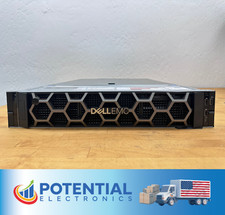
USED Dell EMC PowerEdge R740 BAREBONES Server NO RAM HDD or CPU, 2x 750w PSU 🚚
$170.00

Dell PowerEdge R740xd Dual Intel Silver 4116 @2.1GHz 32GB HBA330 24Bay Server
$525.00

Dell EMC PowerEdge R440 Xeon silver 4215 2.5GHz 16 GB ram 2x 550W PSU No HDD
$275.00