

 Reply With Quote
Did you enable it with 'about : plugins'?


I am installing pepperflashplugin-nonfree through the terminal like I have been doing in 7.3, 7.4 and 7.4.1 by first running update and then installing the pepperflashplugin-nonfree and it all seems to install properly but when I start chromium and bring up a video to watch it doesn't recognize that pepperflash has been installed Any help would be greatly appreciatedthanks
Did you enable it with 'about : plugins'?
Last edited by philo; 10-09-2014 at 08:57 AM.
Could you explain how to do that, please - in earlier versions it just worked after installation without having to enable anything in ChromiumOriginally Posted by philo

Thanks so much !
Rob W
OK I figured out how to do aboutlugins and pepperflash is not listed in the plugins even though it appears to install properly ?Any suggestions ? Thanks again
The proper address is indeed "chrome://plugins", but "about
If pepperflash is not listed there with Adobe Flash Player as its header, it probably means you should do a re-installation.
Thanks for your help - I will give re-installation a try !
Actually you are right. Pepperflash is no longer listed as one of the plug-ins, as it ued to be in older versions of chromium.
If pepperrflash is correctly installed it should have a folder in '/usr/lib/' and in a few other places (see Synaptic for details).
Also checkk in:
Chromium > Settings > Advanced Settings > Privacy > Content Settings > Plug-ins
which option is ticked.
Install Chrome.deb Then PFlash will work very easily. You will see it in /opt/google/chrome/PepperFlash will be by default enabled under chrome://plugins
That may be OK if the user does not mind a browser 'made in Google' instead of the original Chromium.
And beware of missing dependencies.
Last edited by philo; 10-16-2014 at 08:18 PM.
 Posting Permissions


Lenovo ThinkPad E14 Gen 2 Laptop 14” HD Ryzen 5 16GB RAM 512GB SSD Win 11 Pro
$334.99

Lenovo ThinkPad L15 Gen 3 15.6" 16GB, Thunder Black
$241.50
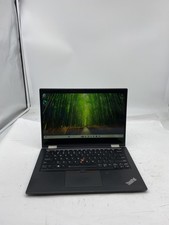
Lenovo ThinkPad X390 Yoga Laptop i5 8365U 1.6GHz 16GB RAM 256GB SSD W11P Touch
$179.99

Lenovo ThinkPad E14 Gen 3 Laptop 14” FHD AMD Ryzen 5 16GB RAM 512GB SSD Win 11
$374.99

Lenovo Legion 5 Gaming 15.1" WQXGA OLED 165Hz Core i9-14900HX 16GB 1TB RTX 5070
$1469.00

Lenovo ThinkPad T14 Gen 1 14" AMD Ryzen 5 16GB 256GB SSD
$219.99

Lenovo ThinkPad T14 G2 14-Inch AMD Ryzen R5 5650U 16GB, 512GB SSD Win 11 Pro
$398.99

Lenovo - IdeaPad Slim 3i 15.3" 2K Touchscreen Laptop - Intel Core 7 350 2026 ...
$679.99
Lenovo ThinkPad X13 Gen 3 13.3” FHD Laptop Intel i5 16GB RAM 256GB SSD Win 11
$299.85

Lenovo ThinkPad T14s Laptop 14” Laptop Core i5 8GB RAM 256GB SSD Windows 11 Pro
$249.99