-
Touch pad scroll not working on knoppix 7.05
Acer Aspire laptop 7741Z-4643 I've just created a new USB boot disk with knoppix 7.05 and the touchpad vertical scroll is either not working or it is very unreliable. On my 7.03 USB boot drive that I still have, the touchpad scroll still works fine when I boot with this drive My suspicion is that, I think there is a table that defines the touch pad location for scroll that is out of whack on 7.05 Stranglely, rarely on 7.05, the scroll, once in a great while the scroll, will work once and rotate the desktop, but can't seem to do it again. Anyone else have the same issue with the laptop touchpad scroll? Ideas? Oddly, in all previous versions of knoppix that I've tried, the touchpad vertical scroll has always worked, before 7.05 and it has not worked with with ubuntu. = = = = Just descovered that executing this command from the terminal window, solves the probelm in 7.0.5 synclient VertEdgeScroll=1 How would I do this automatically?
Last edited by Denver Dave; 01-16-2013 at 06:30 AM.
-
Sorry about the run together paragraphs in the previous post, just figured out I needed to turn the noscript off for this page after I lost the ability to edit the post.
= = = = =
Acer Aspire laptop 7741Z-4643 I've just created a new USB boot disk with knoppix 7.05 and the touchpad vertical scroll is either not working or it is very unreliable. On my 7.03 USB boot drive that I still have, the touchpad scroll still works fine when I boot with this drive
My suspicion is that, I think there is a table that defines the touch pad location for scroll that is out of whack on 7.05 Stranglely, rarely on 7.05, the scroll, once in a great while the scroll, will work once and rotate the desktop, but can't seem to do it again. Anyone else have the same issue with the laptop touchpad scroll? Ideas?
Oddly, in all previous versions of knoppix that I've tried, the touchpad vertical scroll has always worked, before 7.05 and it has not worked with with ubuntu.
= = = =
Just descovered that executing this command from the terminal window, solves the probelm in 7.0.5 synclient VertEdgeScroll=1 How would I do this automatically?
-
Senior Member
registered user

Originally Posted by
Denver Dave

Just descovered that executing this command from the terminal window, solves the probelm in 7.0.5 synclient VertEdgeScroll=1 How would I do this automatically?
You might try adding your synclient command to /etc/X11/Xsession.d/45knoppix.
Here's how I disable my touchpad:
Add synclient TouchpadOff=1 to /etc/X11/Xsession.d/45knoppix.
That is, just add a line to whatever is already there.
I do it this way because adding it to /etc/rc.local doesn't work for me.
-
Thanks - that fixed the touchpad vertical scroll on a permanent basis. Didn't realize how much I used the vertical scroll. Seems like a bug in 7.05 to me, since worked in previous versions.
Note to self and others that don't have a clue:
Tried the file manager - could not edit system files, even after selected show hidden files
Tried sudo pcmanfm (name of file manager), didn't seem to help
From terminal editor: sudo gedit
added: synclient VertEdgeScroll=1; (with the  above the last line in 45knoppix
Last edited by Denver Dave; 01-18-2013 at 04:59 AM.
-
Senior Member
registered user
Originally Posted by
Denver Dave
Thanks - that fixed the touchpad vertical scroll on a permanent basis. Didn't realize how much I used the vertical scroll. Seems like a bug in 7.05 to me, since worked in previous versions.
Glad this worked for you, Dave.
I have no opinion on whether your problem is a bug.
However, if you think it is, you might say so on Klaus K's site:
http://lists.debian.org/debian-knoppix
-
I hadn't used knoppix for a while and I installed 7.7.1. Couldn't get my laptop scroll bar to work and I remembered this thread. Still works - thanks.
-
Senior Member
registered user
Originally Posted by
Denver Dave
I hadn't used knoppix for a while and I installed 7.7.1. Couldn't get my laptop scroll bar to work and I remembered this thread. Still works - thanks.
Glad this worked for you, Dave.
There is another approach which I find useful described by Klaus2008 at:
http://knoppix.net/forum/threads/307...ight=autostart
I now use that approach to tweak Touchpad and Caps_Lock functions.
Best Regards.
 Posting Permissions
- You may not post new threads
- You may not post replies
- You may not post attachments
- You may not edit your posts
-
Forum Rules

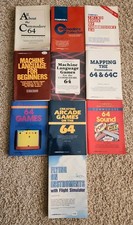
Vintage Commodore 64 128 Collection by Compute's Books for the C64 C128 LOT 10
$299.99

Commodore OS USB | Bootable LIVE + Install | The Ultimate Gaming Linux OS | NEW
$11.99

Pi1541 Zero with Epyx Fastload Hat, Case & 16gb SD for Commodore 64 and 128
$79.99
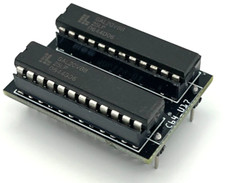
Commodore PLA Replacement MOS 906114-01 / PLS100 for C64, SX 64 High Quality USA
$12.99
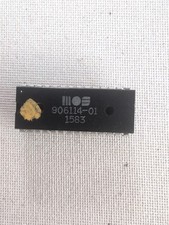
Tested Working Original MOS 906114-01 PLA Chip for Commodore 64 / SX-64 C64
$45.00

Tested Working Commodore 128 & 1571 Drive ROM Logic Chip Lot MOS 318019 310654 +
$50.00

Commodore 64 Serial Cable 6PIN DIN 1541 1571 C64 128 C128 Disk Drive Printer USA
$10.49
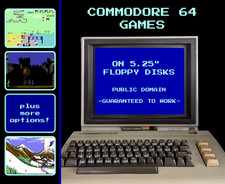
🕹️ Commodore 64 Games on Floppy Disks: Retro Public Domain C64 🕹️
$8.95

Commodore 64 Dead Test & Diagnostic Cartridge & Test Harness Set - USA seller
$39.99
Commodore 64 Computer Only Tested Vintage Computer READ
$150.00



 Reply With Quote