

 Reply With Quote
try adding 'nousb'
knoppix nousb
Mine hung on USB as well.
3.4 seems to have more usb probing.. or something.
The initial USB probe works, but the one after it detects apci, thermal, etc.. seems to hang.


hello there knoppix people,
the knoppix 3.3 liveCD runs perfectly on my toshiba laptop, no problems at detecting my ethernet pc card etc. but with 3.4 the boot process hangs after displaying the following message: "ACPI Bios found, activating modules: ac battery button fan processor thermal".
what does that mean exactly? i got the german version by the way...
thanks!
a newbie
try adding 'nousb'
knoppix nousb
Mine hung on USB as well.
3.4 seems to have more usb probing.. or something.
The initial USB probe works, but the one after it detects apci, thermal, etc.. seems to hang.
ok.. scratch that..
Here's what I did on my Toshiba 4010CDS
linux26 noscsi noddc screen=800x600
and my toshiba worked.
hey there softwaretester,
if i type in nousb when booting, does that mean i'll have no usb support? i'll try that out and see if it still hangs. i have no idea what scsi or ddc is but i'll give it a try!
i wonder if it's possible to install 3.3 on the hard disc and then "upgrade" to 3.4 so that things would work somehow?? just some newbie's crazy thoughts
linux26 was something I decided to try to see if it would work.
noscsi was to avoid a segmentation fault error i got when it started some scsi detection.
even with linux26 noscsi, I still cannot use usb on 3.4
The noddc is to turn off the monitor 'detection'. if it can't properly detect the monitor, it defaults to an ugly 640x480 which displays choppily on my laptop.
the screen=800x600 is to force it to use that screen resolution as it's a 16 bit resolution, opposed to an 8 bit resolution at 1024x768
nousb turns off all usb support. sucks if you got a usb keydrive to save data to.
using the knoppix kernel (2.4.something)
all I had to do was type
knoppix nousb and the switches for my video settings.
The hard drive install is a Debian Install. If you 'install 3.3 to the hard drive' then you've got Debina installed on the hard drive.
hey thanks!
i tried linux noscsi nodde nousb without specifying the screen resolution and it worked fine! however i couldn't get internet connection anymore. my question is, since i disabled these hardware auto-detection during booting, can i manually detect them again after knoppix is loaded? i'm actually a complete newbie to linux, and still needs to learn more about the system, so at this stage i just need to know if i can do that or not...
oh as to the hard drive install; does that mean i could just install debian instead of knoppix?
have a good weekend
yep, you could install debian instead of knoppix.
I'd do the following.
Copy the /etc/fstab file to a floppy (since knoppix was nice enough to autodetect yoru drives for you, it's nice to have those drives automatically come up) and copy it to your new install.
Copy the desktop items, because it's handy havnng the hard drive and usb drive stuff on the desktop ready to be clicked on and mounted.
The debian install is a standard linux install. I really like knoppix and it's autodetection though.
Hey there
Just for the record, I've got the same problem as dreambrother on my Toshiba Tecra 8100.
I'll try fixing it as suggested.
10th May, 01:18am
Yes, it worked, but 3.4 doesn't detect my DSL internet connection - something that 3.3 did. That's a pitty.
As for a direct debian installation - it doesn't boot from the installation CDs. I still managed to install debian 3.0 using floppy images, but I couldn't install my PCMCIA ethernet card (I'm a newbie too
For these reasons, I think that Knoppix 3.3 is the better distribution for a newbie user like me.
Regards
I thought that DSL had to be connected to using the PPPoE thing.
Doesn't the Internet or System menus show the DSL setup?
Even though this problem could be fixed, with no usb support available I cannot do much on my computer.
 Posting Permissions

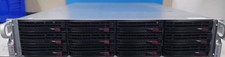
Supermicro CSE-826 2U Server Chassis W/X10DRH-C 2x E5-2620 V3 128GB RAM 2x 1280W
$499.99

HP Proliant MicroServer Gen 8 2.23GHz Xeon 16GB RAM NO SSD
$249.99

HP ProLiant MicroServer Gen8 Tower Server Xeon E3-1220 v2 2.3GHz 16GB RAM
$289.99

1U Edge Firewall Server X11SCW-F Xeon E-2174G 0 RAM M.2 NVME 3x PCI-e 2x PSU X
$175.00

HPE ProLiant MicroServer Gen10 Plus 32GB RAM Xeon E-2224 3.40Ghz No HDD No AC
$750.00
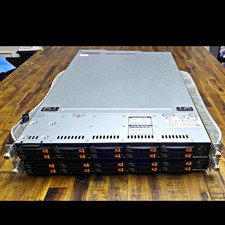
Supermicro SuperServer 1029U-TN10RT 1U Rack Dual Xeon 2.70GHz 256GB
$500.00

New Barebones Supermicro 5019D Server, 4C/8T Xeon D-2123T, 1U Rackmountable, 10G
$449.99

Supermicro 5019D-4C-FN8TP Xeon D-2123IT (4C/8T) 64GB DDR4 10GbE 480GB 1U Server
$689.00
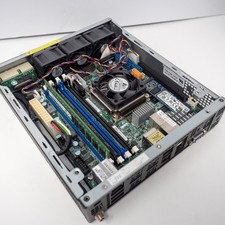
Supermicro E200-8D Xeon D-1528 8GB RAM 256GB SSD 2x10GbE X10SDV-6C-TLN4F w/ PSU
$525.00
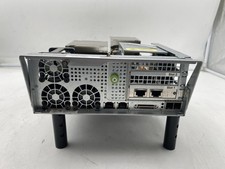
Supermicro X10DRS-4U-NS021, 2x E5-2603 V3 Storage Controller No RAM
$200.00