-
Senior Member
registered user

Originally Posted by
"probono"
user unknown, please look at the general architecture of klik
(...)
AppDirs allow users to install apps in userspace. But you could of course also install them to /opt, making them available system-wide.
(...)
The common ones [resources, uu
stay where they are. The less common ones go into the AppDir of the application that needs them. That way each app can have its own matching version of libraries without the danger of messing the whole system.
(...)
You could still do this [start from CLI, uu], but you are not the average point-and-klik user.
(...)
You don't have to, but I would like to. As a fluxbox user, you are completely unaffected by the progresses in KDE

I'm just testing it.
Beeing a crude mixture of modern and conservative, and very sceptic, you won't have an easy job to convince me.
But to be fair, I have to give you a try  , and sometimes I try to fight my prejusdices.
My first installation didn't asked where to install - it just installed to my home-dir.
That's a big minus.
You remember: 2000 apps - that's not tolerable in my home-dir.
A directory /home/unknown/apps/
and every app there would be ok.
But I need to have an overview of my home.
Another observation was, 'Warning: Invalid service: Knoppix/Net/kppp.desktop".
Which didn't seem to be a real problem.
But I was asked to help a few minutes - I answered 'ok' - and then I was told, konqueror would be started.
Firefox started and told me 'already running - new profile?' - which ended the possibility to help there.
Different libraries are gracefully handled by linux today with version-numbers, and symbolic links:
libfoobar.so-> libfoobar.so.3
libfoobar.so.3-> libfoobar.so.3.4
libfoobar.so.3.4-> libfoobar.so.3.4.7
libfoobar.so.3.4.7
libfoobar.so.2.9.16 (needed for an old application)
- no dll-hell like windows.
How do I start klik? I thought of 'klik' but no 'klik' in path...
Yes - I'm not the average klik-user, but perhaps the average linux-user?
And your solution only works with kde?
That's one of these annoyances.
I installed DBDesigner with klik, and it seemed to work.
Trying to start it, it shows 'Symbolic links exist. Starting dbdesigner.'.
Then silent exit.
(That's the wrong way on Linux/ Unix! Make it just the opposite! Silent, when ok (Symlink exist) and noisy, on errors.
See the OpenBook from Eric S. Raymond: The Art of Unix Programing: 'Silence is golden' here: http://www.catb.org/~esr/writings/ta...l/ch11s09.html
Of course I found the DBD4.log, here is what it says:
Runtime error 234 at 0805DECF
I get the same result when starting from CLI - so the cryptic error-message is fault of the DBDesigner4 - developer, not kliks one.
If I had installed from source, I could investigate on that error, where it comes from, and so on...
I found out, that in the lib-dir, a lot of libraries are installed, which are already installed in /usr/lib etc.
That's annoying.
You waste internet band-width, harddrive-space, and a lot of time.
An updated library has to be put to every user, and every app.
You said 'the common ones stay where they are' - (resources, libs?).
That's a real big minus. Why don't you ship new computers for every app?
Another issue: Your script (dbdstart) contains a lot of backtics.
They're deprecated.
Instead of
Code:
foo=`echo "$0"  | sed '....'`
#use
foo=$(echo "$0"  | sed '....'')
which is
a) better readable
b) nestable
Another small:
The directories are called 'Data, Doc, Linuxlib, ...'
That's MS-style, where nobody uses CLI.
Perhaps your users like to use klik and CLI, and then lowercase letters are faster to type.
And the average linuxuser should know, that his machine is running linux - so 'lib' would be enough. (Perhaps again a DBDesigner-issue and not a klik-one.)
But some nice words shouldn't be missed:
The way the installation started from the web seems to be very userfriendly, and looked nice.
I will test a second one.
Similar Threads
-
Replies: 20
Last Post: 04-23-2005, 05:02 AM
-
Replies: 1
Last Post: 03-30-2005, 07:46 AM
-
By morgan73 in forum Hdd Install / Debian / Apt
Replies: 15
Last Post: 12-16-2004, 08:51 PM
-
Replies: 210
Last Post: 12-04-2004, 03:04 PM
-
By Lord1981 in forum Hdd Install / Debian / Apt
Replies: 6
Last Post: 01-04-2004, 10:19 PM
 Posting Permissions
- You may not post new threads
- You may not post replies
- You may not post attachments
- You may not edit your posts
-
Forum Rules


Genuine Cisco SFP-10G-SR 0-2415-03 10 Gigabit Transceiver
$5.40

Dell Intel X710-DA2 5N7Y5 Dual-Port 10GbE SFP+ PCIe 3.0 x8 Network Adapter
$27.50

NEW Sealed Cisco SFP-10G-LR 10GBASE-LR SFP+ 1310nm 10km *US Shipping*
$24.00

Cisco Acacia DP04QSDD-E25-840 400G QSFP-DD Coherent DCO Transceiver Module
$699.99

SFP TO RJ45 TRANSCEIVER SFP MODULE COPPER SFP OPTICAL PORT TO RJ45 ETHERNET PORT
$7.99

Intel X520-DA2 10Gb 10Gbe 10 Gigabit Network Adapter NIC Dual Port E10G42BTDA
$28.94

HP 560SFP+ 10GB 2-port PCIe NIC Ethernet ADAPTER 669279-001 w/ (2) 10GB SFP+
$16.99
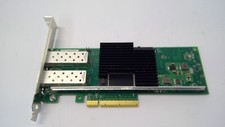
Lenovo 00YK615 Intel X710-DA2 10GbE 2-port SFP+ PCI-E FC Network Adapter NIC
$27.99

CISCO 10GBASE-SR SFP "Lot of 4” SFP-10G-SR
$47.99

Cisco WS-C3650-12X48UR-L 48-Port Stackable Layer 3 8x10G SFP+ Port Switch
$129.99



 Reply With Quote