

 Reply With Quote
Right click the German flag icon, select Configure...Select US English from the Primary Layout. Click OK. At least that is how I did it.


Hi;
I installed Knoppix 3.1 to my new computer this weekend.
I followed the advice in the FAQ for changing the language and keyboard settings to English.
However, for some reason, under the user "knoppix" the English keyboard settings are not being saved in between sessions.
Everytime I log in the German flag is in the taskbar.
How can I change this setting permanently?
Thanks in advance
Steve
Right click the German flag icon, select Configure...Select US English from the Primary Layout. Click OK. At least that is how I did it.
And after you, see that is working correctly for a couple days, click that up arrow thingy, just to the left of it, and remove the flag from the desktop. Even though it nice to see th U.S. flag.
Bill
Originally Posted by mmaki
It worked!
Now I know how frustrated non - Americans must have felt all of these years using software made in the US
Thanks for the help
Steve
 Posting Permissions

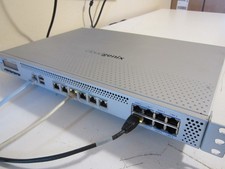
PfSense/OPNsense 14x1Gb, 8-Core, 8GB RAM, 80GB SSD, AES-NI, QAT (Lanner FW-7573)
$149.00

OPNsense Firewall 16-Core Atom C3958 16GB DDR4 RAM 64GB SSD 8x 1Gbe QAT AES-NI
$195.00

Check Point 1590 Firewall & w builtin WiFI and builtin LTE sim slot
$95.99

Zero Trace Pen: All-in-one Tor Network Anonymous Drive + Cryptocurrency Wallet
$147.00

OPNsense pfSense 8-Core Atom C3758 2.2GHz 8GB DDR4 64GB SSD 8x NIC QAT AES VPN
$145.00
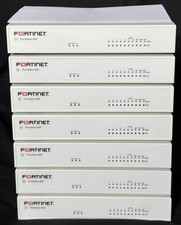
Fortinet FortiGate 60F FG-60F Firewall Tested Reset Deregistered OEM PSU
$99.99

Fortinet FortiGate 60F FG-60F UTM UTP License Until 2027 Network Security FW VPN
$229.99
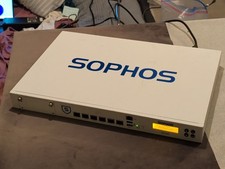
*Sophos XG 210 Rev. 3 Network Security Firewall Appliance* Sophos XG 210 Rev. 3
$64.99
$170.00

SonicWall TZ280 Firewall 03-SSC-6933 Advanced Edition 3YR NEW SEALED
$999.99
