

 Reply With Quote
I can't be much help, other than to suggest that it might be a video driver issue. What kind of video card do you have?Originally Posted by knight-rider
One more question: Does it run from the CD o.k., but not from the hard disk?


I am having a problem getting KNOPPIX 3.4 to load up on my pc. I have a P2 400 with a 6GB HDD. I want to install it to my hd but when it goes to load up the monitor shuts down. It will run on my 1GHz Celeron and my Athlon XP1400+, can someone help?
I can't be much help, other than to suggest that it might be a video driver issue. What kind of video card do you have?
One more question: Does it run from the CD o.k., but not from the hard disk?
I have an 8MB onboard video card. It will not completly load up from the cd. It gets to the AGP bridge detected then the screen goes to black as if it would when it goes to sleep when in Windows OS.
A couple of thoughts...
Once it has gone black, hit <ctrl><alt><-> a couple of times to see if you might actually have SOME usable video mode. Then you might be able to change the settings that work to some more to your liking.
Do you have another more-or-less recent Linux that works on this system? If so, grab /etc/X11/XF86Config-4 from it and replace the one generated by Knoppix. To do that, you will need to either use my first suggestion if it works, or boot to command line instead of GUI. It seems like entering either "knoppix 2" or "linux 2" should do that.
I had one PC that would do fine with Knoppix 3.3, but not 3.4--and I wanted to install 3.4 to the hard drive. I did the install, then I booted with 3.3 and copied /etc/X11/XF86Config-4 from the running version to the installed one.
I had another one that worked fine with Lycoris Desktop L/X, but EVERY recent Knoppix was having problems with the monitor. I copied /etc/X11/XF86Config-4 somewhere I wasn't reformatting, installed it into Knoppix, and it works pretty well.
Sorry, I don't know if I mistyped or if the HTML munged what I typed. Toggle between video modes with CTRL plus ALT plus MINUS sign (or CTRL plus ALT plus PLUS sign).
Maybe try knoppix vsync=60 at boot prompt. (see the cheatcodes.txt on cdrom)
Thanks for everyones help! I was able to enter the correct screen size at the boot promt. knight-rider
 Posting Permissions


Supermicro 2U X10DRU-i 2x E5-2680 v3 2.5ghz 32gb Ram 240gb SSD 2x GPU *READ*
$369.99

HP ProLiant MicroServer Gen8 G1610T @2.3 GHz, 16GB, 712317-001 NO HDD/OS
$199.00

Supermicro CSE-937 3U Storage Chassis No CPU No HDD No Ram Tested & Reset
$129.99

Supermicro 1U Network Server Appliance 16GB RAM 800GB SSD 6 LAN Ports Powers On
$450.00

New Barebones Supermicro 5019D Server, 4C/8T Xeon D-2123T, 1U Rackmountable, 10G
$449.99
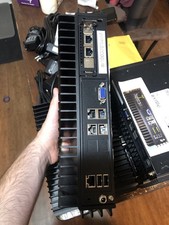
Supermicro SYS-E302-9A Fanless Firewall Atom C3558 16GB ECC 64GB SSD 6x GbE i350
$325.00

Supermicro 5019D-4C-FN8TP Xeon D-2123IT (4C/8T) 64GB DDR4 10GbE 480GB 1U Server
$689.00

Supermicro 1027GR-TSF 1U Rackmount Server 2x Xeon 2.3GHz 128GB DDR3
$219.99

Nasuni NF-50 Supermicro Server, Atom CPU C2558, @ 2.40GHz, 8GB RAM-No HDD/OS/AC
$250.00

$280.00