-
Junior Member
registered user
Guide to Installing NVIDIA Drivers under 2.6.6
Thanks to the helpful posts of Miilltek, Shah, and Kelmo, I am proud to say that I have successfully installed the NVIDIA drivers under 2.6.6. I am going to quickly put all the instructions and some clarifications so that newbs like me can also make this work.
I will use http://knoppix.net/forum/viewtopic.p...4f7083a3639b31 as the core of this guide. I will just fix up some typos and try to explain what's going on with my limited knowledge of linux.
su
cd /usr/src (you need to start here. I had problems because I started in root)
wget ftp://ftp.kernel.org/pub/linux/kerne...-2.6.6.tar.bz2
cp linux-2.6.6.tar.bz2 /usr/src
tar jxvf linux-2.6.6.tar.bz2 (check to see if these files have been put into /usr/src)
rm -f linux
ln -s linux-2.6.6 linux
cp /boot/config-2.6.6 linux/.config
cd linux/include
ln -s asm-i386 asm
cd .. (again, check to see if linux-2.6.6 is in the folder usr)
make oldconfig
patch -p1 <../knoppix-kernel26.patch
cd /usr/bin
rm -f gcc (the kernel image was compiled with gcc-2.95 but symlink is to gcc-3.3)
ln -s gcc-2.95 gcc
cd /usr/src
make (this will compile your kernel, will take sometime to finish- on my 2.4 around 1 hour)
apt-get update
apt-get install nvidia-kernel-common nvidia-kernel-source
tar zxvf nvidia-kernel-source.tar.gz
cd modules/nvidia-kernel
debian/rules KSRC=/usr/src/linux-2.6.6 KVERS=2.6.6 kdist_image
cd ..
dpkg -i nvidia-kernel-2.6.6_1.0.5336-6_i386.deb
apt-get install nvidia-glx
cd /usr/bin (typo here)
rm -f gcc
ln -s gcc-3.3 gcc
Edit /etc/X11/XF86Config-4 :
Drivers Section
Replace "nv" with "nvidia"
Modules Section
Remove or comment out lines including "dri" and "GLCore"
Ensure there is a line with Load "glx"
Hopefully I added just a miniscule amount of polish; I think most people will now be able to use these instructions without having to play around too much/meet troubles.
On a side note, my glxgears fps jumped from 290 to 1560ish... how acceptable is 1560 for a Geforce 2 MX200 PCI 32 MB card?
Similar Threads
-
By nlight40 in forum Hdd Install / Debian / Apt
Replies: 1
Last Post: 12-16-2004, 09:21 AM
-
By Hayabusa in forum Hdd Install / Debian / Apt
Replies: 22
Last Post: 05-19-2004, 07:07 PM
-
By kelmo in forum Hdd Install / Debian / Apt
Replies: 5
Last Post: 05-09-2004, 09:20 AM
-
By ill in forum Customising & Remastering
Replies: 13
Last Post: 03-22-2004, 01:34 PM
-
By slc in forum Hdd Install / Debian / Apt
Replies: 19
Last Post: 08-27-2003, 06:25 PM
 Posting Permissions
- You may not post new threads
- You may not post replies
- You may not post attachments
- You may not edit your posts
-
Forum Rules


Vintage Apple II Avant-Garde Creations Super Shape Draw And Animate 1981
$295.00

Vintage Apple Multiple Scan 15av Display Monitor M4681
$299.99
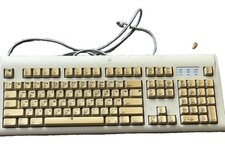
Vintage Apple Design Keyboard Model M2980 Macintosh 1994 Untested
$28.49
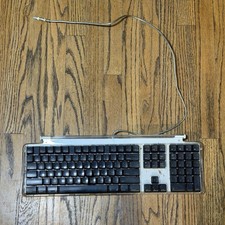
Vintage Apple Keyboard M7803 Mouse M5769 (NEEDS TO BE CLEANED)
$28.99

5 Vintage Apple Newton Stickers – Original Apple Memorabilia
$15.00

Vintage Apple Macintosh Plus Desktop Computer - M0001A
$150.00
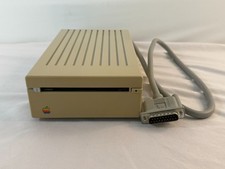
Vintage Apple 3.5 Drive A9M0106 External 800K Floppy IIgs Mac Tested Working
$124.99
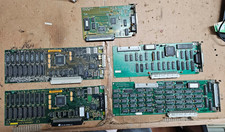
5x Vintage Apple Macintosh II NuBus Cards 630-4179 NI GPIB DIO Asante Ethernet
$239.95

Vintage Apple Monitor IIc 9" Green Monochrome 06/1985 A2M4090 October 1984 Stand
$275.00
Vintage Apple III Motherboard Logic Board 820-0043-00 E Fully Populated Tested
$210.00



 Reply With Quote