-
Senior Member
registered user
In /etc/inittab there's a line near the top of the file that sets the default run level. This is where you can change it to 3 instead of 5.
Then to straighten out your init for runlevel 3,
cd /etc/rc3.d
Inside here are links to init scripts and each are numbered with a S## to indicate the order they start, 0-99. You can delete links for any of these services you do not want to start in run level 3.
rm S99kdm
for example
While in rc3.d, you can add new ones by creating links to the init scripts in /etc/init.d
ln -s ../init.d/kdm S99kdm
rc-update can be very helpful in adding and deleting services from a run level or all runlevels, and KDE also has a services manager GUI front-end for rc-update.
rc-update add/del servicename runlevel
In this example, choose either "add" or "del" to add or delete a service, list the service's name, and enter the number of the runlevel or the word "defaults". man rc-update will tell you a whole lot more about the program.
Similar Threads
-
By cormander in forum Customising & Remastering
Replies: 0
Last Post: 05-18-2005, 11:35 PM
-
By lestat730 in forum Hdd Install / Debian / Apt
Replies: 1
Last Post: 01-31-2005, 05:16 AM
-
By jbrush in forum General Support
Replies: 0
Last Post: 04-15-2004, 12:29 AM
-
By mikefw256 in forum Hdd Install / Debian / Apt
Replies: 0
Last Post: 03-31-2004, 06:35 PM
-
By iamanewbie in forum General Support
Replies: 3
Last Post: 10-27-2003, 10:13 AM
 Posting Permissions
- You may not post new threads
- You may not post replies
- You may not post attachments
- You may not edit your posts
-
Forum Rules


1969 EAI TR-20 Analog Computer Programming PACE Philbrick Electronic Associates
$35.00

RARE VINTAGE Kontron 80 Psi Compact Microcomputer Computer Germany Early 1980s
$319.99

Vintage Donner Scientific Analog Computer Patch Cords Banana Plugs & Resistor
$75.00

VINTAGE 1970s SKIT Scientific Kit for Computer & Electronics SEALED INSIDE Rare
$249.00

Vintage 1970’s Analogic MP2110 10-Bit A/D Converter Computer Circuit Board
$24.99
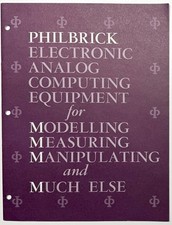
1964 PHILBRICK ELECTRONIC ANALOG COMPUTING OP AMP CATALOG PRICE LIST DIRECTORY
$199.95

Deluxe Joystick Controller for Tandy 1000 / TRS-80 Computers Brand New
$54.99
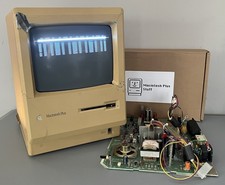
Apple Macintosh Plus M0001A Vintage Compact Mac LOT PARTS EXTRAS READ
$189.00

NOB VINTAGE Earthlink MailStation Standard 120 - Email Appliance
$29.99

Rare Vintage CH Product Mach III Analog Joystick for Apple Mac
$45.00



 Reply With Quote