

 Reply With Quote
Add those module names to /etc/modules (or /etc/modules-KERNEL-VERSION if it exists). These modules are loaded at each boot.


Hello,
some weeks ago I had installed Knoppix 3.3 on HDD and everything works fine. But at that time, the USB support was switched off in the BIOS. Thus, there are now as a result no USB modules available in my Knoppix HDD installation (the output of "dmesg" doesn't show anything about a USB driver).
How can I add the needed USB modules (probably usbcore, usb-uhci and usb-storage) to my system?
When I boot Knoppix from CD, my USB stick is at least found within the "K Info Centre" and the vendor name / serial number shown there. Hence, the hardware seems to be working. Yet, I could't mount the USB stick so far as there seem to be some additional filesystem problems.
But what I actually want is to use the USB stick with my existing Knoppix 3.3 HDD installation. What shall I do???
Thanks in advance for your help!
Oli
Add those module names to /etc/modules (or /etc/modules-KERNEL-VERSION if it exists). These modules are loaded at each boot.
Hi Kelmo,
if this was so easy, I'd be glad. But it isn't!
I tried insmod usb*, but it didn't find the usb-storage module. Then I found it somewhere deep in the directory tree and installed it there manually. But when I try to mount my usb stick on sda1, I always get the error message: "not a valid block device". sda4 is my Iomega ZIP drive which works fine.
As I wrote, the situation is a little bit different when booting from CD (Knoppix 3.3 or 3.4ct): Then, the USB stick is recognized correctly (as shown with "dmesg"), but Knoppix installs four SCSI devices, named sda1, 2, 3, and 4. sda4 should be my Iomega ZIP drive. However, if you try to mount any of the sda1...4 devices, you'll get the error message "filesystem could not be detected".
Please help!
Olivier
I believe that it is a problem with the partition table of the device that you are trying to mount. The mere fact that the filesystem is the trouble means that the device is being detected properly.
I cannot give any more info, because I am not 100% certain on how to correct this, but it is a problem with the partition table.
I have read other threads in this forum on the same topic.
 Posting Permissions

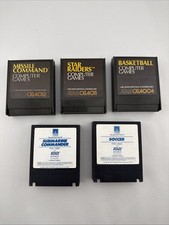
Atari 400/800 Game Cartridge Lot of 5 - Missile Command, Star Raiders, Soccer
$29.97

Atari 130 XE/Atari 1050 Bundle W/ Cords And Extras (Powered On)
$300.00

Atari 800 8-bit Computer System Fully Tested Great Condition 48k READ
$350.00

DEFECTIVE Atari 810 Vintage Computer Disk Drive powers on Unit Only Boo G3D
$49.29

Atari XE 130XE Computer NTSC with Power Supply Powers On Untested
$159.95

Fujinet 1.7.1 Atari 400 800 800XL 130XE 65XE XEGS Assembled, Tested, Working
$99.99
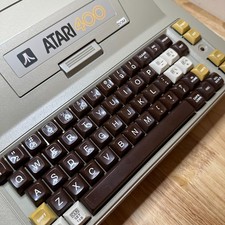
ATARI 400 NEW CAPS NEW 48K RAM KIT B-KEY KEYBOARD COLLECTOR QUALITY
$359.99

Atari OS & Memory Expansion Cartridges Lot - Untested Possibly For Parts/Repairs
$149.97

VTG Atari 1200XL Home Computer System 1200 XL ** Tested ** Parts or Repair
$323.75

UNOCART-2600 SD card Multi Rom Cartridge for ATARI 2600 with CASE
$34.25