-
Junior Member
registered user
changing /etc/inittab
This is partly a follow up on my earlier question about getting more terminals in runlevel 2.
Looking around the web, I found that I should be able to add at least a few virtual terminals by editing /etc/inittab and following the conventions therein. So, I did that in X at runlevel 5. After I had saved the changes, I ran "init 5" as root, but that doesn't seem to have introduced the changes into the system. If you change /etc/inittab how should you restart it to make the system adapt the changes?
-
Well 7 is reserved for X so if you just added the following to /etc/inittab why not just reboot or didn't it work? You can also try the command init q
8:23:respawn:/sbin/getty 38400 tty8
9:23:respawn:/sbin/getty 38400 tty9
10:23:respawn:/sbin/getty 38400 tty10
11:23:respawn:/sbin/getty 38400 tty11
12:23:respawn:/sbin/getty 38400 tty12
BTW, if you add 13-24 you can get to them with right-Alt+Fn.
-
Senior Member
registered user
Perhaps you were already running runlevel 5?
Similar Threads
-
By poseidon in forum Customising & Remastering
Replies: 4
Last Post: 12-10-2004, 08:50 PM
-
By bob58 in forum General Support
Replies: 10
Last Post: 10-05-2004, 05:01 PM
-
By n3150nao in forum General Support
Replies: 2
Last Post: 03-18-2004, 02:12 PM
-
By thedude in forum General Support
Replies: 1
Last Post: 10-08-2003, 04:25 PM
-
By cjaferre in forum Hardware & Booting
Replies: 5
Last Post: 07-25-2003, 02:54 AM
 Posting Permissions
- You may not post new threads
- You may not post replies
- You may not post attachments
- You may not edit your posts
-
Forum Rules


New Barebones Supermicro 5019D Server, 4C/8T Xeon D-2123T, 1U Rackmountable, 10G
$449.99

HP ProLiant MicroServer Gen8 G1610T @2.3 GHz, 16GB, 712317-001 NO HDD/OS
$199.00

Nasuni NF-50 Supermicro Server, Atom CPU C2558, @ 2.40GHz, 8GB RAM-No HDD/OS/AC
$250.00

Supermicro 505-2 Server
$280.00

Supermicro 2U X10DRU-i 2x E5-2680 v3 2.5ghz 32gb Ram 240gb SSD 2x GPU *READ*
$369.99

SuperMicro 4U CSE 847 36 Bay LFF Barebone 2x 1280W w/ 2x Bays 2.5 Rear w/Trays
$499.99

1U Edge Firewall Server X11SCW-F Xeon E-2174G 0 RAM M.2 NVME 3x PCI-e 2x PSU X
$175.00
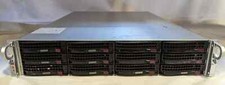
Supermicro X10DRU-i 2U 12LFF 2x E5-2680 v4 128gb Ram 480gb SSD 2x Nvidia K80
$749.99

Supermicro CSE-937 3U Storage Chassis No CPU No HDD No Ram Tested & Reset
$129.99

Supermicro 1U Network Server Appliance 16GB RAM 800GB SSD 6 LAN Ports Powers On
$450.00



 Reply With Quote