-
Senior Member
registered user
Right-click the desktop icon, third tab, uncheck read-only, Apply and OK. Right-click icon, unmount. Left-click icon - should now be R/W. For some reason, it always seems that you have to unmount and re-open before unchecking the read-only box works, at least for me.
jd
Similar Threads
-
By marynobrain in forum Laptops
Replies: 4
Last Post: 04-14-2004, 07:47 PM
-
By Keilaron in forum Hardware & Booting
Replies: 3
Last Post: 01-23-2004, 04:56 AM
-
By echelon in forum General Support
Replies: 3
Last Post: 11-26-2003, 08:50 PM
-
By jratlif2 in forum Hardware & Booting
Replies: 11
Last Post: 07-24-2003, 06:12 PM
-
By powertc_g4 in forum General Support
Replies: 6
Last Post: 07-22-2003, 04:22 AM
 Posting Permissions
- You may not post new threads
- You may not post replies
- You may not post attachments
- You may not edit your posts
-
Forum Rules


New Barebones Supermicro 5019D Server, 4C/8T Xeon D-2123T, 1U Rackmountable, 10G
$449.99

HP ProLiant MicroServer Gen8 G1610T @2.3 GHz, 16GB, 712317-001 NO HDD/OS
$199.00

Supermicro 505-2 Server
$280.00

Nasuni NF-50 Supermicro Server, Atom CPU C2558, @ 2.40GHz, 8GB RAM-No HDD/OS/AC
$250.00

Supermicro 2U X10DRU-i 2x E5-2680 v3 2.5ghz 32gb Ram 240gb SSD 2x GPU *READ*
$369.99

SuperMicro 4U CSE 847 36 Bay LFF Barebone 2x 1280W w/ 2x Bays 2.5 Rear w/Trays
$499.99

1U Edge Firewall Server X11SCW-F Xeon E-2174G 0 RAM M.2 NVME 3x PCI-e 2x PSU X
$175.00
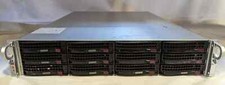
Supermicro X10DRU-i 2U 12LFF 2x E5-2680 v4 128gb Ram 480gb SSD 2x Nvidia K80
$749.99

Supermicro CSE-937 3U Storage Chassis No CPU No HDD No Ram Tested & Reset
$129.99

Supermicro 1U Network Server Appliance 16GB RAM 800GB SSD 6 LAN Ports Powers On
$450.00



 Reply With Quote