-
Senior Member
registered user
-
Senior Member
registered user
to answer my own question with my own workaround - not really sure what I did here but it works partially...
I could find no file containing the phrase "default-printer-resolution:" or printer resolutions supported. I found under /etc/Xprint in there were some more folders and two of them had a "printer" file. I uncommented the line "*printer-resolutions-supported: 300" and changed 300 to 600. Changing the printer file in one folder changed the other.
I can now print pages normal size, sometimes the text is OK, other times though the layout of graphics and other page elements is normal, the text is still teenyweeny.
Other input is most welcome. I am a little old to be going for an engineering degree in order to configure a really shabby printer server like this. Help 
-
Senior Member
registered user
I have no clue what the answer to your question is!
Mozilla won't work with "kprinter"? What happens when you change Mozilla's default print command (File > Print > "Properties..." button > "Print Command:" field) from "lpr ${MOZ_PRINTER_NAME:+'-P'}${MOZ_PRINTER_NAME}" to "/usr/bin/kprinter"?
-
Senior Member
registered user
Mozilla since I guess 1.7 recognizes no print servers but Xprint now - so unless you have xprint running, you have no printers. Some sort of joint development deal, I don't know. Why it is merely listed as a "suggestion" and not a dependency I also don't know. I guess they don't consider printing a necessity  You find some things here and there if you google about it. When someone does ask why the 1/4 page bit, somebody generally will give a terse ohsouseless (in this case) readtheFAQ. In the case of xprint FAQ, you have to be kidding - it runs more pages than my motherboard manual and I am quite serious. You do need some significant experience, the bulk of it is well beyond me. And I am quite hesitant about any software or application whose FAQ has a prominent question of "Why do so many people hate this app?"
It seems to depend a lot on the printer and your locale. If your printer can handle the 600dpi and you can find your paper size, you aren't likely to notice a problem.
After doing my little hatchetjob on those "printer" files Mozz developed a crashing prob. I don't know if it is coincidental. I haven't done a lot of surfing with 1.7 and maybe just hitting some scripting it couldn't handle. I tried to do another update I saw this afternoon. Although it seemed to install it wouldn't start with "mozilla-1.7" command that all my links were. So now I am running 1.7.1-1 from just plain "mozilla". Figure I will wait until the next build and see what comes of it.
Not a happy mozz camper at the moment. I always tended toward the bleeding-edge mozilla buildsand really was never too unhappy for long but this time I think it got me. Maybe they will fix up xprint with it's own config file sometime.
-
Senior Member
registered user
Another complicated printing back-end for Linux? <groan>
Playing around with Kanotix BH6, I see what you mean. It comes with Mozilla 1.7 but the live CD doesn't include the Xprint server. The Postscript module is MIA. Result: no printing from Mozilla!
Anyway, take a look at this post to the Debian bug list -- if I'm reading it right, the Mozilla package maintainer disabled the Postscript module in v1.7 due to a spurious security concern, and re-enabled it in v1.7.1-1. Would it help to upgrade?
-
Senior Member
registered user
I am currently at 1.7.1-1 and actually if I really really need a page printed from mozilla that isn't working right, I am printing to pdf then using xpdf and printing it from, sick eh? I do mozz has a 1.8 alpha out...hmmm  I also upgraded xprint (boohissboohiss).
I am just sort of shocked I don't see more about the xprint/mozz bit in searches. Most other people's printers can handle the default dpi, I guess. Mozz I believe is the number one browser for linux (I am sure somebody will correct me if I am wrong) and you would think more folks would be crying "foul" if they weren't able to print from their browser.
-
Senior Member
registered user
FWIW.....I have had no troubles printing w/ cups at all using Firefox 0.9.1.
-
Hi nish, I have 1.7.1 too. You probably already know this, but if you change the dropdown to the Postscript/default and also change that whole lpr junk to kprinter it will print through kprinter. I'm not sure if there's a way to change the defaults though...cuz it seems like it'd be tedious to do that everytime. I too prefer Firefox though...not that you asked.
-
Senior Member
registered user
I did try that "fix" when I first updated mozz and found I needed xprint. What would happen, is that my printer (and the process) would freeze up about halfway through the sheet. Only powering off the printer and rebooting would reset the mess (and I had to physically remove the paper). After a couple of rounds of that I gave up and installed the xprint.
I have a lexmark and use gimpprint drivers, I have always managed to get it working but every update to the drivers or cups I have to go through the whole trial & error reinstalling the drivers. The xprint business sent me off the deep end. 
Similar Threads
-
By anton123 in forum General Support
Replies: 3
Last Post: 05-29-2005, 05:19 PM
-
By paoloskater in forum Hdd Install / Debian / Apt
Replies: 1
Last Post: 01-27-2005, 03:41 PM
-
By spade in forum Hdd Install / Debian / Apt
Replies: 0
Last Post: 03-23-2004, 04:49 PM
-
By lavaman094 in forum Hdd Install / Debian / Apt
Replies: 2
Last Post: 11-03-2003, 06:32 AM
-
By gommans in forum General Support
Replies: 2
Last Post: 02-07-2003, 05:34 PM
 Posting Permissions
- You may not post new threads
- You may not post replies
- You may not post attachments
- You may not edit your posts
-
Forum Rules


Genuine Cisco SFP-10G-SR 0-2415-03 10 Gigabit Transceiver
$5.40
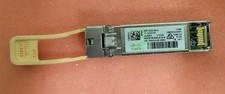
Cisco SFP-25G-SR-S 10-3227-03 25GBASE-SR SFP28 850nm 100m MMF LC Transceiver
$115.00

NEW Sealed Cisco SFP-10G-LR 10GBASE-LR SFP+ 1310nm 10km *US Shipping*
$24.00

Cisco Acacia DP04QSDD-E25-840 400G QSFP-DD Coherent DCO Transceiver Module
$699.99

CISCO 10GBASE-SR SFP "Lot of 4” SFP-10G-SR
$47.99

Intel X520-DA2 10Gb 10Gbe 10 Gigabit Network Adapter NIC Dual Port E10G42BTDA
$28.94

SFP TO RJ45 TRANSCEIVER SFP MODULE COPPER SFP OPTICAL PORT TO RJ45 ETHERNET PORT
$7.99

HP 560SFP+ 10GB 2-port PCIe NIC Ethernet ADAPTER 669279-001 w/ (2) 10GB SFP+
$16.99
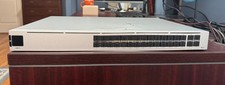
Ubiquiti Unifi USW PRO AGGREGATION 28x10Gbe 4x25Gbe QSFP28 Layer 3 Switch
$700.00

Cisco WS-C3650-12X48UR-L 48-Port Stackable Layer 3 8x10G SFP+ Port Switch
$129.99



There is a known "feature" of this crappola that it often will only use a quarter of a page unless of course you are in the standard locale of a peruvian monastery printing on default size papyrus. OK, I am in the little known USA using the even rarer 8.5 by 11 inch paper. I already changed mozz' paper size to 215x279mm but now have to fix the default printing dpi. The garbage's faq states:


 Reply With Quote