

 Reply With Quote
Not enough information. Tell us what you install, in what partition and send your lilo.conf, then we can help you....I hope.


I installed another system on a lin partition (Mandrake) which has been removed. Anyhow, now the lilo gui shows up and when I click on it instead of the Knoppix loading I get this:
initrd-tools: 0.1.67
mount: fs type devfs not supported by Kernel
umount: devfs: not mounted
mount: fs type devfs not supported by Kernel
umount: devfs: not mounted
chroot: /sbin/init: no such file or directory
Kernel panic: Attempted to kill init!
All of this, of course, after I tried to reinstll lilo to the hda4 root partition.
Can anyone help steer me the right direction?
I can access the partition with the knoppix 3.4 disk, the partition and all info is there, I just can't access it.
tia
pgk
Not enough information. Tell us what you install, in what partition and send your lilo.conf, then we can help you....I hope.
You can click on LILO??? How? I want to know.Originally Posted by pgk3734
Yes, the lilo gui comes up with selection of kernels and windowsxp and I
can select default 2.4 or any and I get the above instead of booting up.
I must add this happened after I tried some instructions (cheats, etc).
I edited lilo.conf to reflect that hda4 is where the boot info is to be and
was able to save this in the knoppix partition (hda4). I did something wrong, I suspect. I am having a hard time to get the lilo.conf copied to the winxp partition.
tia
pgk
You cannot do this -----> "I am having a hard time to get the lilo.conf copied to the winxp partition." lilo.conf is the configuration file for lilo and belongs on your linux partition. lilo.conf is obviously not right so let's fix it. Here's what you do:
It seems you installed Knoppix to /dev/hda4.
Boot Knoppix
mount /dev/hda4 /mnt/hda4
xedit /mnt/hda4/etc/lilo.conf
Paste your entire lilo.conf file here in the forum. Also explain how your drive is partitioned and what OS is on which partition. Without that information I think no one can really help.
 Posting Permissions

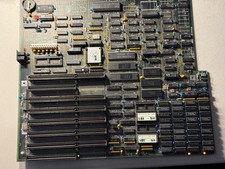
Vintage AT 640k Large System Board - 80286- 10 Motherboard - Works
$190.00

Vintage GTE XT300 Action Station Terminal 1984 - Tested Works Orig. Box & Foam
$889.00
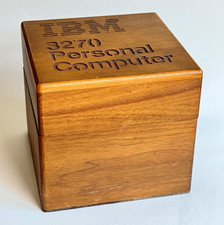
Ultra Rare Vintage IBM 3270 Personal Computer Wooden Floppy Disk Box Caddy
$179.99

Vintage Tandy Computer Varsity Scripsit Word Processing 3.5 & 5.25 Disks SEALED
$29.95
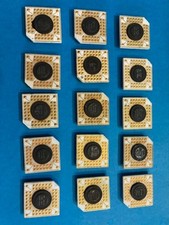
Vintage White Ceramic PGA Integrated Circuit Computer Chip
$375.00
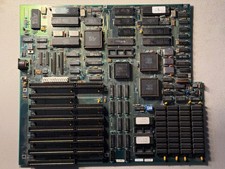
Vintage Everex Intel 286-10 640K DRAM Motherboard - Works
$190.00
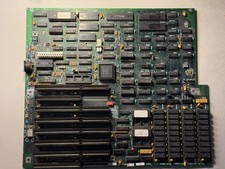
Vintage Intel 286-8 640K DRAM Motherboard - Works
$180.00

Original Vintage Old Style STANDARD Black CD Jewel Case (Heavy Duty) 90g Lot
$316.95
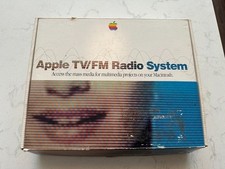
Rare Vintage Apple TV/FM Radio System In Box w Remote For Mac M4586LL/A
$499.00
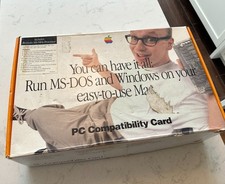
Rare Vintage Apple PC Compatibility Card P166 In Box 820-0930-A M5782LL/A READ
$699.00