-
Knoppix messes with /dev/hda3 and nvidia driver?
I run knoppix 3.3, do nothing, logout, reboot
I load my usual gentoo-2.6.7-r11 kernel and get
-----
Mounting /dev/hda3 on /newroot failed: invalid argument
>> Could not mount specified ROOT, try again
>> The root block device is unspecified or not detected
----
So I reboot and retry my 2.6.7 kernel... same problem... again and again
So I reboot to my older gentoo-2.4.20 kernel and it loads fine, and
So I reboot and retry 2.6.7 kernel and now it works... and now I'm puzzled
Proceeding a startx and my nvidia driver only works for an awfully poor resolution. Reinstalling the driver does nothing.
I reinstall the kernel, the video drivers, and now all is fine.
In addition I can replicate this... obviously it's a painful thing to replicate but I can replicate it. Any ideas as to what is going on?
-
Re: Knoppix messes with /dev/hda3 and nvidia driver?
Problem is not with Knoppix. Problem is with turning off the computer completely and restarting... which only happens for me when I log out of Knoppix. Rebooting does not cause any problems.

Originally Posted by
gr
I run knoppix 3.3, do nothing, logout, reboot
I load my usual gentoo-2.6.7-r11 kernel and get
-----
Mounting /dev/hda3 on /newroot failed: invalid argument
>> Could not mount specified ROOT, try again
>> The root block device is unspecified or not detected
----
So I reboot and retry my 2.6.7 kernel... same problem... again and again
So I reboot to my older gentoo-2.4.20 kernel and it loads fine, and
So I reboot and retry 2.6.7 kernel and now it works... and now I'm puzzled
Proceeding a startx and my nvidia driver only works for an awfully poor resolution. Reinstalling the driver does nothing.
I reinstall the kernel, the video drivers, and now all is fine.
In addition I can replicate this... obviously it's a painful thing to replicate but I can replicate it. Any ideas as to what is going on?
-
Senior Member
registered user
I believed the problem could be somewhere in your hardware. Either you harddisk or your memory. Try changing bios setting to use either auto detection of harddisk or user setting. Test your memory using any memory testing utility, kanotix has that utility built in.
Similar Threads
-
By myztik19 in forum Hardware & Booting
Replies: 0
Last Post: 07-20-2004, 12:48 PM
-
By danboid in forum General Support
Replies: 0
Last Post: 06-28-2004, 09:42 AM
-
By Arman in forum Customising & Remastering
Replies: 12
Last Post: 10-14-2003, 10:38 PM
-
By nIght in forum General Support
Replies: 3
Last Post: 10-03-2003, 09:28 PM
-
By aryakori in forum Hardware & Booting
Replies: 1
Last Post: 07-26-2003, 06:17 AM
 Posting Permissions
- You may not post new threads
- You may not post replies
- You may not post attachments
- You may not edit your posts
-
Forum Rules


Macintosh Platinum Mouse - Apple 128K 512K 512Ke Mac Plus Lisa IIe M0100 - NEW
$49.99

Vintage Apple Macintosh Keyboard Model M0110 - 128K/512K/Plus (260191)
$99.00
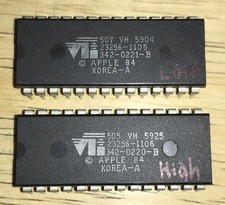
RARE 1984 Apple Macintosh 128K Original ROM Set Low/High Version B TESTED NICE
$169.99

Vintage Apple Macintosh M0100 Mouse 128K/ 512K/ Plus (260191)
$44.99
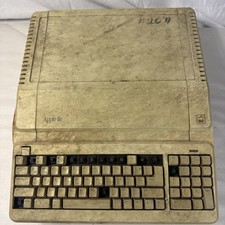
Vintage Apple IIe Platinum A2S2128 128K Computer Parts Repair Missing Keys
$100.00
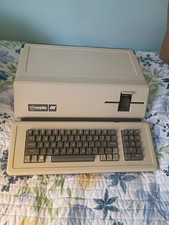
VINTAGE APPLE III COMPUTER A3S1-052010 (128k)
$800.00

Apple Macintosh 128k 512k Plus Power Supply Analog Board - needs work
$60.00

EARLY 1984 APPLE MACINTOSH Model M0001 1st MAC 128K + PICASSO KIT WORKING RARE
$4499.99

Apple Macintosh 9" B&W CRT Mac 128k 512k Plus SE SE/30 Classic - Working (260191
$39.99

Apple Macintosh Sweep Power Supply Analog Board Plus 128K 512K 630-0102 (260191)
$69.99



 Reply With Quote