-
Recovering data from windows partition
my computer was running with windows xp home edition....when it failed to start up (crashes at start up screen after loading), i tried to reinstall windows. That usually works for me...but this time it told me it couldnt access some files, and could not continue...I herd about knoppix and decided to use it to recover important data. I have the ISO all burned, ive booted it up successfully a few times but i cant find a way to get my old data...I thouhgt i could just send it over my netowkr to my win98 computer...but i cant establish a network...I dont think i can burn my data because i only have 1 cd drive (which is also the burner) and it wont let me open it. I cant even install programs, it doenst know what to open .exes with.
ahhh its really frustrating...any help would be greatly appreciated 
-
Senior Member
registered user
Re: Recovering data from windows partition

Originally Posted by
StryDeR
my computer was running with windows xp home edition....when it failed to start up (crashes at start up screen after loading), i tried to reinstall windows. That usually works for me...but this time it told me it couldnt access some files, and could not continue...I herd about knoppix and decided to use it to recover important data. I have the ISO all burned, ive booted it up successfully a few times but i cant find a way to get my old data...I thouhgt i could just send it over my netowkr to my win98 computer...but i cant establish a network...I dont think i can burn my data because i only have 1 cd drive (which is also the burner) and it wont let me open it. I cant even install programs, it doenst know what to open .exes with.
ahhh its really frustrating...any help would be greatly appreciated
Sounds like the hardrive is going bad.
What happens when you click the hda1 icon? (if thats not there what is there?)
To get to the other computer if you know the other computers name you can type smb://computer_name
Also you can't install programs as it is a read-only cd.
Wine opens .exe files, though I wouldn't rely on it at all.
-
hello firebyrd
oh no my harddrive is fine i think...after booting up with knoppix i do see
hda1 and i am able to get to it. Its just a matter of transfering data from that to another computer.
do i use the smb command in the linux webbrowser?
-
Senior Member
registered user
Originally Posted by
StryDeR
hello firebyrd
oh no my harddrive is fine i think...after booting up with knoppix i do see
hda1 and i am able to get to it. Its just a matter of transfering data from that to another computer.
do i use the smb command in the linux webbrowser?
Use it in konqueror(sp?)
-
ok my windows 98 computer's name is CHAN
so i entered smb://CHAN in konqueror and nothing is happening
-
Senior Member
registered user
StryDer
I don't no your network setup, is it full network with server somewhere or just your existing pc(act as server) and other win98 pc.
If your corrupted hd pc act as server you can use this method:
1) run your knoppix cd
2) set your netcard using network card configuration (on Tux icon next to K menu)
3) Start knoppix terminal server (choose start). you don't have to set it up. Just enter ok on every question asked.
4) Start samba server ( put the password etc)
5) Run Linneighborhood (under internet menu). In linneighborhood choose icon ADD and your w98 pc name (CHAN) and query. Your w98 pc will show up. Choose whatever folder you share that you want to transfer your data to, right click and mount.
6) Open konquerer, go to device icon on left side and you will see device with the name Remote Share. Click on it and you will see all the files in w98 mounted folder. Create new folder ex:Backup, to move file from corrupted hd to that folder.
7) On your desktop you will see hda1, click on it and it will open the XP partition. From here you can choose what ever files you want, drag and drop or copy and paste to that w98 mounted folder.
-
shah
thank you so much, ive followed your advice and im beggining to tranfer a few files, everythings looking great 
thank you
you too firebyrd, i really appreciate all the help
-
edit- nevermind i got it...thanks for the info
-
Senior Member
registered user
Yes sometimes I have to use Linneighborhood to acess.
I was booting up knoppix to see how to spell Linneighborhood when the knoppix site went down. So I couldn't post it.
Glad you got it working.
-
I have the same problem but my non corrupt PC is running WinXP Pro SP2. Everything works great up until step #5, where in Linneighborhood I type in the name of my computer (diddybox) and click query; my pc doesn't show up. Any ideas on what I could be doing wrong?
Originally Posted by
shah
If your corrupted hd pc act as server you can use this method:
1) run your knoppix cd
2) set your netcard using network card configuration (on Tux icon next to K menu)
3) Start knoppix terminal server (choose start). you don't have to set it up. Just enter ok on every question asked.
4) Start samba server ( put the password etc)
5) Run Linneighborhood (under internet menu). In linneighborhood choose icon ADD and your w98 pc name (CHAN) and query. Your w98 pc will show up. Choose whatever folder you share that you want to transfer your data to, right click and mount.
6) Open konquerer, go to device icon on left side and you will see device with the name Remote Share. Click on it and you will see all the files in w98 mounted folder. Create new folder ex:Backup, to move file from corrupted hd to that folder.
7) On your desktop you will see hda1, click on it and it will open the XP partition. From here you can choose what ever files you want, drag and drop or copy and paste to that w98 mounted folder.
Similar Threads
-
By alex2004 in forum MS Windows & New to Linux
Replies: 4
Last Post: 06-17-2005, 11:20 PM
-
By charles1981 in forum Hdd Install / Debian / Apt
Replies: 2
Last Post: 03-21-2005, 06:42 AM
-
By Detonator in forum Laptops
Replies: 6
Last Post: 02-04-2005, 02:05 AM
-
By Detonator in forum General Support
Replies: 2
Last Post: 02-03-2005, 02:44 PM
-
By doktor in forum General Support
Replies: 2
Last Post: 11-01-2003, 06:54 AM
 Posting Permissions
- You may not post new threads
- You may not post replies
- You may not post attachments
- You may not edit your posts
-
Forum Rules


Fujinet 1.7.1 Atari 400 800 800XL 130XE 65XE XEGS Assembled, Tested, Working
$99.99

Atari 400 / 800 Computer Memory Module 16K RAM PCB CX853 - Works Perfectly
$18.95
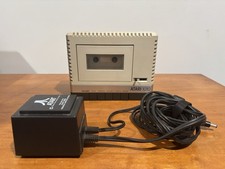
Atari 1010 Cassette Recorder/Player w/ Power Adapter For Parts/Repair Turns On
$25.00

DEFECTIVE Atari 810 Vintage Computer Disk Drive powers on Unit Only Boo G3D
$49.29
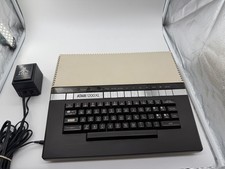
Atari 1200XL Home Computer, Tested Boots & Plays Cart, OEM PSU, Box - Read
$329.95

A8PicoCart Multicart for Atari 800xl /65xe / 130xe / XEGS
$16.95
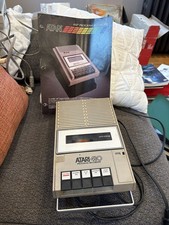
Atari 410 Program Recorder repair w manual sheet/ adapter cord
$23.99
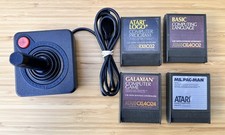
Vintage Atari 400/800 - Ms PacMan Galaxian BASIC Atari Writer Carts + Joystick
$38.88

Atari 130 XE/Atari 1050 Bundle W/ Cords And Extras (Powered On)
$300.00
Atari 800 Home Computer 48K RAM In Original Box w/ Styro RF Switch Extra Games
$349.30



 Reply With Quote