-

Originally Posted by
Durand Hicks
You'll have to edit the pb file in /home/youruseraccount/.rox_choices/rox-filer. If you study it a bit, you can edit it to display an icon for your mount point(s). This is what I have done with enlightenment as well. I don't know how to make the pinboard start with enlightenment but from some of the documentation I've read, you might need the rox-session package. Personally, I just make an entry in the menu for the pinboard, both on and off to give me control at will with a click.
I'm not sure I understand. I was able to create desktop icons for my mount points by dragging from rox-filer onto the desktop. You may be right about rox-session. But you'd think it could just be added to a script. I save my session with rox pinboard running the same way I got gnome-panel and gkrellm to load up automatically, but it doesn't seem to save the pinboard. And it just shows /rox in the session editor.
Originally Posted by
Durand Hicks
P.S. Do the moderators allow posting of jpgs to display screenshots if it was to show how things look?
I think showing screenshots the way mzilikazi did it is probably best. That way people can choose whether or not to download the jpgs if they're on dialup. But as long as you made the screenshot small enough, I imagine the mods wouldn't mind you putting it in the body of the message. I've seen people do it here before...I think I've even done it once or twice. 
Similar Threads
-
By Crusader in forum Ideas
Replies: 0
Last Post: 01-16-2005, 10:50 PM
-
By shah in forum General Support
Replies: 4
Last Post: 12-21-2004, 03:35 AM
-
By mzilikazi in forum The Lounge
Replies: 7
Last Post: 11-22-2004, 06:28 PM
-
By RJDReid in forum Hdd Install / Debian / Apt
Replies: 1
Last Post: 11-18-2003, 06:07 AM
-
By sb73542 in forum Ideas
Replies: 0
Last Post: 10-11-2003, 06:15 PM
 Posting Permissions
- You may not post new threads
- You may not post replies
- You may not post attachments
- You may not edit your posts
-
Forum Rules


Supermicro 2U X10DRU-i 2x E5-2680 v3 2.5ghz 32gb Ram 240gb SSD 2x GPU *READ*
$369.99

HP ProLiant MicroServer Gen8 G1610T @2.3 GHz, 16GB, 712317-001 NO HDD/OS
$199.00

Supermicro CSE-937 3U Storage Chassis No CPU No HDD No Ram Tested & Reset
$129.99

Supermicro 1U Network Server Appliance 16GB RAM 800GB SSD 6 LAN Ports Powers On
$450.00

New Barebones Supermicro 5019D Server, 4C/8T Xeon D-2123T, 1U Rackmountable, 10G
$449.99
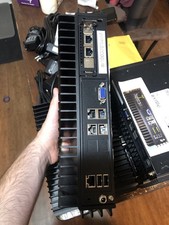
Supermicro SYS-E302-9A Fanless Firewall Atom C3558 16GB ECC 64GB SSD 6x GbE i350
$325.00

Supermicro 5019D-4C-FN8TP Xeon D-2123IT (4C/8T) 64GB DDR4 10GbE 480GB 1U Server
$689.00

Supermicro 1027GR-TSF 1U Rackmount Server 2x Xeon 2.3GHz 128GB DDR3
$219.99

Nasuni NF-50 Supermicro Server, Atom CPU C2558, @ 2.40GHz, 8GB RAM-No HDD/OS/AC
$250.00

Supermicro 505-2 Server
$280.00



 Reply With Quote