-
-
Senior Member
registered user
This is what I see.
1) You don't need gateway in eth2, you can remove it.
2) /etc/resolv.conf, your name server is wrong. It shouldn't be your gateway.
It should be the name server provided by your ISP.
Don't forget networking restart after changing it.

-
thx shah for helping
i tried the way you posted...and it works now
since im a spoiled windows user, linux seems for me more complicated - better - more digging deeper into the material , so i have just a few more questions/problems 
1. i deleted gateway-entry in eth2 ... this didnt work as this is the main nic/at the moment physically connected to lan. otherwise it worked for deleting gateway in eth0 and keeping the entry for eth2. no routing problems in eth2 by now.
in my scenario, when i get eth0 (wlan-nic) working (at the moment lack of time resolving the problem with tkip under linux), this will be my master entry to the network...so i'll have to reconfigure the gateways again. this solution isnt satisfying. how to ensure co-existenz of both cards, independently when and in what combination i use them?
2. the network isnt available at boot-up, i.e. i have to login as root and "ifdown eth2" then "ifup eth2" that the full network config is getting assigned and the connection is operational. the other option is doing networking restart twice to make it work. how to configure this properly, so that after booting, login in (as root or normal user), starting tux, flux, kde or whatever and launch my browser the network is UP ????
3. do you know a good linux/knoppix faq/howto/resource website besides the first ten results from google? 
thx again & greetz
mobad
-
Senior Member
registered user
Mobad
1) Both your card can coexist but can't use same gateway ( I believed ). When your eth0 is working, you need to configure the gateway.
But you can try this:
Set your eth0(wlan) to received ip from router (DHCP) and eth2 leave it as it is. Make sure your Wlan router set as DHCP server (dhcp broadcast).
Meaning your /etc/network/interfaces should look like this:
auto lo
iface lo inet loopback
auto eth0
iface eth0 inet dhcp
auto lo eth2
iface eth2 inet static
address 192.168.0.21
netmask 255.255.255.0
network 192.168.0.0
broadcast 192.168.0.255
gateway 192.168.0.1
**You can change between eth0 or eth2, which one you prefer to received IP automatically.
**This might not work.
2) This is a known problem, bug in knoppix-autoconfig. There are two ways to solve this problem, editing knoppix-autoconfig or make your own script.
a) Editing /etc/init.d/knoppix-autoconfig
comment out line that reads: pump -i $DEVICE >/dev/null 2>&1 &
and add line : /etc/init.d/networking restart
ex:
broadcasting for IP.${NORMAL}"
trap 2 3 11
#pump -i $DEVICE >/dev/null 2>&1 &
/etc/init.d/networking restart
trap "" 2 3 11
sleep 1
echo " ${BLUE}(Backgrounding)${NORMAL}"
b) Create your own script:
ex:
#!/bin/sh
ifconfig eth0 down
ifconfig eth2 down
/etc/init.d/networking stop
ifconfig eth0 up
ifconfig eth2 up
/etc/init.d/networking start
name it to what ever you wan't ex: mynet.sh and save it in /etc/init.d
and run update-rc.d mynet.sh defaults so it can run on boot. To remove , run update-rc.d -f mynet.sh remove .
3) Don't google for knoppix, but google for Debian. That what knoppix based on.
Happy knoppix
Similar Threads
-
By jimbo62 in forum Networking
Replies: 0
Last Post: 08-04-2004, 04:20 AM
-
By terminator in forum Networking
Replies: 4
Last Post: 05-25-2004, 10:51 AM
-
By quiek in forum Laptops
Replies: 1
Last Post: 03-05-2004, 11:25 PM
-
By robsiharrer in forum Networking
Replies: 3
Last Post: 02-03-2004, 11:14 PM
-
By winterw in forum General Support
Replies: 2
Last Post: 02-08-2003, 06:43 PM
 Posting Permissions
- You may not post new threads
- You may not post replies
- You may not post attachments
- You may not edit your posts
-
Forum Rules


SFP TO RJ45 TRANSCEIVER SFP MODULE COPPER SFP OPTICAL PORT TO RJ45 ETHERNET PORT
$7.99

NEW Sealed Cisco SFP-10G-LR 10GBASE-LR SFP+ 1310nm 10km *US Shipping*
$24.00

Dell Intel X710-DA2 5N7Y5 Dual-Port 10GbE SFP+ PCIe 3.0 x8 Network Adapter
$27.50

Intel SPTSLP2SLCDE 100G-DR1 QSFP28 500m 1311nm Transceivers - Lot of 10 - New
$200.00

Genuine Cisco SFP-10G-SR 0-2415-03 10 Gigabit Transceiver
$5.40

HP 560SFP+ 10GB 2-port PCIe NIC Ethernet ADAPTER 669279-001 w/ (2) 10GB SFP+
$16.99

Intel X520-DA2 10Gb 10Gbe 10 Gigabit Network Adapter NIC Dual Port E10G42BTDA
$28.94
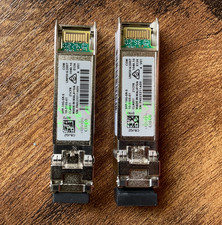
(2) Cisco SFP-10G-SR-S 10G SR SFP+ Transceiver Modules 10-3105-01 - Genuine
$32.88

Cisco Acacia DP04QSDD-E25-840 400G QSFP-DD Coherent DCO Transceiver Module
$699.99

New Sealed Cisco GLC-LH-SMD 1000BASE-LX/LH SFP Transceiver Module *US
$17.00



 my first question is: how to configure this properly?
 Reply With Quote