-
Help I'm stuck with Hard Drive install.....
Hi,
I followed this http://www.linuxdevcenter.com/pub/a/...0/knoppix.html
to get knoppix to run from hard drive with the hope of doing my own custom knoppix....
but when I boot to knoppix (on hard disc) its looking for the CD-rom...
Is this best way to go about it or is there a better way ??
Thanks in Advance
Mr Green 
-
Senior Member
registered user
Frankly I've never read a more complicated article about something that is really quite simple. It's all that GUI based business that's cluttering it up! BAH!
Looks like you're trying to boot the compressed KNOPPIX image from hdd. Not sure if you realize this but that's a static file system you're trying to boot. No customization will be done there.
Read this howto
I think that's what you want. The difference being that you are now booting directly into your remastering environment. This is NOT a static file system because it is not compressed. You can add/remove apps, changes WM's etc. using apt as per normal. When you boot it will run the autodetection routines as normal.
The long and short of it is. You will have Knoppix, it can be customized, it can be recompressed and burned to disc.
You can find tips on tweaking and customizing your remaster to do what you want scattered throughout the remastering forum. Things change rapidly. I would probably avoid 10 month old articles on Knoppix. 
-
Hi .. Thanks for your help your right it is an old article (I'm old too lol)
this is the bit that got me stumped...
/sbin/losetup /dev/loop0 /mnt/cdrom/KNOPPIX/boot.img
mount /dev/loop0 /mnt/floppy/ # changed this to /mnt/test which worked
cp /mnt/floppy/* /mnt/hda1/boot # /mnt/test/* ???
edit knoppix to the rescue  managed to get vmlinuz & miniroot.gz onto HD (although not in /boot dir as I would have wanted
Now running Knoppix from HD :P
Did try tohd=/dev/hda1 but that did not work....
knoppix-installer may have done the trick but I like to know whats going on (from terminal)
Am I going have trouble setting up my own custom Knoppix 
Thanks again for your help
MrGreen
-
right got 3.3 working Ok..
Code:
df -hT
Filesystem    Type    Size  Used Avail Use% Mounted on
/dev/root     ext2    2.5M  1.8M  713K  72% /
/dev/cdrom iso9660     37G  729M   35G   3% /cdrom
/dev/cloop iso9660    1.9G  1.9G     0 100% /KNOPPIX
/ramdisk     tmpfs    196M  5.8M  191M   3% /ramdisk
Is this correct ?
before I go loading up 3.6
Mr Green
Similar Threads
-
By kamal in forum Hdd Install / Debian / Apt
Replies: 19
Last Post: 12-18-2004, 07:39 AM
-
By brianfay in forum Hdd Install / Debian / Apt
Replies: 2
Last Post: 06-02-2004, 12:42 PM
-
By steingra in forum Hdd Install / Debian / Apt
Replies: 4
Last Post: 10-20-2003, 01:04 PM
-
By Gregwithoneg in forum General Support
Replies: 6
Last Post: 05-22-2003, 01:41 PM
-
By gabbman in forum The Lounge
Replies: 2
Last Post: 12-13-2002, 02:15 PM
 Posting Permissions
- You may not post new threads
- You may not post replies
- You may not post attachments
- You may not edit your posts
-
Forum Rules


One Of A Kind Homemade Vintage Mainframe Computer, Logic Module Wood Bookends
$149.00

Vintage Telex 952003-112 Mechanical Terminal Keyboard IBM 3270 Mainframe DB25
$594.99

HP 5060-8359 8K Semiconductor Memory Module 5080-9747 Vintage HP Computer
$224.72

HP 13210-60001 Disc Drive Interface PCB HP 7900A 7901A Vintage
$225.61

4x Various Brands 8.5" Mainframe 9-Track Reel Computer Data Tape 6250 CPI .5"
$24.99
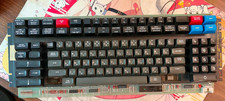
Vintage Japanese Katakana Double Shot Sperry Univac UTS 4000 Keyboard 1981
$199.99
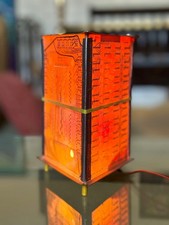
Vintage UNIVAC Mainframe Circuit Board Lamp - Cyberpunk Tech Geek Industrial Art
$225.00
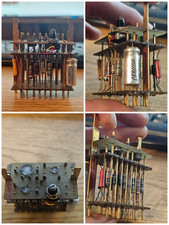
Rare Vintage Mainframe Burroughs Discrete-Transistor Cordwood Module B2500 B5000
$94.95

Vintage Intel Mainframe Server MCM CPU Substrate Lot Prototyping PGA Validation
$500.00
Adjustable Rolling Computer Cart, Mobile Standing Workstation, Mobile Cart
$211.28



 Reply With Quote