

 Reply With Quote
Is the port on your motherboard USB 2.0? If not, the device rating doesn't matter.
jd


I know this topic has been discussed before, but I am haing difficulty getting a handle on it so I am requesting spoonfeeding. I boot from Knoppix CD, hit F2 and enter knoppix lang=us home=/dev/sda1 and everything if fine. Boot up no problem. However, when I transfer files from the USB 2.0 hard drive (ie. my persistent home) to my C drive (okay hda1) the transfer rate is clearly that of USB 1.1. Please tell me what cheat code I need to enter to enable the full power of USB 2.0. BTW this happens when I enter knoppix26 as well.
Thanks-Tbobz
Is the port on your motherboard USB 2.0? If not, the device rating doesn't matter.
jd
Yes it is.
Yours-Tbobz
should work.Code:modprobe ehci
if not... let us hear.
Tried 'modprobe ehci-hcd' and all is well. Thanks to all who responed.
Yours-Tbobz
If you are using Knoppix V3.6 you can also add the cheatcode usb2 at the boot command line and it will load ehci-hcd.o for you.Originally Posted by tbobz
Best Wishes
Pete
Thanks El_Sup-When I fool around with 3.6 I'll give it a try. Right now I am very happy with Overclockix 3.4_V3. Best out of the box multimedia support I have yet found on live CD.
Yours-Tbobz
 Posting Permissions


Supermicro 2U X10DRU-i 2x E5-2680 v3 2.5ghz 32gb Ram 240gb SSD 2x GPU *READ*
$369.99

HP Proliant MicroServer Gen 8 2.23GHz Xeon 16GB RAM NO SSD
$249.99

$280.00

Supermicro CSE-937 3U Storage Chassis No CPU No HDD No Ram Tested & Reset
$129.99

New Barebones Supermicro 5019D Server, 4C/8T Xeon D-2123T, 1U Rackmountable, 10G
$449.99
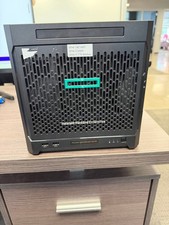
HPe Proliant Microserver Gen10 AMD Opteron 16GB RAM, 3x Intel SSD, Working
$600.00

SuperMicro 4U CSE 847 36 Bay LFF Barebone 2x 1280W w/ 2x Bays 2.5 Rear w/Trays
$499.99

Supermicro 5019D-4C-FN8TP Xeon D-2123IT (4C/8T) 64GB DDR4 10GbE 480GB 1U Server
$689.00

Supermicro E300-12C Mini 1U Barebone X12SCV-LVDS LGA1200 SNK-P0073A4 w/ Adapter
$225.00

Nasuni NF-50 Supermicro Server, Atom CPU C2558, @ 2.40GHz, 8GB RAM-No HDD/OS/AC
$250.00