-
Senior Member
registered user
You need to do the Step 2 because knoppix will become a server and xp will be the client. An IP is needed for the pc to be recognize by others.Knoppix will masquerade ip to other pc.
Step 3 and 4 are straight forward. You can find it in 'tux icon'.
On the samba side, the important things is name of your xp user and password, workgroup must be the same.
You can do this the other way, without using linneighbourhood.
After you set all the above, mount all your partition in knoppix and set which folder you want to share (under properties-->samba).
Then from XP, open my network places, you'll see your knoppix pc and all the shared folder. Just drag & drop.
Similar Threads
-
By s-m-n in forum Hardware & Booting
Replies: 4
Last Post: 04-23-2005, 08:50 PM
-
By spree in forum General Support
Replies: 7
Last Post: 12-13-2004, 09:16 PM
-
By toutous in forum Ideas
Replies: 1
Last Post: 05-11-2004, 05:58 AM
-
By astrojohn in forum General Support
Replies: 1
Last Post: 01-06-2004, 02:06 AM
-
Replies: 1
Last Post: 01-24-2003, 11:47 PM
 Posting Permissions
- You may not post new threads
- You may not post replies
- You may not post attachments
- You may not edit your posts
-
Forum Rules


Computer Photo History Altair 8800 Philco 212 CDC 6600 DEC PDP-8 Apple 1 UNIVAC
$69.99

S-100 Vector Graphic 64K Ram Board (Altair, IMSAI)
$99.95

S-100 Vector Graphic 12K PROM/RAM Board (Altair, IMSAI)
$99.95

S-100 Bus Handbook Altair 8800 IMSAI 8080 Board Schematics Xitan Pertec Cromemco
$89.99
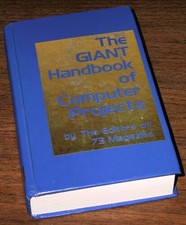
1979 Microprocessor Projects Altair 8800 Intel 8080 KIM-1 COSMAC Elf SWTPC 6800
$59.99

Vintage Digital Research ZSID 1.4 8" Floppy Disk CP/M Z80 Software S-100 Altair
$69.99

Intel 4004IBM Mark 1 UNIVAC Cray-1 Babbage ENIAC Apple 1 Steve Jobs MITS Altair
$50.99
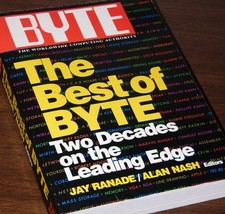
640pg Best of BYTE Magazine 1984 Mac Steve Jobs Altair 8800 IBM 5100 Bob Moog
$85.00

CP/M 86 1.1R 8086 Highmonitor 8 Inch Floppy Diskette 80s IMSAI Altair
$29.99

ALTAIR Bitcoin Mining Solutions PDU IEC SERIES 100-250V 30A/24A Power Distribute
$99.00



 Reply With Quote