-
How to make partition read-write
I have a separate D: drive that I need to save some C: drive files to, before using the Win XP boot disk. I cannot save or modify anything on this D: drive current. I have followed the following instructions with no success:
-You will need to make the drive or partition writable to be able to copy files to it. Right click on the drive or partition on the desktop. This will bring up a little menu. Select the last item in the menu, "Properties". This will open a window with four tabs. Select the third tab, "Device". There is a checkbox labeled "Read only". Make sure it is unchecked, and click on Ok. See Appendix C for a picture.
- Right click on the drive or partition icon again. If there is an item in the menu called "Unmount" select it.
- Click on the icon on the desktop for the drive or partition. This will open the explorer type window again.
- Go back to the window where you found your data you wish to recover. Select the files. Right click on them and select copy. Go back to the window we just opened for the drive or partition. Right click in the big area on the right and select paste.
After doing this, even though the Read-only checkbox is no longer checked, I still cannot add files.
Any suggestions on how I can get around this problem would be greatly appreciated. Thanks,
-
Senior Member
registered user
Re: How to make partition read-write

Originally Posted by
woodjack
I have a separate D: drive that I need to save some C: drive files to, before using the Win XP boot disk. I cannot save or modify anything on this D: drive current. I have followed the following instructions with no success:
-You will need to make the drive or partition writable to be able to copy files to it. Right click on the drive or partition on the desktop. This will bring up a little menu. Select the last item in the menu, "Properties". This will open a window with four tabs. Select the third tab, "Device". There is a checkbox labeled "Read only". Make sure it is unchecked, and click on Ok. See Appendix C for a picture.
- Right click on the drive or partition icon again. If there is an item in the menu called "Unmount" select it.
- Click on the icon on the desktop for the drive or partition. This will open the explorer type window again.
- Go back to the window where you found your data you wish to recover. Select the files. Right click on them and select copy. Go back to the window we just opened for the drive or partition. Right click in the big area on the right and select paste.
After doing this, even though the Read-only checkbox is no longer checked, I still cannot add files.
Any suggestions on how I can get around this problem would be greatly appreciated. Thanks,
hmm, try right click -> actions -> change read/write mode
-
Administrator
Site Admin-
You can remount a drive as writeable, but there's important information that you have not given us: what file system is the drive using? Common wisdom is that you should never write to an NTFS file system (and thus should not make it writeable) with Knoppix. For this reason, I split my NTFS file system on C into a smaller C and a FAT file system of D before I started using Knoppix on a then new XP system. I've never written to the C partition with Knoppix and have no plans to do so until those who know the file system drivers say that ut is safe to do so. I suggest you might not want to either.
Of course, Knoppix should be able to write to NTFS; but if there are know issues in doing so, why tempt fate?
-
I do have a NTFS, which I now understand cannot or should not be writable using Knoppix. Therefore, I found a 'windows ultimate book cd v1.1', which is a windows-based OS on cd and had a file system that allowed me to copy from c: to d:
Appreciate your help!
-
Captive NTFS?
Can someone explain what "Captive NTFS" is. We see it under "Utilities".
Thank you!
-
Administrator
Site Admin-
This topic has been moved
This topic really has nothing to do with networking, and rather than let it grow here I have moved it to the general support forum where it seems to better fit and is more likely to get more responses (maybe not better responses, but more  ). Please continue the discussion in the general support forum; I'll clean up this copy after the last poster has had time to see this.
Similar Threads
-
By kevingpo in forum General Support
Replies: 4
Last Post: 11-08-2005, 10:48 PM
-
By gbr in forum Customising & Remastering
Replies: 0
Last Post: 06-08-2005, 04:51 PM
-
By Needtoknow in forum Hdd Install / Debian / Apt
Replies: 10
Last Post: 10-22-2004, 02:27 AM
-
By Dioran in forum General Support
Replies: 1
Last Post: 11-16-2003, 08:21 PM
-
By redrat in forum Customising & Remastering
Replies: 3
Last Post: 03-12-2003, 03:19 AM
 Posting Permissions
- You may not post new threads
- You may not post replies
- You may not post attachments
- You may not edit your posts
-
Forum Rules


Dell Poweredge R730xd 12LFF 2*2660v4 4*1Gbe h730 2x 750W Server CTO
$308.00

Dell EMC PowerEdge R440 Xeon silver 4215 2.5GHz 16 GB ram 2x 550W PSU No HDD
$275.00

VMware vCenter Server 8 STANDARD Perpetual License Key VC-STD-C (Legacy Pack)
$1599.95

Dell EMC VxRail E560F 10-SFF 2*Gold 6230R 2.1GHz No RAM HBA330 iDrac Ent Server
$349.99
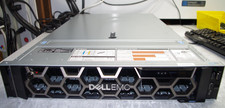
Dell R740XD All Flash 2U Server Full 24 x U.2 NVME 2x Xeon 6240R 48 CORE HOMELAB
$849.95

Dell PowerEdge C4130 1U AI GPU Server | 2x E5-2680 v3 | 32gb Ram | 2x 1600W
$409.99
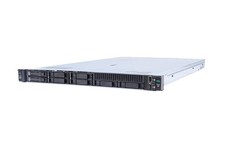
HP ProLiant DL360 Gen 11 - Xeon Gold 5th Gen - 192 GB DDR5 ECC - 2x 240 GB SSD
$17000.00

Dell EMC PowerEdge R740 8 Bay Server w/ 32GB RAM 2x GOLD 6132 2x 1600W PSU H730p
$499.88

RDS CAL - Remote Desktop Services Windows Server 2022 50 User/Device Connections
$68.00
Windows Server 2025 Standard✔ 24-CORE✔ 10 CALs✔ 50 RDS✔ Remote Desktop EP2-25205
$317.56



 Reply With Quote