

 Reply With Quote
You're welcome.
Your module problem could be caused by another module blocking it.
You're right about XFree, but it is developing fast
Good luck


I am making progress
The problem is in the XF86Config-4. Obviously the default setting for the monitor is incorrect. I used expert mode and get in to it and test around and finally can have 1024x768 working. This is the first message I typed from KNOPPIX, the previous ones are all from XP. I still get the error message of unable load i810.o and lsmod shows that it is not there. But I can get the high resolution mode running, strange.
Still need to experiment around.
thanks for the time and effort for helping me out to solve the problem. This XFree86 stuff has a far way to go if Linux wants to have a role on the desktop competing with Microsoft, especially the notebook front(which is the fastest growing segment).
Will report back.
You're welcome.
Your module problem could be caused by another module blocking it.
You're right about XFree, but it is developing fast
Good luck
Finally have everything come up nicely
The sample XF86Config KNOPPIX used to generate the working copy is just not suitable for notebook LCD(at least not for mine). After I grab and change the MODELINE entries, I have a fully functioning X/KDE and the error code also mysteriously gone.
Now, need to move on to find out how to save the configuration and later how to boot from HD
Perhaps in terms of ease of setup, but in terms of functionality MS is the one who needs to catch up. The remote display capabilities of X are just great.Originally Posted by garyng
Microsoft also has remote desktop which even though may not be as clean as X, still is very useful. I know someone who is not a computer literate using the MSN(or is it netmeeting) that he remotely repair her mother's PC running ME.
And the most important is, for average user, if they cannot install the program with just a few clicks, it means it will be in the trash can.
I am getting the same "allocate memory" error on boot. But I see slightly different issues. First off, its a Dell Optiplex GX110 tower.
X loads, but it seems unstable. One way to lock up the entire system is as follows: Load control center, go into themes and then wallpaper. When I select the dragdown for the file to use... FREEZE....
Could you post how you addressed this problem in a bit more detail? My X config tweaking is REALLY rusty.
My problem related to the Monitor section that KNOPPIX generated. It selects a hsync range way to high for my LCD monitor and the modeline is also incorrect. After google one that is known to work on similar machine, problem solved.
google is your friend, what is the video card of your setup ?
Its an i810.....
The monitor can handle 72Hz at 1024x768.....
Through many trials, tribulations and many versions of the XF86Config file, the blasted thing is working without any errors.
From trial and error, the failure seems as if it was coming from the amount of memory that was being allocated and not the monitor settings. Its set to 4 meg right now, and its working quite nicely....
Perhaps, but does m$ work on RISC - nope how about PowerPC- nope how about Alpha- nope in fact nothing but Intel platforms. XFree86 works on them all- in fact it even works on windows! It is not easy to make software that is so versatile. But of course if XFree doesn't work for you then you can always get a complete refund of all the money it cost you right?
 Posting Permissions


IBM System X3850-X5 Server w/4x Intel Xeon E7-4870 CPU , 512 GB DDR3 RAM,NO HDD
$1599.99

DELL POWEREDGE HP IBM SERVER XEON GOLD 5315Y 8 CORE PROCESSOR 3.2 GHZ SRKXR
$1100.00

IBM X3650 M4 Server System Board 00MX553 00AM209 00Y8499 00Y8457 00D2888 00W2671
$230.00
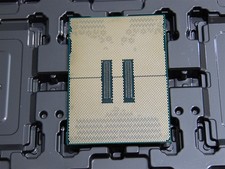
DELL POWEREDGE HP IBM SERVER XEON GOLD 5415+ 8 CORE PROCESSOR 2.9 GHZ SRMGC
$1299.00

IBM SYSTEM X3500 M3 SERVER 7380AC1 TOWER Server XEON E5620 8GB RAID SEE NOTES
$111.70

IBM X3650 M5 5462-AC1,2 X E5-2640V3 2.6GHZ 8C, 16 GB, DUAL 750W, 2 X 1TB SERVER
$349.99

IBM x3550 M4 1x 3.50GHz Quad Core Xeon E5-2637v2 32GB RAM 8-Bay No HDDs - READ
$20.00

IBM System x3550 M3 1U Server 2x Xeon E5645, 192GB RAM, 2x 300GB HDD (7944-AC1)
$150.00

IBM 7915 AC1 M4 E27R704 Server Intel 2650V2 32GB RAM NO HDD w/ 2x 750w PSU
$225.00

IBM QRadar xx29 2x Xeon E5-2650v4 2x 900W PSU M5120 12x 3.5" Bay Server No RAM
$179.99