-
Senior Member
registered user
Ok, I made 50m of free space, then made a 50M hda2 partition formatted with ext2, and then clicked "commit" in Qtparted. I got an error message that said "An error happen during ped_file_system_resize call." What's with that? And can I just make the partition in a root shell with bash or whatever?
-
Senior Member
registered user

Originally Posted by
firebyrd10
Also J.D. I just use kwrite, just type kwrite /etc/fstab in a root window. From there, type the drive, filesystem, and where to mount it.
Interesting. I'll have to try that someday. Thanks.
Originally Posted by
firebyrd10
The fstab is in ramdisk. (other wise how could it be created to fit your computer?)
But does it get updated other than within the initial autodetection process? For example, if I boot Knoppix, it autodetects my drives. Then, after the booting stops, I stick in a USB key (sda1) - but Knoppix doesn't know it's there and won't address it until I do something to update the fstab, either by rebooting with the USB in place or issuing a console command that I just can't remember right now with the USB in place.  Right? So, if Kowood creates a partition, but cannot save a PH to it, then wouldn't he either have to issue that command or reboot to allow it to be autodetected? Anyway, sounded like a possiblity worth pursuing to me. If I'm wrong, I would very much welcome a learned explanation.
jd
-
Senior Member
registered user
Originally Posted by
Kowood
Ok, I made 50m of free space, then made a 50M hda2 partition formatted with ext2, and then clicked "commit" in Qtparted. I got an error message that said "An error happen during ped_file_system_resize call." What's with that? And can I just make the partition in a root shell with bash or whatever?
Not sure about the Qtparted error. I haven't seen that one before. All I can suggest is that sometimes you just have to undo and redo old partitioning. But yes, you can make partitions in the console using the cfdisk command. I generally prefer the graphical interface of Qtparted, but I remember one time when it was giving me a hassle trying to erase some partitions, and cfdisk did the trick. If you ever used DOS tools like the old Norton Utilities, cfdisk has a similar interface.
jd
-
Senior Member
registered user
Originally Posted by
j.drake
Originally Posted by
firebyrd10
Also J.D. I just use kwrite, just type kwrite /etc/fstab in a root window. From there, type the drive, filesystem, and where to mount it.
Interesting. I'll have to try that someday. Thanks.
Originally Posted by
firebyrd10
The fstab is in ramdisk. (other wise how could it be created to fit your computer?)
But does it get updated other than within the initial autodetection process? For example, if I boot Knoppix, it autodetects my drives. Then, after the booting stops, I stick in a USB key (sda1) - but Knoppix doesn't know it's there and won't address it until I do something to update the fstab, either by rebooting with the USB in place or issuing a console command that I just can't remember right now with the USB in place.
Right? So, if Kowood creates a partition, but cannot save a PH to it, then wouldn't he either have to issue that command or reboot to allow it to be autodetected? Anyway, sounded like a possiblity worth pursuing to me. If I'm wrong, I would very much welcome a learned explanation.
jd
 hmm, knoppix finds my keydrive perfectly and puts a icon on the desktop. I thought hotplug updated the fstab but it may be someother program.
Yes, if a partition is created you have to a: manually add it or b: restart and let knoppix find it. I use the latter because it alows less room to screw it up.
Similar Threads
-
By tymlls05 in forum Hdd Install / Debian / Apt
Replies: 0
Last Post: 09-09-2005, 03:35 PM
-
By mimes in forum Hdd Install / Debian / Apt
Replies: 4
Last Post: 11-16-2004, 01:33 AM
-
By goober in forum Hdd Install / Debian / Apt
Replies: 2
Last Post: 10-01-2004, 03:49 AM
-
By bob58 in forum Hdd Install / Debian / Apt
Replies: 3
Last Post: 05-28-2004, 02:09 AM
-
By senorian in forum Hdd Install / Debian / Apt
Replies: 4
Last Post: 05-20-2003, 03:19 PM
 Posting Permissions
- You may not post new threads
- You may not post replies
- You may not post attachments
- You may not edit your posts
-
Forum Rules


Genuine Cisco SFP-10G-SR 0-2415-03 10 Gigabit Transceiver
$5.40
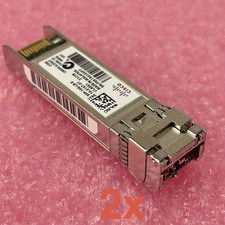
Cisco SFP-10G-LR-S Reset & Tested Lot of 2
$32.99

NEW Sealed Cisco SFP-10G-LR 10GBASE-LR SFP+ 1310nm 10km *US Shipping*
$24.00
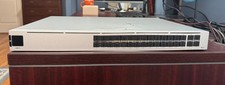
Ubiquiti Unifi USW PRO AGGREGATION 28x10Gbe 4x25Gbe QSFP28 Layer 3 Switch
$700.00

SFP TO RJ45 TRANSCEIVER SFP MODULE COPPER SFP OPTICAL PORT TO RJ45 ETHERNET PORT
$7.99

Intel X520-DA2 10Gb 10Gbe 10 Gigabit Network Adapter NIC Dual Port E10G42BTDA
$28.94

HP 560SFP+ 10GB 2-port PCIe NIC Ethernet ADAPTER 669279-001 w/ (2) 10GB SFP+
$16.99
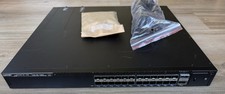
Ruckus ICX7550-24F-E2, 24 ports of 1/10GbE SFP+ & 2 ports of 40/100GbE QSFP28
$8995.00

Cisco Acacia DP04QSDD-E25-840 400G QSFP-DD Coherent DCO Transceiver Module
$699.99
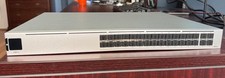
Ubiquiti Unifi USW PRO AGGREGATION 28x10Gbe 4x25Gbe QSFP28 Layer 3 Switch
$750.00



 Reply With Quote