-
Figured out how to work the problem for the CD
Once the CD installs enter a Terminal - type "su" to get to root status. Then type "ifconfig eth0 down" <enter> Leave your terminal open and on the menu select Network Card Configuration
Network 192.168.1.3
Netmask 255.255.255.0
Broadcast 0.0.0.0
Gateway 0.0.0.0
Then run your ADSL/PPPOE configuration. It should find a concentrator and setup for you. Do not select start-up when booting. Try a Browser - chances are you will not be able to connect. Go back to the terminal and type "ipconfig" <enter> - determine the Mask for ppp0 and then type "ifconfig eth0 down" <enter> Enter same information as above except for the Netmask - being certain it matches the ppp0, which should be a value of 255.255.255.255 and your connection will be up. Be sure to save your settings to a floppy if you have one. Happy surfing!
Similar Threads
-
By Manstein in forum General Support
Replies: 0
Last Post: 05-31-2005, 06:54 AM
-
By Nightmare in forum Networking
Replies: 0
Last Post: 01-16-2005, 02:58 PM
-
By Schloegl in forum Networking
Replies: 3
Last Post: 11-07-2004, 08:39 PM
-
By vuchuu in forum Networking
Replies: 2
Last Post: 03-06-2004, 12:01 AM
-
By farkas_imre in forum General Support
Replies: 0
Last Post: 01-22-2004, 10:29 AM
 Posting Permissions
- You may not post new threads
- You may not post replies
- You may not post attachments
- You may not edit your posts
-
Forum Rules


1969 EAI TR-20 Analog Computer Programming PACE Philbrick Electronic Associates
$36.00

Vintage George A Philbrick Researches Tube Analog Computer Module Serial 005503
$109.99

Refurbished Working 1960's Heathkit EC-1 Educational Electronic Analog Computer
$2999.99
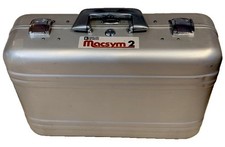
Analog Devices Macsym 2 Signal Simulator
$220.00

Vintage Early Week 12 1984 Apple Macintosh 128K Computer M0001 w/Analog Board+
$209.99

Extron RGB-160XI Analog Computer Video 60-378-01
$127.06

1950 High Speed Computers Analog ENIAC UNIVAC EDVAC IBM SSEC Relay Logic Tubes
$65.00

Vintage Analog Computing Magazines For Atari Computer Owners No 11-20 Acceptable
$75.00

VINTAGE 1970s SKIT Scientific Kit for Computer & Electronics SEALED INSIDE Rare
$380.00

NOB VINTAGE Earthlink MailStation Standard 120 - Email Appliance
$29.99



 Reply With Quote