


 Reply With Quote
You know then that the eject works because of the root acct. Then the new question is how to give yourself permmissions to use the application. That I don't know about, but I'm sure a post will give you the answer. Good Luck.


The drive button was the first thing tried, has no effect.
Also, tried apt-get install eject, (after dkpg --purge eject), no change in
behavior. It (eject) does works when invoked by root user though.
Well, I gave it a try
I also a message at the end of dmesg which is sort of strange:
mtrr: 0xf1000000,0x800000 overlaps existing 0xf1000000,0x200000
mtrr: 0xf1000000,0x800000 overlaps existing 0xf1000000,0x200000
(there 2 Xeon processors)
Any ideas about this one?
-ishwar
You know then that the eject works because of the root acct. Then the new question is how to give yourself permmissions to use the application. That I don't know about, but I'm sure a post will give you the answer. Good Luck.
 Posting Permissions


New Barebones Supermicro 5019D Server, 4C/8T Xeon D-2123T, 1U Rackmountable, 10G
$449.99

HP Proliant MicroServer Gen 8 2.23GHz Xeon 16GB RAM NO SSD
$249.99

$280.00

Supermicro CSE-937 3U Storage Chassis No CPU No HDD No Ram Tested & Reset
$129.99
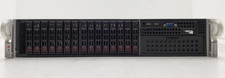
Supermicro 2028R-C1R 2U Rack Server 2x Xeon E5-2620 v3 32GB DDR4 RAM No HDD.
$429.99

Supermicro SuperServer E300-15 - SYS-e300-9C - 16GB RAM 240GB Samsung SSD
$239.00
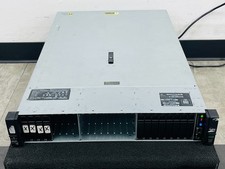
HP ProLiant DL385 Gen10 Plus V2 2U Server 2x 2.5" 2x EPYC 7601 2.2GHz 2x M.2 1TB
$3500.00

SuperMicro 4U CSE 847 36 Bay LFF Barebone 2x 1280W w/ 2x Bays 2.5 Rear w/Trays
$499.99

Nasuni NF-50 Supermicro Server, Atom CPU C2558, @ 2.40GHz, 8GB RAM-No HDD/OS/AC
$250.00

Supermicro E300-12C Mini 1U Barebone X12SCV-LVDS LGA1200 SNK-P0073A4 w/ Adapter
$225.00