-
SCSI disk not detected by noppix ?!? Any pointers ? ...
Hi,
I recently bought a Dell Precision 670 workstation with just one SCSI disk attached to
an Adaptec AIC-7901 HostRaid SCSI controller. I want to install Debian on it. knoppix has been my favourite choice on the last several occasions. But this time, knoppix is not able to detect the SCSI controller, I believe that the driver for this controller is aic79xx.o and I tried to supply it from a floppy disk using the modules-disk option on boot prompt (along with scsi_mod.o and sd_mod.o).
But when I do a "modprobe aic79xx", modprobe return the error
"init_module: No such device"
All the above modules on the disk were copied from a 2.4.27 kernel source module compilation and I am trying to boot 2.4.27 from knoppix as well.
Could someone please help me out with this problem ? How can I detect my SCSI controller and therefore the hard disk so that I can perform a hard disk install ?
I read elsewhere that HostRaid should be turned off on the SCSI controller and I believe that is already the case cos I just have one disk and the SCSI controller's BIOS does not show any option to enable/disable.
Any thoughts/suggestions/comments greatly appreciated.
Thanks a lot.
-
Senior Member
registered user
it means the driver doesn't match this device. You may need to ask on kernel.org for help. Or try a number of other aic drivers.
-
You're right. The driver indeed did not match this device. Actually, BillyBobber has been trying to boot debian from his SCSI disk with the chipset AIC-7902 and has posted his messages on the General Support Forum here.
Here is a link I got from there for the correct aic79xx driver for AIC-7901/02
http://people.freebsd.org/~gibbs/linux/SRC/
Now I am planning to compile the kernel-source 2.4.27 with the above aic79xx module overwritten on it (via knoppix) and install a kernel on my SCSI disk. Do you foresee any potential problems with this approach ? Or is there a simpler way in knoppix to install a debian kernel image with the above aic79xx driver built in ?
Similar Threads
-
By FlyGuy in forum Hardware & Booting
Replies: 2
Last Post: 05-03-2005, 05:35 PM
-
By geoffleach in forum Hardware & Booting
Replies: 0
Last Post: 12-04-2004, 10:02 PM
-
By LinuxSam in forum General Support
Replies: 14
Last Post: 04-03-2003, 02:58 PM
-
By tjcw in forum Hdd Install / Debian / Apt
Replies: 0
Last Post: 02-19-2003, 10:16 PM
-
By Fritz in forum Hdd Install / Debian / Apt
Replies: 3
Last Post: 01-27-2003, 09:24 AM
 Posting Permissions
- You may not post new threads
- You may not post replies
- You may not post attachments
- You may not edit your posts
-
Forum Rules


VINTAGE DEC LA34/ LA100 SERIES KEYBOARD W/NUMERIC PAD 70-17864-01C
$140.00

Vintage DEC Digital Starion 200 Desktop PC Powers On Boots To BIOS NO HDD - DW
$269.99

Vintage Digital DEC 54-15688 rainbow color graphics option
$129.99

Vintage DEC Digital VR319-DA 19" High Resolution Monochrome CRT Monitor - Tested
$180.00

Vintage DEC PDT11 (VT100 Series) Terminal (Powers On).
$550.99

Vintage DEC LK201 Computer Keyboard Used
$59.97
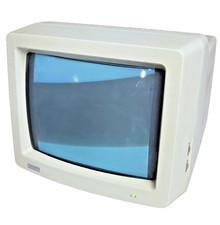
Vintage Digital VR241-A color CRT monitor, powers on, DEC Rainbow or terminal
$185.00

VINTAGE DEC VX20A-OP ACCELERATOR, 54-20309 FOR VXT2000 SYTEMS
$95.00

Vintage DEC/Mostek memory systems MK 8015 AA-00 6805-08015 1100 REV C(B7)
$279.99
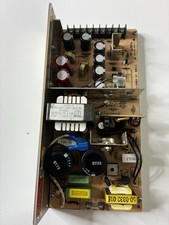
Vintage DEC LR150-11 Power Supply 70-0464-01 Rev C Sun Shoebox Micropolis
$140.00



 Reply With Quote