-
Accessing the C: drive
Im a noob and i was wondering how to access the C: drive of the computer you are running Knoppix on? I tried hda1 and hda2 but nothing seems to work... Anyway of finding out what its called?
-
devices
On my machine, with Knoppix 3.6 hd install, I either go to hda 1 on my desktop or open my home folder, go to the side menu on the left and click devices. This gives me an option to open hda1 which houses my windoze partion on C drive. Since I installed knoppix, thats about all I use my windoze installation for is storage.
helios
-
Try opening a console and do for instance: dmesg|grep hd or dmesg|grep sda to see where it's attached. Also you could check with cat /etc/fstab
-
Senior Member
registered user
Re: Accessing the C: drive

Originally Posted by
KillYourRadio
Im a noob and i was wondering how to access the C: drive of the computer you are running Knoppix on? I tried hda1 and hda2 but nothing seems to work... Anyway of finding out what its called?
Most probably it will be /dev/hda1 but it will not be available until you 'mount' it which you can do either by clicking on the hda1 icon on the desktop or by entering 'sudo mount /dev/hda1' in a terminal console. Use 'sudo mount -rw /dev/hda1' to mount it read/write (otherwise it's read only) but DON"T mount read/write if it's a windows NTFS filesystem (most win XP &NT & win 2000 systems are) because linux will screw up an NTFS filesystem if it attempts to write to it.
It will then be mounted as /mnt/hda1. Use Konqueror & browse to /mnt/hda1 to access the drive.
Similar Threads
-
By cli168 in forum MS Windows & New to Linux
Replies: 4
Last Post: 06-17-2005, 11:03 PM
-
By nico.g in forum Hardware & Booting
Replies: 9
Last Post: 03-19-2005, 06:04 PM
-
By matthew629 in forum MS Windows & New to Linux
Replies: 1
Last Post: 12-16-2004, 04:50 AM
-
By chief in forum General Support
Replies: 0
Last Post: 09-22-2003, 08:48 PM
-
By boehmb in forum General Support
Replies: 2
Last Post: 01-15-2003, 09:25 PM
 Posting Permissions
- You may not post new threads
- You may not post replies
- You may not post attachments
- You may not edit your posts
-
Forum Rules

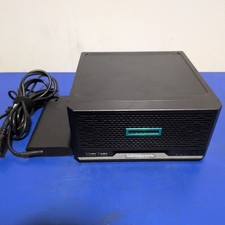
HPE ProLiant MicroServer Gen10 Plus with Power Adapter
$599.00

HP ProLiant MicroServer Gen8 Tower Server Xeon E3-1220 v2 2.3GHz 16GB RAM
$289.99

Supermicro E300-12C Mini 1U Barebone X12SCV-LVDS LGA1200 SNK-P0073A4 w/ Adapter
$225.00

HP Proliant MicroServer Gen 8 2.23GHz Xeon 16GB RAM NO SSD
$249.99

New Barebones Supermicro 5019D Server, 4C/8T Xeon D-2123T, 1U Rackmountable, 10G
$404.99
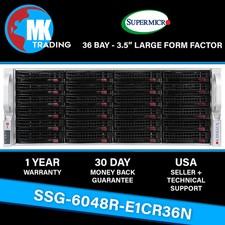
Supermicro SYS-6048R-E1CR36N 36B LFF 4U Server -V3- Choose CPUs/RAM - Wholesale
$4574.00
HP PROLIANT MICROSERVER GEN8 INTEL PENTIUM G2020T @ 2.50GHz, 8GB RAM, NO HDD/OS
$164.98
HP PROLIANT MICROSERVER GEN8 INTEL PENTIUM G2020T @ 2.50GHz, 8GB RAM, NO HDD/OS
$164.98

Supermicro 938-16 16-LFF MicroCloud SuperServer 5038MR-H8TRF *No Blade Servers*
$159.99

BOXX B157552 SuperMicro X10DRT-L 2x Intel 2630V4 NO RAM & SSD Server
$137.99



 Reply With Quote