

 Reply With Quote
I assume you're using KDE- you could do this:
right click on an empty part of taskbar >add>butto>preferences>peripherals>keyboard
It may not be what you wanted exactly but I think it should serve its purpose anyway.


I just downloaded and installed 3.2 and love it. However, I got overzealous in reconfiguraing the keyboard to EN. The result is I have lost the keyboard icon from my desktop and don't have a clue how to get it back without reinstalling.
Thanks.
Howard
I assume you're using KDE- you could do this:
right click on an empty part of taskbar >add>butto>preferences>peripherals>keyboard
It may not be what you wanted exactly but I think it should serve its purpose anyway.
 Posting Permissions


4x Various Brands 8.5" Mainframe 9-Track Reel Computer Data Tape 6250 CPI .5"
$24.99

Vintage Telex 952003-112 Mechanical Terminal Keyboard IBM 3270 Mainframe DB25
$699.99

HP 5060-8359 8K Semiconductor Memory Module 5080-9747 Vintage HP Computer
$157.30

Vintage Intel Mainframe Server MCM CPU Substrate Lot Prototyping PGA Validation
$500.00
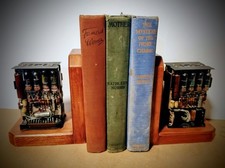
One Of A Kind Homemade Vintage Mainframe Computer, Logic Module Wood Bookends
$149.00
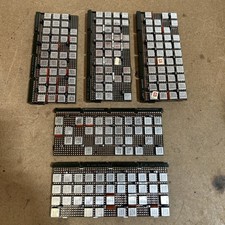
Vintage IBM Syst 370 MST Boards Lot Of 5 Heavily Populated IBM 22 Alu Can Chips
$79.00
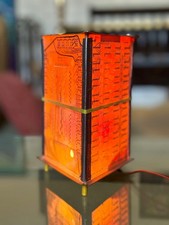
Vintage UNIVAC Mainframe Circuit Board Lamp - Cyberpunk Tech Geek Industrial Art
$225.00
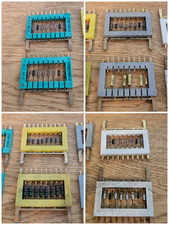
8x Gold Rare Vintage Mainframe Burroughs Transistor Cordwood Modules B2500/B5000
$149.95

HP 13210-60001 Disc Drive Interface PCB HP 7900A 7901A Vintage
$157.93
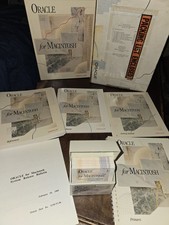
Oracle for Macintosh Developer’s Kit v1.0a (1988–1989) – Complete • UNUSED
$1600.00