

 Reply With Quote
You could try:
1) create a script and place it in /etc/init.d and create a symlink to that script using : update-rc.d scriptname defaults
or
2) add your line in /etc/sysconfig/harddisks. Create one if it isn't there.


I am a neophyte to Linux who recently successfully did a hard drive install of Knoppix 3.4 on my old computer after wiping off all evidence of Windows. Now I am trying to optimize my hard drives. As root, I can successfully execute commands like “hdparm –X66 –d1 –u1 –m16 –c3 /dev/hda”, but of course they are gone when I reboot. I have tried appending that line to /etc/init.d/bootmisc.sh" and rebooting, but this was unsuccessful in that the hard drive settings were still unchanged.
This all may be related to the fact that I had to initially install Knoppix using the cheatcode “nodma” because my CD ROM doesn’t support DMA. So now as it boots up I get a message something like “Skipping DMA acceleration as requested by command boot line.” Any suggestions on how to proceed to get my hard drives automatically optimized will be greatly appreciated. Thank you.
You could try:
1) create a script and place it in /etc/init.d and create a symlink to that script using : update-rc.d scriptname defaults
or
2) add your line in /etc/sysconfig/harddisks. Create one if it isn't there.
If you want to remove the 'nodma' startup code, just remove it from the append line in /etc/lilo.conf & rerun lilo.
Removing the "nodma" command seems to be all it took. Now it is working much better. Thank you. :)
lyonh,
I have a similar, but in reverse, problem as in your case. I have found that the nodma cheatcode, either in the Live CD, or after I installed v3.4 onto my hard drive, the append= line... I have been using the experimental 2.6.6 kernel, though...
I have two hard drives, a CD-RW, and a DVD device, as peripherals - my second hard drive is the concern, it cant handle DMA, whereas, all the other devices, can... The nodma has never worked, and I had to resolve the issue by adding hdparm commands for all the devices into the bottom of my bootmisc.sh file - to ensure that dma is being set to what I need... i.e. hdparm commands for "setting" dma on all devices, except the second hard drive, and then a hdparm command for disabling the dma on the second hard drive.
From what I can tell, with the 2.6.6 kernel, some cheatcodes, or the append= codes, dont have any effect, while certain ones do. Appears that "tweaking" your system with the 2.6.6 kernel, is not as important as it was in previous releases, I guess, evident by the inability to alter options on the boot, as in previous. Or, these options were added so quickly into the 2.6.6 kernel, that "back-end" code was not inculded to use them yet, I dont know...
Oh well, glad you got it working
 Posting Permissions

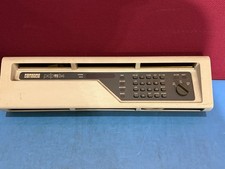
DEC PDP-11/34 Front Panel Complete PDP11 RARE
$450.00

Vintage Intel Mainframe Server MCM CPU Substrate Lot Prototyping PGA Validation
$500.00

HP 5060-8359 8K Semiconductor Memory Module 5080-9747 Vintage HP Computer
$157.30

HP 13210-60001 Disc Drive Interface PCB HP 7900A 7901A Vintage
$157.93

Vtg IBM Mainframe Prototype Chip Module Lot 146 pc 1988-1993 ES/9000 Lab Arcive
$649.00

Computer Tape Reel 1600 BPI 9 Track Vintage Mainframe LOT OF 2 WITH BOX
$89.95

Vintage Mainframe Computer Disk Drive Pack Dyson SMD 5 Level Disks
$79.00

Commodore 64 PC with Model 1541 Diskette Drive and Flight Simulator II *READ*
$199.99

Vintage Telex 952003-112 Mechanical Terminal Keyboard IBM 3270 Mainframe DB25
$799.00
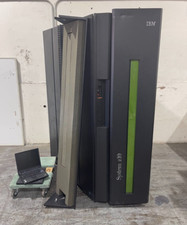
IBM System Z10 Type 2098 Mainframe (As-Is)
$6999.99