

 Reply With Quote
i'm a newbie to knoppix(linux).
I was wandering how to connect internet. I have dsl connection. tq


Ok, I just switched from knoppix 3.4 to 3.6. With 3.4 when I ran the the script that helped me automatically set up an internet connection, everything worked fine, however with knoppix 3.6 it doesn't get past the ppoe configuration... I have a dsl connection. If anyone could help me with this problem (whats new in 3.6?) it would be greatly appreciated!
i'm a newbie to knoppix(linux).
I was wandering how to connect internet. I have dsl connection. tq
Things to look into:
Always run networkcard configuration first before run pppoeconfig.

Do i have to put in my own ethernet ip or set to dhcp.Always run networkcard configuration first

It depends, if you run your pc from DHCP server or a router that has DHCP capability, you can choose to set dhcp or static ip with gateway set to your router's ip.Do i have to put in my own ethernet ip or set to dhcp.
If you run from pc that not connected to a dhcp server/router, setting up static ip is a must.
Don't forget to set your ISP DNS ip if required by your isp.
My pc is connected to external dsl modem by lan port. Another newbie question is? Which is one should i set ?
Btw, I'm using Knoppix 3.6. Just came to know this 2 weeks ago.
It is easier to set the connection under windows. It worked in windows.
hey good news! shah...
i use knoppix 3.4.
i got connect to internet.
I use external dsl model connected to my ethernet port.
I did the networkcard configuration. I chose to set static ip and enter the dns.Always run networkcard configuration first before run pppoeconfig.
After that, I did the pppoe configuration. Walla...
I replied this post using knoppix 3.4. Yeay!
 Posting Permissions


HP ProLiant MicroServer Gen8 Tower Server Xeon E3-1220 v2 2.3GHz 16GB RAM
$289.99

Supermicro CSE-937 3U Storage Chassis No CPU No HDD No Ram Tested & Reset
$129.99

HP Proliant MicroServer Gen 8 2.23GHz Xeon 16GB RAM NO SSD
$249.99

Supermicro E300-12C Mini 1U Barebone X12SCV-LVDS LGA1200 SNK-P0073A4 w/ Adapter
$225.00

HPE ProLiant MicroServer Gen10 Plus 32GB RAM Xeon E-2224 3.40Ghz No HDD No AC
$750.00

New Barebones Supermicro 5019D Server, 4C/8T Xeon D-2123T, 1U Rackmountable, 10G
$449.99

Supermicro SuperServer E300-15 - SYS-e300-9C - 16GB RAM 240GB Samsung SSD
$199.99
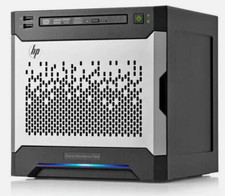
HP MicroServer Gen8 LOADED 12TB + 16GB RAM Win Server 2025 iLO Advanced SSD Boot
$679.00

POGO ATLAS 1102 Server 32 Gb RAM 4TB Storage 2x2TB HDD’s (Tested-Working) No OS
$179.85

Supermicro 938-16 16-LFF MicroCloud SuperServer 5038MR-H8TRF *No Blade Servers*
$159.99