-
Administrator
Site Admin-

Originally Posted by
ghostblaze
but yeah you're right about the fact that I would only be able to share files on one or two of the machines behind the routers... I remember that when I tried with win, I could only ping the routers...
Sure, because NAT is taking over and it doesn't pass the ping (who would it even past to?) Also, as a learning experience you might want to run Ethereal some time and watch the various ARP and other traffic that goes on behind your back. Then think about how the NAT router works and how this traffic can't/wouldn't/shouldn't be routed to the "upstream" port. So the left network would never know what the right network is doing, and vise versa.
Remember, by definition, all 192.168 addresses are private use network addresses, and so routers are designed to not pass them. See RFC 3330 and RFC 1918. http://www.faqs.org/rfcs/rfc1918.html
Originally Posted by
ghostblaze
I'd say use the dlink just for it's 4 ports (not using the uplink at all) and use the knoppix box as a bridge between the two routers, have another box connected to the knopper and have 3 pcs connected to the remaining 3 ports on each router, that way I think I can get them all connected... there's tons of ways I could fool around with this.... what are your thoughts? /
My thoughts are that you already have a DLS/Cable router (two apparently), I would use that as my interface to the cable box and the ISP. I'm a cheap son of a bitch, and I have a lot of old spare computers laying around (It really broke my heart when I finally had to admit that my old 386 that I paid over $3000 for and nearly that much more in upgrades just wasn't worth even trying to use for anything, but I finally did), Still, with a lot of spare systems available, it still made sense for me to get a Linksys router back when I first got DSL, and at the time it cost over $100 (and that was U.S. dollars, not that Canadian play money, eh?). Now these devices have gotten dirt cheap; I've even heard tales of routers and even wireless routers free after rebate (never seen a free one though). So you might as well use one if you already have it. Plug it into the cable modem. Plug the Knoppix boxes and your other boxes into that. If you really must add other systems through multiple NICs in the Knoppix box, it would be much simpler to let Knoppix just act as a switch rather than have it do all of the DHCP, NAT, and other stuff that a router like the Dlink does so well.
And you don't gain anything by putting the Knoppix box first; your total number of connections does not increase. In fact, you pretty much shoot yourself in the foot by keep trying to put the Knoppix box first. You'll never get the Dlink to do what it was intended to do that way.
Originally Posted by
ghostblaze
switches look to be pretty inexpensive so I might pick one up....and save me some of the hassle...
Absolutely. I've seen several advertised as low as $9.99 US. And I wouldn't be shocked to find some cheaper. Or to find a used switch or hub with a lot of ports (24 or more) dirt cheap. Make sure you know the difference between a switch and a hub. And while for almost all uses switches are better, there is one thing that you can do with a hub that you can't do with a switch: Siff the traffic on a network cable by inserting the hub and watching all the traffic with an additional computer. So if you ever need to watch traffic to figure out a particularly nasty problem (like why DHCP handshaking stopped working for Linux after you installed a "security update" of software from an evil monopoly), you'll want a hub.
Originally Posted by
ghostblaze
ps. so by not using the uplink on the dlink that would then make it a switch?
...and not a hub?
Almost, but not quite. At a minimum you also need to make sure that the DHCP features of the second router were disabled. You don't want it handing out NAT IP addresses, you want only one router on your system doing that. I would also move it's IP address to some out of the way IP address on the same subnet the other router uses. For example, if the dlink is 192.168.0.1 and you are using it as the router to connect to the modem, then if you can disable DHCP on the Ovislink router, see if you can not also change it's IP address (every router I've seen lets you do this) and move it from 192.168.1.1 to something out of the way like 192.168.0.253 so that is is on the same subnet. Then make sure that the Dlink never hands out that address (set it's assignable IP range to something like 192.168.0.100 to 192.168.0.199). That way everything lives happy on the same subnet. Then you should be able to plug the Ovislink happily into the Dlink (without going through the KNoppix box at all). You would just plug one of the 4 ports into an available port on the Dlink (and, if you think about it, you'll see why that will need either a cross over cable or a crossed over port, a port with a slide switch to do the crossing, or an auto-sensing port)
Diaclaimer: Your results may vary. The proof is left to the student. This is all just theory.
And yes, the thing in the router, at least in the Dlink, is a switch, not a hub. It can run at 10 mbs or 100 mbs. It can run different ports at different speeds. And it watches the traffic and knows what devices are on each port, so it knows to only route traffic to the port where it needs to go. That's why you can't sniff a wire with a switch; you would only see the traffic intended for you, not all of the traffic on the wire. A hub just replicates all traffic on all ports, so you can see what is happeing on the wire.
Similar Threads
-
By mwdowns in forum Laptops
Replies: 30
Last Post: 01-31-2005, 08:22 PM
-
By SideWynder in forum Networking
Replies: 2
Last Post: 11-21-2003, 11:41 PM
-
By melo in forum The Lounge
Replies: 4
Last Post: 11-11-2003, 09:40 PM
-
By orcsoul in forum Networking
Replies: 2
Last Post: 09-14-2003, 07:57 AM
-
By djm in forum General Support
Replies: 2
Last Post: 01-20-2003, 02:07 AM
 Posting Permissions
- You may not post new threads
- You may not post replies
- You may not post attachments
- You may not edit your posts
-
Forum Rules


Computer Photo History Altair 8800 Philco 212 CDC 6600 DEC PDP-8 Apple 1 UNIVAC
$69.99

S-100 Vector Graphic 64K Ram Board (Altair, IMSAI)
$99.95

S-100 Vector Graphic 12K PROM/RAM Board (Altair, IMSAI)
$99.95

S-100 Bus Handbook Altair 8800 IMSAI 8080 Board Schematics Xitan Pertec Cromemco
$89.99

Intel 4004IBM Mark 1 UNIVAC Cray-1 Babbage ENIAC Apple 1 Steve Jobs MITS Altair
$50.99

Vintage Digital Research ZSID 1.4 8" Floppy Disk CP/M Z80 Software S-100 Altair
$69.99

1979 Microprocessor Projects Altair 8800 Intel 8080 KIM-1 COSMAC Elf SWTPC 6800
$59.99
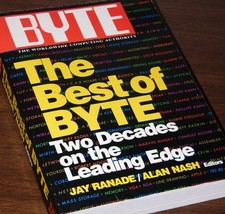
640pg Best of BYTE Magazine 1984 Mac Steve Jobs Altair 8800 IBM 5100 Bob Moog
$85.00

CP/M 86 1.1R 8086 Highmonitor 8 Inch Floppy Diskette 80s IMSAI Altair
$29.99

ALTAIR Bitcoin Mining Solutions PDU IEC SERIES 100-250V 30A/24A Power Distribute
$99.00



 Reply With Quote