-
Mouse problems....
OK I have a CREATIVE wireless keyboard and mouse, once I boot everything works properly then at the desktop my mouse won't work, however my keyboard will. I have even tried using a mouse which goes into a PS/2 port on my PC... im,y PC is Pentium 4, 3GHz 512 Mb of ram and made by Hyunju, can anone please help me?
-
Oh, and I have tried typing in
modprobe -r usbmouse modprobe hid
Once I do it the keyboard stops working... please help 
-
Is this a harddrive install? If yes then which type, Knoppix, Beginner, Debian?
Have you tried both kernels?
What about cheatcodes like pci=irqmask=0x0e98 for a notebook with PS/2 mouse?
You could also check /etc/X11/XF86Config-4 and see close to the top what kind of mouse is detected, mine is PS/2 (adapter from USB) and the corresponding section further down is:
Section "InputDevice"
Identifier "PS/2 Mouse"
Driver "mouse"
Option "Protocol" "ExplorerPS/2" #Try commenting out this and uncommenting the next line
# Option "Protocol" "IMPS/2"
Option "Buttons" "7" #Use the amount of buttons you have
Option "ZAxisMapping" "6 7" #You should probably use "4 5"
Option "Device" "/dev/input/mice" # /dev/psaux for 2.4 kernels
# Option "Emulate3Buttons" "true" #Perhaps uncomment this one
# Option "Emulate3Timeout" "70" #Perhaps uncomment this one
Option "SendCoreEvents" "true"
EndSection
-
No, it isn't a hard drive install, just running it off the CD.
My PC isn't a notebook.
I'll try this now
-

Originally Posted by
seadog
No, it isn't a hard drive install, just running it off the CD.
Hmm, a bit more difficult then.
Try the 2.6 kernel with the knoppix26 cheatcode.
Also open a terminal and do dmesg to see if you have any error messages.
Still some cheatcodes to try are pci=biosirq and noapic
-
lol this'll sound newbish, but where do I enter the cheat codes?
-
Administrator
Site Admin-
Originally Posted by
seadog
lol this'll sound newbish, but where do I enter the cheat codes?
yup, is is.
Watch as Knoppix boots. A few seconds in, before it does it's hardware detection, you'll see a screen that asks fot the cheat codes or to hit f2 for more info. For your first time, be ready to hit f2. If you spend too much time just looking at the booting system it will continue on, but if you hit F2 you get all the time you need to read the help and enter the codes you want to try.
If you're not getting even this far you have other problems than needing cheat codes.
-
lol thanks, gonna get my PS/2 keyboard then because my USB one takes longer than that stage to boot, and yes it will fully boot the PC, the mouse just won't move and I have to use my keybaord to do everything
-
-
Administrator
Site Admin-
Originally Posted by
seadog
... typing in noapic everytime I wanna boot will be annoying anyway to make it do it automatically?....
I think the cheat codes are a pain too. I;m not sure these could be avoided, at the point where you have to enter them Knoppix has not done it's hardware detect thing. So it isn't reasonable to expect that some file that you have stored out on a disk somewhere could over ride important configuration steps. However, i believe that some cheat codes could well be avoided with very minor changes in design. For example, I would very much like to see Knoppix's search for a persistant home directory to be a defauly cheat setting, at lthe very least default to searching the removable (floppy and USB) drives, so that a user wouldn't have to tell Knoppix where their home directory is every time they boot. If more configuration information could be recovered this way at each boot, all the better.
Originally Posted by
seadog
Also, I have a linksys wireless acess point connected to this PC, it has all the lights on except that the link light won't flash, how do I set up my network so it will pick up the signal from my router? Thanks again

Sorry, can't help you. I have a wireless router too, and 802.11b PCMCIA cards from both Belkin and Dlink, but I've never managed to get either to work. (I.m strictly booting from CD, not installing to hard disk). There's lots of black magic going on to support wireless cards. There have been some recent posts with a lot of promising details; I suggest you review what others who have had more luck with wireless have done.
By the way, in another life, were you kessar?
Similar Threads
-
By fannymites in forum Hardware & Booting
Replies: 5
Last Post: 11-04-2004, 05:23 AM
-
By semolina in forum Customising & Remastering
Replies: 5
Last Post: 10-07-2004, 04:03 PM
-
By vital_pc in forum Hardware & Booting
Replies: 4
Last Post: 04-12-2004, 10:43 PM
-
By XxNaNdOxX in forum Hardware & Booting
Replies: 2
Last Post: 07-06-2003, 04:31 PM
-
By clfest in forum Hardware & Booting
Replies: 8
Last Post: 04-30-2003, 01:59 AM
 Posting Permissions
- You may not post new threads
- You may not post replies
- You may not post attachments
- You may not edit your posts
-
Forum Rules

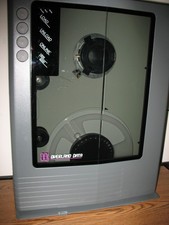
VINTAGE RARE Overland 9 Track tape drive for mainframe computer storage
$800.00
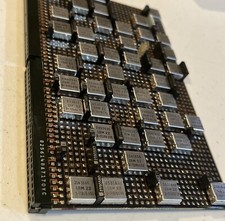
IBM MST-2 370 Integrated Circuit Computer Chips Lot Of 43 Rare 1970s Vintage
$249.00

Vintage Telex 952003-112 Mechanical Terminal Keyboard IBM 3270 Mainframe DB25
$679.15
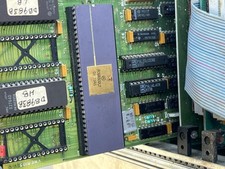
Mystery Vintage Computer Mizar Motorola 68000 Based System W Shugart Drives
$500.00

Vtg IBM Mainframe Prototype Chip Module Lot 146 pc 1988-1993 ES/9000 Lab Arcive
$649.00
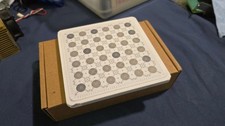
IBM Prototype ES/9000 Mainframe Computer MCM CPU Vintage White Ceramic Gold
$1000.00
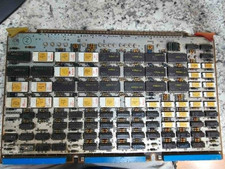
Vintage Sperry Rand Univac Mainframe Control Board Gold IC Rare Piece Of History
$289.95

Vintage IBM #192726 Paper Tape Punch Mainframe Computer Programming Tool 1960s
$94.95

HP 5060-8359 8K Semiconductor Memory Module 5080-9747 Vintage HP Computer
$165.58

FOR PARTS Asus CUSL2-C Motherboard PGA370 SDRAM, Intel Pentium III 800EB 800Mhz
$69.99



 Reply With Quote