-
Windows and Linux on one Hard Disk
hi,
i have knoppix installed to hard disk. After turning on the computer LiLo prompts for the os that I want to boot. This works fine. However, I am planning to install another windows version. As I experienced before, windows overwrites the MBR in which I have installed LiLo. Then I will have no way to boot knoppix from hard disk (I can't create a boot disk on a floppy, since my floppy drive doesn't work). How can I prevent Windows from overwriting the MBR? Or how can I restore Lilo afterwards?
pascal
-
Senior Member
registered user
Boot Knoppixor a Linux Distro from a CD
After installing windows boot Knoppix or the distro you have installed from CD to a command line. Do a chroot to the partition on which linux is installed (C:\chroot /mnt/hda? ) and then execute lilo. It will pick up your old lilo configuration and use it.
Hit ctl-D to exit from the chroot and then shut it all down.
-
Senior Member
registered user
you could boot with the knoppix cd
then chroot into your mounted linux "/" (chroot /mnt/hdXY)
edit the /etc/lilo.conf (adding your new win aswell)
then run lilo.
exit chroot (by typing exit)
reboot your computer.
-
Senior Member
registered user
or back up your mbr with knoppix.
su
dd if=/dev/hda1 bs=512 count=1 of=/mnt/hdaX
Of course you know to make where your saving it writable.
-
Senior Member
registered user
Or use your CD to boot into your HD install. Boot with:
knoppix root=/dev/hda5 noinitrd ro
Then reinstall lilo. You will probably have to manually add an entry to /etc/lilo.conf for the new windows install.
-
ok, thanks
it works now
pascal
-
Junior Member
registered user
-
Senior Member
registered user
Re: Co-existence Windows, dos, and Linux

Originally Posted by
alex52
My experience shows that better way to co-exist Windows and Linux is:
1. Do lilo to partition where Linux is located and copy its boot sector:
dd if=/dev/hdx of=/b-hdx bs=512 count=1
(bs= 446 for mbr only)
2. Copy file b-hdx to c:\ b-hdx; add to c:\boot.ini: c:\b-hdx="Knoppix" .
Do it every time after run lilo .
And there in lies the disaster area of this techinique (you can't boot if you forget to copy the file across after running lilo)! If you want the "advantage" of your method (your windows boot is unmolested) you should look at the thread on iso booting with grub where you will find instructions on setting up grub to work from boot.ini. You can store your grub menu.lst on any partition you want (or even have multiple copies) and you can edit your command lines as you boot (using command line completion).
-
Junior Member
registered user
Multi-boot
Now I use more better way to boot any partition or device
You can find detailed and updated information about winxp and knoppix here:
http://www.knoppix.net/forum/viewtopic.php?t=17024
=======================
Similar Threads
-
By eeoam in forum Other Live CDs
Replies: 2
Last Post: 01-07-2007, 04:12 PM
-
By eco2geek in forum The Lounge
Replies: 6
Last Post: 07-12-2005, 08:23 AM
-
By Mr_White in forum MS Windows & New to Linux
Replies: 2
Last Post: 03-25-2005, 01:26 AM
-
By francy222 in forum Hardware & Booting
Replies: 2
Last Post: 01-20-2005, 06:48 PM
-
By eco2geek in forum The Lounge
Replies: 5
Last Post: 09-19-2003, 10:19 PM
 Posting Permissions
- You may not post new threads
- You may not post replies
- You may not post attachments
- You may not edit your posts
-
Forum Rules

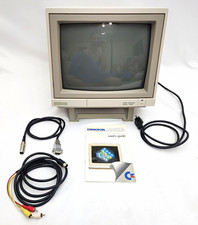
Commodore 1902A Color CRT Monitor C64 C128 Original Box Manual Cables Powers On
$290.00

Commodore OS USB | Bootable LIVE + Install | The Ultimate Gaming Linux OS | NEW
$11.99
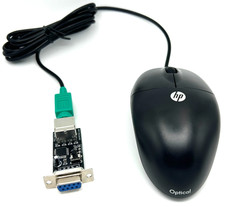
Commodore 64 1351 Compatible Optical Mouse with Adapter (Geos etc) - USA Seller
$29.99

Pi1541 Zero with Epyx Fastload Hat, Case & 16gb SD for Commodore 64 and 128
$79.99

Commodore 64 Serial Cable 6PIN DIN 1541 1571 C64 128 C128 Disk Drive Printer USA
$10.49
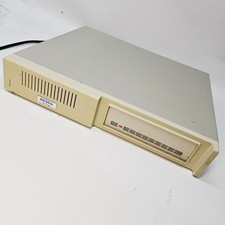
Vintage XETEC FASTRAK SH Series SCSI Hard Disk System FTCA Commodore Amiga 1
$298.99
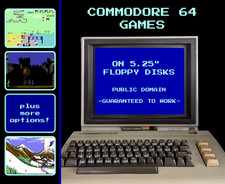
🕹️ Commodore 64 Games on Floppy Disks: Retro Public Domain C64 🕹️
$8.95
Vtg Commodore VIC-20 Personal Computer System W/ Cords As Is
$59.95

Commodore 64 Dead Test & Diagnostic Cartridge & Test Harness Set - USA seller
$39.99
Commodore PLA Replacement MOS 906114-01 / PLS100 for C64, SX 64 High Quality USA
$12.99



 Reply With Quote