-
Belkin F5D7010 and Knoppix 3.6
Hi,
I was trying to use Knoppix 3.6 on my laptop today, and following the instructions at http://www.knoppix.net/forum/viewtopic.php?t=14206 I maanged to follow the instructions.
Unfortunately, when I carry out step 5, instead of getting the success message my Knoppix CD just hangs; I can't move the mouse cursor or anything. The clock in the bottom right hand corner also stops updating. As soon as the power light switches on, on the PCMCIA Nic, this occurs.
Does anyone have any idea whats happening, or how I can provide more information to help trackdown this issue.
Thanks,
Colin
-
Re: Belkin F5D7010 and Knoppix 3.6

Originally Posted by
csogilvie
Hi,
I was trying to use Knoppix 3.6 on my laptop today, and following the instructions at
http://www.knoppix.net/forum/viewtopic.php?t=14206 I maanged to follow the instructions.
Unfortunately, when I carry out step 5, instead of getting the success message my Knoppix CD just hangs; I can't move the mouse cursor or anything. The clock in the bottom right hand corner also stops updating. As soon as the power light switches on, on the PCMCIA Nic, this occurs.
Does anyone have any idea whats happening, or how I can provide more information to help trackdown this issue.
Thanks,
Colin
While I wrote the instructions you followed; I am no expert, and have no idea what could be going wrong. The only thing I can think of is to eliminate whether it is the script or ndiswrapper that is the problem. To do this you need to load ndiswrapper manually. Its quite simple. As root in a console type:
1. ndiswrapper -i <directory-where-driver-is>
In my example this command is: ndiswrapper -i /mnt/hda1/Belkin/bcmwl5.inf However, if you have trouble with this step I can help.
2. modprobe ndiswrapper
Now if this works OK; there is some issue with the script and your system, and you can carry on.
Let me know how you get on. However, if it hangs again, its beyond my expertise.
Regards,
Grant D. Vallance
-
That, unfortunately, is what I've already tried. However, I tried it again, and it still hung 
-
I too am new to knoppix and linux in general ...and am having the same problems with my Belkin F5D7010 ....as the Laptop boots all go's well till i get to the pcmcia starting up if the card is in the slot the lappy will freeze and it's hold down the power button to fix it (reboots)
I'm getting a error failed to load p80211.o.
module p80211 not found
If the card is out it all loads up everything is good ...till i push the card in then it freezes again.
Any help on this would be great .
Though i am still working on it so i will keep ya posted.
Cheers
-
Ok i've now been able to get my belkin F5D7010 to load without freezing up ....i just removed the belkin driver that i installed of the disc and install broadcom ones....so now it boots .... i modprobe ndiswrapper
the light go's on ....but thats it, still no net ...least now it's not freezing  ...ii have just found out that my card is rev 3 so ...i will be removing the newer drivers for the dell ones... see how that go's
Cheers
OK a update here ......the newer dell drivers for me rev 3 didn't work so i've gone back to me broadcom 1's least i get to see a pretty light come on ....helps me believe i'm moving in the right direction 
-
OK well i can do iwlist wlan0 scanning
and see Cell 01 ESSID Wlan
Mode Ad- Hoc
At this point i got really excited i hit the net button and 4 about 2 sec's had net connect ....not sure why ...cause as i discovered a bit later from doing a iwconfig then a iwlist wlan0 scanning ...i could see that it was my laptop card that was making the Ad-Hoc cell 01 i could see
So now i know it workz
where do i go from here ......if i change the essid to WLAN (my wireless lan ssid)the scanning returns with nothing ...if i change the mode to Managed the scanning returns nothing .....if i leave it all as auto it go's into Ad-hoc mode (not good)
Is there anyway to assign the accesspoint from the router/accesspoint to my wlan0 settings??? if that makes sense and i don't mean thru essid eg : iwconfig wlan0 essid (bluh)
-
Hi,
Where did you get the Broadcom Drivers?
-
Right, I found the drivers... and I'm now stuck somewhere else. I can get the Wireless LAN card to find the network if I do `iwlist wlan0 scnaning`but it can't see the network if I do DHCP, or assign it an IP manually. The only thing I can think of is that I have WEP enabled on the router (Wireless Access Point too) - would this affect it?
-
Originally Posted by
csogilvie
Right, I found the drivers... and I'm now stuck somewhere else. I can get the Wireless LAN card to find the network if I do `iwlist wlan0 scnaning`but it can't see the network if I do DHCP, or assign it an IP manually. The only thing I can think of is that I have WEP enabled on the router (Wireless Access Point too) - would this affect it?
Yes it would!
I have managed to troubleshoot a number of wireless connections and encryption incompatibilities has been at the root of a number of them.
Its important to make sure that both ends are without encryption. In one case, successfully resolved, it was not until the person reset their router to factory defaults that he got his network running. (This was under MEPIS but using ndiswrapper, so the principle ought to be the same.
HTH
Cheers,
Grant D. Vallance
-
Belkin F5D7000 in Knoppix 3.6
Hi
I am new to linux.
Am having the same problem of the PC freezing on trying to install the belkin drivers in Ndiswrapper.
Please could you direct me to where the broad com drivers are?
Broadcom website does not have drivers for the Fd5 7000 chipset 
gasrobol
Similar Threads
-
By saltfog in forum Networking
Replies: 0
Last Post: 11-15-2005, 06:40 AM
-
By fusion88 in forum Networking
Replies: 3
Last Post: 03-21-2005, 07:02 PM
-
By iD:0t in forum Networking
Replies: 45
Last Post: 02-14-2005, 07:54 PM
-
By jMon54 in forum Networking
Replies: 12
Last Post: 02-10-2005, 12:16 PM
-
By zeze in forum Networking
Replies: 1
Last Post: 10-24-2003, 11:37 PM
 Posting Permissions
- You may not post new threads
- You may not post replies
- You may not post attachments
- You may not edit your posts
-
Forum Rules


HP ProLiant MicroServer AMD Athlon II Neo N36L 1.3GHz 8GB RAM 4-Bay NAS Server
$99.00

Supermicro 1027GR-TSF 1U Rackmount Server 2x Xeon 2.3GHz 128GB DDR3
$219.99

Supermicro 721-2 Mini Tower Black Computer Server NO Hdd
$375.00

Supermicro 1U Server 514-4 (X11SSZ-QF) | i7-7700 - 16GB DDR4 Ram - Rackmountable
$249.00

New Barebones Supermicro 5019D Server, 4C/8T Xeon D-2123T, 1U Rackmountable, 10G
$449.99
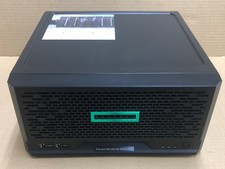
HPE ProLiant MicroServer Gen10 Plus Xeon E-2224 8GB Japan
$588.18

1U Supermicro SuperServer 5019D-4C-FN8TP Xeon D-2123IT 4 Core 32GB X11SDV-4C-TP
$699.00
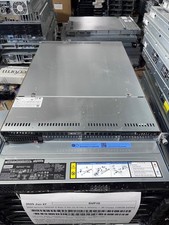
Supermicro 1U Server X11SCW-F Xeon E-2174G 16GB RAM 1x M.2 NVME 3x PCI-e 2x PSU
$220.00

Supermicro 505-2 Server
$280.00

BOXX B157552 SuperMicro X10DRT-L 2x Intel 2630V4 NO RAM & SSD Server
$160.99



 Reply With Quote