

 Reply With Quote
Knoppix can see windows partitions. Even NTFS ones!
I have no idea what you mean by "linking" though.


How can I link those two system so that knoppix will see windows partitions?
Knoppix can see windows partitions. Even NTFS ones!
I have no idea what you mean by "linking" though.
I agree with IoN_PuLse. Are you trying to mount a partition off a local hard drive? Are you trying to access windows over a network? Please explain.
My problem is that knoppix should automaticly (i think) find windows partitons and place shortcuts to them on desktop, but in my case he haven`t found them. Also the cdrom isn`t accesible. How can i make them active (or something) that knoppix will see them. Thanks for quick replying to my problem. (sorry for my english)
Well it is supposed to, but how old is the system you are trying to use it with? Are your drives hooked up through IDE?
I`m using knoppix 3.1 and windows me. There both on the same hdd. The windows is installed on fat32 partition and knoppix on ext2 and i`m trying to acces fat32 partitions.
Ah - you have done an installation to your hard drive and now the familiar desktop icons are no longer there. As root run cfdisk -
su
<password>
cfdisk /dev/hda (change 'hda' to whichever hard drive you wish to see).
Once you see your partitions you just need to mount them, here's an example:
mount -t vfat /dev/hda3 /mnt/win
I have no idea what mount points you have - you can see them like this:
cd /mnt
ls
I have no use for desktop icons myself but you can create them if you like. You'll likely need to edit your fstab but to find out what partitions are already mounted look at /etc/mtab.
Ah, I thought you were booting from the CD
That reminds me, I should probably mount my fat32 partition on my drive that has knoppix installed....I didn't even miss it
right onOriginally Posted by IoN_PuLse
Thanks, that is what I had in mind but I have another question. When I mount a partition it effects only this session. How to make a partition mounted automatically after every boot? How to mount a CDROM and floppy disk?
 Posting Permissions


Genuine Cisco SFP-10G-SR 0-2415-03 10 Gigabit Transceiver
$5.40

Dell Intel X710-DA2 5N7Y5 Dual-Port 10GbE SFP+ PCIe 3.0 x8 Network Adapter
$27.50

NEW Sealed Cisco SFP-10G-LR 10GBASE-LR SFP+ 1310nm 10km *US Shipping*
$24.00

Cisco Acacia DP04QSDD-E25-840 400G QSFP-DD Coherent DCO Transceiver Module
$699.99

SFP TO RJ45 TRANSCEIVER SFP MODULE COPPER SFP OPTICAL PORT TO RJ45 ETHERNET PORT
$7.99

Intel X520-DA2 10Gb 10Gbe 10 Gigabit Network Adapter NIC Dual Port E10G42BTDA
$28.94

HP 560SFP+ 10GB 2-port PCIe NIC Ethernet ADAPTER 669279-001 w/ (2) 10GB SFP+
$16.99
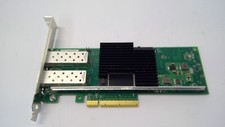
Lenovo 00YK615 Intel X710-DA2 10GbE 2-port SFP+ PCI-E FC Network Adapter NIC
$27.99

CISCO 10GBASE-SR SFP "Lot of 4” SFP-10G-SR
$47.99

Cisco WS-C3650-12X48UR-L 48-Port Stackable Layer 3 8x10G SFP+ Port Switch
$129.99
