

 Reply With Quote
"/mnt/cdrom" to find the cd rom... and i guessing "/mnt/dvd/", of course, if you cant find it, then just look threw the file /dev/ to find something simular...


totally frustrated read man pages etc
what is the mount point for the dvd and the cdrom
i assume its something like mount /dev/cdrom /mnt/ ?
or mount /dev/dvd /mnt/ ?
exhused by this by now
tia
peter
"/mnt/cdrom" to find the cd rom... and i guessing "/mnt/dvd/", of course, if you cant find it, then just look threw the file /dev/ to find something simular...
i have--see fstab
nothing is making any sense
Check your fstab, but it usually is /cdrom and /dvd. What are you trying to do?
i am trying to mount my cdrom, cdrom1 and my dvd
Are you running live cd or a hd install? You cannot mount an audio cd, must be opened with a player- kaffeine,xine,xmms. You can mount a dvd by clicking the icon but it will only show you the contents of the files and not run the movie, this also must be done with a player.
running knoppix from hard drive
i want to see the contents of my cdrom and my dvd
i have given up trying to find the mount point--i get errors like
when i clik on the icons for cdrom
file or directory /mnt/cdrom does not exist
when i
cd /mnt/cdrom
and ls -al
i see the directory
Are you using the 2.6 kernel? cdrom & dvd are both mounted by automounter, the mount point is /cdrom & /dvd but this was not properly implemented in Knoppix 3.4. The devices are actually /dev/scd0 & /dev/scd1 (I think, scd0 is correct for cdrom but I don't have a dvd drive) but the system is set up to call these deices /dev/cdrom & /dev/dvd. These need to be linked to /dev/scd0 & /dev/scd1. If you have done a debian style install I think all you should have to do is create the links:Originally Posted by plener
If you have done a knoppix style install this will get deleted with each boot. I solved the problem by editing /etc/init.d/knoppix-autoconfig (approximately line 22Code:ln -s /dev/scd0 /dev/cdrom ln -s /dev/scd1 /dev/dvd
Everything should work with the 2.4 kernel though; if it doesn't you may have some other problems.Code:if ! checkbootparam "nohwsetup"; then rm -f /dev/cdrom* /dev/cdwriter* /dev/mouse* /dev/modem* /dev/scanner* \ /etc/sysconfig/i18n /etc/sysconfig/keyboard /etc/sysconfig/knoppix \ 2>/dev/null # modified by CrashedAgain create link for /dev/cdrom for 2.6 kernel only if [ "${KERNEL:0:3}" == "2.6" ]; then ln -sf /dev/scd0 /dev/cdrom fi fi
Sorry, this was no meant to be a post to this post....................
I am using juk as my music player (wanted to use amarok but that's another story!!!), but when i press play i get nothing.
I am missing something here as when i used kscd to play cds i just put the cd in and it saw it, listed the tracks etc. Also how do i transfer the cd to the player with all the track listing etc so i can play it straight from the pc without the cd in. I do not seem to be able to mount the cdrom/dvdrom drive to be able to tranfer the files, get the following error message............
Unable to run the command specified. The file or folder file:/mnt/cdrom does not exist.
What i want to do going forward is tranfer all my cd's to the pc and play them via a media player with tarcks listed etc, but i am stumbling early on and really do not want to resort to XP.
New to linux, home built pc, celeron 1.8 , 256mb, knoppix hdd install.
Cheers Steve.
hello, I see it has been a while since you posted, not sure wether you gave up, or found the solution.
In case you gave up, or didn't post your solution for others, I'll print my findings on the same problem.
I'm using a knoppix 3.3 hd-install (debian type); k7 triton motherboard (Gigabyte);amd2000.
I found my dvd and cd-rom's at....
/dev/hdd & /dev/hdc
....respectively.
then I made the appropriate links.
hope it helps,
ciao for now,
[email protected]
 Posting Permissions


HP ProLiant MicroServer Gen8 G1610T @2.3 GHz, 16GB, 712317-001 NO HDD/OS
$199.00

Supermicro E200-8D Barebones Server Chassis Xeon D-1528 X10SDV-6C-TLN4F 2x10GbE
$445.00

Nasuni NF-50 Supermicro Server, Atom CPU C2558, @ 2.40GHz, 8GB RAM-No HDD/OS/AC
$250.00

Supermicro CSE-937 3U Storage Chassis No CPU No HDD No Ram Tested & Reset
$129.99

Supermicro 2U X10DRU-i 2x E5-2680 v3 2.5ghz 32gb Ram 240gb SSD 2x GPU *READ*
$369.99

New Barebones Supermicro 5019D Server, 4C/8T Xeon D-2123T, 1U Rackmountable, 10G
$449.99

Windows Server 2022 | Intel 18-Core Xeon | 32GB ECC DDR4 | 256GB SSD | 3TB HDD
$635.00

HPE ProLiant MicroServer Gen10 Opteron X3421 32GB DDR4 Intel X550 10GbE No HDD
$599.00

Supermicro 1U Network Server Appliance 16GB RAM 800GB SSD 6 LAN Ports Powers On
$450.00
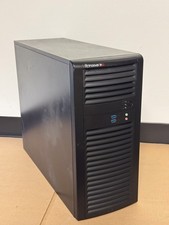
Supermicro CSE-732 Mid-Tower Server Chassis Empty Case SYS-7039A-I
$94.00
