

 Reply With Quote
Knoppix can't mount blank disks, therefor the folder doesn't exist.
You need to use k3b to burn disks.
hit
F2
then type k3b


I am not experienced in using Linux or Knoppix, so I apologize if this is a dumb question.
I have created a Knoppix CD, and I can boot my PC with it, but it cannot see my CD writer or my USB hard drive. I need to be able to copy some files off my hard drive to the CD+R, but I get an error message that says mount: mount point /mnt/auto/cdrom1 does not exist. Please check that the disk is entered correctly.
I have a blank CD in the drive, and I have tried other blank CDs. Is there any way to make Knoppix see the drive?
Knoppix can't mount blank disks, therefor the folder doesn't exist.
You need to use k3b to burn disks.
hit
F2
then type k3b
Thank you. I wasn't aware of the command.
After re-booting, Knoppix can now see my external USB hard drive, which is allowing me to update my backup. (It doesn't use NTSB file system, so I don't think I'll have a problem with it.)
This has been a real life-saver. I like the knoppix system, so even after I'm able to get Windows reinstalled on my PC, I think I'll use Knoppix again and see if I can learn something.
Originally Posted by firebyrd10
 Posting Permissions


HP ProLiant MicroServer AMD Athlon II Neo N36L 1.3GHz 8GB RAM 4-Bay NAS Server
$99.00

Supermicro 1027GR-TSF 1U Rackmount Server 2x Xeon 2.3GHz 128GB DDR3
$219.99

Supermicro 721-2 Mini Tower Black Computer Server NO Hdd
$375.00

Supermicro 1U Server 514-4 (X11SSZ-QF) | i7-7700 - 16GB DDR4 Ram - Rackmountable
$249.00

New Barebones Supermicro 5019D Server, 4C/8T Xeon D-2123T, 1U Rackmountable, 10G
$449.99
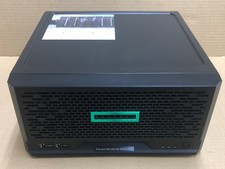
HPE ProLiant MicroServer Gen10 Plus Xeon E-2224 8GB Japan
$588.18

1U Supermicro SuperServer 5019D-4C-FN8TP Xeon D-2123IT 4 Core 32GB X11SDV-4C-TP
$699.00
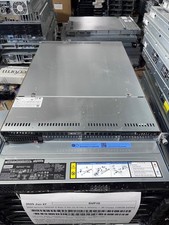
Supermicro 1U Server X11SCW-F Xeon E-2174G 16GB RAM 1x M.2 NVME 3x PCI-e 2x PSU
$220.00

$280.00

BOXX B157552 SuperMicro X10DRT-L 2x Intel 2630V4 NO RAM & SSD Server
$160.99