

 Reply With Quote
Have you tried configuring K3b? Goto settings -> K3b Setup for a wizard that checks what writer you have etc.Originally Posted by gcoker


I use 3.1 for burning with a USB Sony Spressa on a Win95 system at my work. Usually use X cd roaster. Checked out K3b. Both work great. Take the one that you like. Burned more that 50 platters with only one or two failures.
Want to be able to use 3.2. Okay I'll admit it, 3.2 is prettier. Now prettier does not work harder, but prettier turns heads!
Sadly, with 3.2 X cd roaster fails to start, K3b burns but fails to fixate (goes on forever, well at least longer than my patience.) The resulting disks are readable, but produce errors.
Both live cds are running under KDE.
Most lately tried the 03/30/03 download.
Have not checked it on a system with IDE burner yet because most are single CD drive systems (my Knoppix cd is in the drive), and I am not comfortable with a 3.2 HD install on a system with a single cd burner yet. I have done a HD install, but that system does not have a burner. (To repeat what others have said - make extra partitions to save your data - makes it easier to upgrade without losing everything.)
Please comment - Can I burn OK with these programs under KDE and a HD install? If you installed it and everything works, let me know. What do to I need to add or turn on for this USB device to work. I use the Sony burner with a Knoppix Thinkpad with a HD 3.1 install, and it works well. I plan to leave everything as it is for now. I see the CD creeping up in size each new release. It is hard to select the software that the please everyone!
I appreciate the effort that has gone into Knoppix.
Have you tried configuring K3b? Goto settings -> K3b Setup for a wizard that checks what writer you have etc.
I just reviewed K3b setup in 3.2 to be sure, but just as I remembered (I was not sure that I had checked it in the 3.2 release) it does a great job of detecting the hardware. Everything seems to be properly setup by default. K3b does the same in 3.1 except that the disk is burned properly.
I guess that I should try to burn a disk in the shell. It likely is not actually a problem with K3b.
Ran cdrecord, it worked. Ran K3b again, after cdrecord. It worked. It still found everything as default. Rebooted, it still worked. This is with a different cdr disk (an old CompUSA) that those I used before. Have used the ones that I had found the problem often in this drive. I have to look into this a bit. (This drive is only 4X so it gets all of the slower disks that I can not use in my faster burners.)
The x_cd_roast is still toast. I expect to be able to go something with it after an install.
Read the comment about the various burn programs - I find x_cd_roast the more intuitive. Vive la difference!
The reason most people do not post when something finally works, is that usually, in some respects, you end up feeling like a idiot! Most errors, are cockpit errors! I hope that people do post, because it is helpful to everyone else. Even when it has not worked for a week, when it starts working by itself, you don't feel like the brightest bulb in the box! And I've sorted through this sort of problem since CPM 1.3!
I've got one of these burners too. Boy did it work horribly under windows, and AFAIK there are no driver updates past win 98. It was gathering dust in my closet and I thought I would have to throw it away, but for the heck of it I tried it with Knoppix one day and everything was detected and configured perfectly. I love linux!
That is the truth! When I used this under Win98 I would get one or two good cds out of five tries! I was thinking of disassembling the unit to see if there was anything that I could use It is a shock when I get a bad burn under Linux. I was worried that I could not find any drivers for RH on the web. (Win mentality.) Decided to plug it in anyway, it fired right up. It is really handy for storing data from a laptop.
 Posting Permissions


DKB MegAChip for Amiga 2000/500 2MB Chip Ram expansion with 8375 Agnus Tested
$285.00

Framethrower, Amiga HDMI output via a PiStorm A500 A2000
$40.00

Pi1541 Zero with Epyx Fastload Hat, Case & 16gb SD for Commodore 64 and 128
$84.99

Commodore Amiga 2000HD Vintage Personal Computer A2000
$599.99
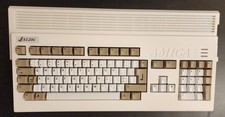
Amiga 1200 New Case And New Keyboard
$329.66

Commodore Amiga A1200 Vintage Computer Power Supply Mouse Bundle - Tested
$999.99
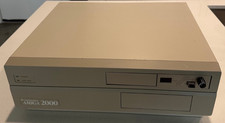
Commodore Amiga A2000 2000 Computer - Gotek Floppy - Noctua Fan (2622)
$665.00

Amiga 1000 Computer Kickstart v1.3 Workbench Extras Test Kit Boot DD Floppy Disk
$19.99
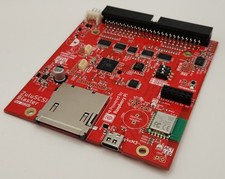
ZuluSCSI Blaster with RM2 Wi-Fi module - Now with built in CD Audio DAC
$79.00

Microbotics Starboard 2MB + SCSI Sidecar for Amiga 1000 Vintage Computer READ
$219.00