-
Senior Member
registered user
boot floppys
cant make boot floppys knoppix 3.7 kernel 2.6 any ideas?
-
Administrator
Site Admin-
Re: boot floppys

Originally Posted by
pureone
.....any ideas?
Don't make boot floppies. Make a Smart Boot Manager floppy, and use that to boot any bootable CD. Or install SBM or XOSL to your hard disk's MBR and be able to boot any bootable CD, any bootable hard drive partition and any bootable floppy without fooling with a boot floppy or changing BIOS settings at all, even on older machines that don't have proper BIOS support to boot from CD.
-
Senior Member
registered user
i want to save my configuration of knoppix to a floppy so when i boot up i can config it from there but i cant any ideas why?. is there any other way? i dont feel brave enough to install knoppix i would rather install kanotix because it finds my sound card but it doesnt have gaim 
-
Administrator
Site Admin-
Originally Posted by
pureone
cant make boot floppys knoppix 3.7 kernel 2.6 any ideas?
Originally Posted by
pureone
i want to save my configuration of knoppix to a floppy so when i boot...
Are these posts about the same thing? AFAIK boot floppies have nothing to do with saving your configuration. You should be able to save it to a floppy (or to a persistant home directory), but I've never had that work. It is different than a boot floppy.
Originally Posted by
pureone
.... i dont feel brave enough to install knoppix i would rather install kanotix because it finds my sound card but it doesnt have gaim
From the many posts I've seen of things breaking after a hd install that used to work from CD, I don't trust installing Knoppix to a hard disk either.
-
Senior Member
registered user
ok my mistake the reason i call them boot floppys is because you use them at boot time.
ok so this is the story i got a ethernet up and running and ive booted up knoppix to test it out and it works and i wanted to save my configuration to a floppy disks i tryed to do this but it failed on all times with differnt floppy disks. so what other ways are there to save my configuration?
-
Senior Member
registered user
I know from personal experience that you can save configs to a USB thumb drive, and that works fine. Boot with the thumb drive installed - chances are that it will show up on the desktop as sda1, but I suppose it's possible it could be something else. Assuming it is, save your config file to sda1. Then, when you reboot, add the cheatcode "myconfig=/dev/sda1".
To be honest, I have never tried saving configs to floppy, so I have no idea whether it's possible or not. I just don't use floppies anymore.
I like kanotix too. You do realize that you could install gaim with Klik, don't you?
jd
-
Senior Member
registered user
how exactly would i install it with klik?
i have no usb thumb drive all i have is my harddrive and a place for floppy disks.
how could i save my configuration to hardrive with out having to install knoppix?
-
Senior Member
registered user
Originally Posted by
pureone
how exactly would i install it with klik?
Oh, there's a whole forum here on Klik - there should be a sticky post at the very top. Essentially, you go to a website, install the Klik client, and choose among an assortment of open source titles. Click the ones you want, and BOING they are installed to your computer in your home directory. If you set up a persistent home (or do a hd install, if that's what you prefer) they will be there the next time you boot.
Originally Posted by
pureone
i have no usb thumb drive all i have is my harddrive and a place for floppy disks.
They're pretty cheap now. You don't need a big one. Shop a round and you may be able to scrounge a 16MB for $10USD or so. That's plenty big for configs, and some other stuff too.
Originally Posted by
pureone
how could i save my configuration to hardrive with out having to install knoppix?
Just partition of piece of it. Qtparted is a program which is already on the Knoppix CD, and it makes partitioning pretty easy. Make sure to defrag your Windows HD before you partition it.
You might want to consider a poor man's installation - a lot of Knoppix users (myself included) use that as a very functional and safer alternative to a traditional hd installation. A few months ago, I posted a couple of how-tos on the WIKI, and Markus was kind enough to convert them into the new format. There are several ways of doing a PMI, but what you do essentially is to copy the CD image onto a hard drive partition, so that it runs from there, plus set up a persistent home and saved config. Since you don't have a CD drive, I assume that you are currently booting from an ISO file downloaded to your hd somewhere, using the fromiso cheatcode as read from your hard drive. If so, you essentially have a PMI already, so you just need a partition or two for your persistent home and configs file. Perhaps this will be helpful to you.
jd
-
Senior Member
registered user
do i have to download these things from the klik site (not the client) like for example i want to download gaim can i go to gaims sites and install it from there using klik?
about installing kanotix. is there any documentation on it other thing then there german forum?
-
Senior Member
registered user
Originally Posted by
pureone
do i have to download these things from the klik site (not the client) like for example i want to download gaim can i go to gaims sites and install it from there using klik?
about installing kanotix. is there any documentation on it other thing then there german forum?
klik takes care of everything for you, just find the program you want to install on the klik site and klik on it, then klik itself will download a "recipe" which will get the files you need. Usually these files come from debian, but something like skype will come from skype themselves and the ooo2 preview xmas present from probono comes as a straight 100M one file download from klik. You don't need to worry about any of this though, just click on the application in the klik site.
As for installing kanotix, it's quite simple and similar to the knoppix installer (NOT identical, similar). Prepare up 2G+ of free space on your hard disk and run "sudo kanotix-installer-latest-web" (once you have anet connection, this will ensure you use the latest version of the installer, it's a tiny download). The main advice for kanotix is to ALWAYS use the debian type install, too many people get confused and unexpected results with the other options and the people in the kanotix channel know the debian type install very well!
Similar Threads
-
By cpfrank in forum General Support
Replies: 1
Last Post: 03-25-2004, 07:00 AM
 Posting Permissions
- You may not post new threads
- You may not post replies
- You may not post attachments
- You may not edit your posts
-
Forum Rules


1969 EAI TR-20 Analog Computer Programming PACE Philbrick Electronic Associates
$36.00

Vintage George A Philbrick Researches Tube Analog Computer Module Serial 005503
$109.99

Refurbished Working 1960's Heathkit EC-1 Educational Electronic Analog Computer
$2999.99

Vintage Early Week 12 1984 Apple Macintosh 128K Computer M0001 w/Analog Board+
$209.99

Extron RGB-160XI Analog Computer Video 60-378-01
$127.06

Vintage Analog Computing Magazines For Atari Computer Owners No 11-20 Acceptable
$75.00
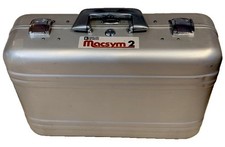
Analog Devices Macsym 2 Signal Simulator
$220.00

Vintage Goodyear Electronic GEDA Analog Computer Plug -- Extremely Rare
$179.00

1950 High Speed Computers Analog ENIAC UNIVAC EDVAC IBM SSEC Relay Logic Tubes
$65.00

VINTAGE 1970s SKIT Scientific Kit for Computer & Electronics SEALED INSIDE Rare
$380.00



 Reply With Quote