-
Junior Member
registered user
I was able to solve the usb mouse detection problem by installing knoppix on my hard disk, set up gpm with the following configuration options: <gpm.conf>
device=/dev/input/mice
responsiveness=
repeat_type=raw
type=autops2
append=""
sample_rate=
</gpm.conf>, and by changing the XF86Config-4 file in the sections <ServerLayout> InputDevice "USB Mouse" "CorePointer"
</ServerLayout> and adding a new <Section "InputDevice">
Section "InputDevice"
Identifier "USB Mouse"
Driver "mouse"
Option "Device" "/dev/gpmdata"
Option "SendCoreEvents" "true"
Option "Protocol" "auto"
Option "ZAxisMapping" "4 5"
Option "Buttons" "5"
EndSection
<Section "InputDevice">.
I have also automated this procedure adding a few symbolic links:
/etc/rc0.d/K20gpm -> ../init.d/gpm
/etc/rc1.d/K20gpm -> ../init.d/gpm
/etc/rc2.d/S20gpm -> ../init.d/gpm
/etc/rc3.d/S20gpm -> ../init.d/gpm
/etc/rc4.d/S20gpm -> ../init.d/gpm
/etc/rc5.d/K20gpm -> ../init.d/gpm
/etc/rc5.d/S20gpm -> ../init.d/gpm
/etc/rc6.d/K20gpm -> ../init.d/gpm
cu, g.
-
FLASH CARD READER MSC USB (something)
I am a newbie and i have problems with Knoppix installed in my hdard drive, how can i install a driver for this USB card reader, and i can´t work either with mzip tools it doesn´t detecth my paralell Zip drive, some times at boot it gets frozens. Thank you for your help...
-
Senior Member
registered user

Originally Posted by
dmiller
for my hp psc2210 I had to download and install hpijs from the hp website. This was the essential piece of glue to get the HP printer to work under knoppix. comes with instructions for how to install in linux and check if it is working....
Summary,
suggest searcing the HP site for HPIJS .
I searched but found nothing in HP site and still unable to print with my psc2210.
Any links or suggestions?
-
Problem: Autoconfiguration Hangs endlessly on boot with Knoppix 3.9
Solved by: knoppix nousb (at boot)
Suspect: Newer PCI Express specification not recognized
Computer: Fujitsu N3511 laptop ( Brand New )
Question:
How can you manually load the USB drivers 'after' a 'knoppix nousb' boot option?
Question 2:
Has anyone gotten knoppix 3.9 running with a PCI Express featured system?
I was surprised to learn that the new PCI express spec also applies to the USB bus...
maybe this is a factor in Knoppix 3.9 failure to detect the USB properly???
I don't know if this applies, but here below are the results from a lspci:
root@0[knoppix]# lspci | grep -i usb
0000:00:1d.0 USB Controller: Intel Corp. 82801FB/FBM/FR/FW/FRW (ICH6 Family) USB UHCI #1 (rev 04)
0000:00:1d.1 USB Controller: Intel Corp. 82801FB/FBM/FR/FW/FRW (ICH6 Family) USB UHCI #2 (rev 04)
0000:00:1d.2 USB Controller: Intel Corp. 82801FB/FBM/FR/FW/FRW (ICH6 Family) USB UHCI #3 (rev 04)
0000:00:1d.3 USB Controller: Intel Corp. 82801FB/FBM/FR/FW/FRW (ICH6 Family) USB UHCI #4 (rev 04)
0000:00:1d.7 USB Controller: Intel Corp. 82801FB/FBM/FR/FW/FRW (ICH6 Family) USB2 EHCI Controller (rev 04)
root@0[knoppix]# lspci -vv -s 00:1d.0
0000:00:1d.0 USB Controller: Intel Corp. 82801FB/FBM/FR/FW/FRW (ICH6 Family) USB UHCI #1 (rev 04) (prog-if 00 [UHCI])
Subsystem: Fujitsu Limited.: Unknown device 12e8
Control: I/O+ Mem- BusMaster+ SpecCycle- MemWINV- VGASnoop- ParErr- Stepping- SERR- FastB2B-
Status: Cap- 66MHz- UDF- FastB2B+ ParErr- DEVSEL=medium >TAbort- <TAbort- <MAbort- >SERR- <PERR-
Latency: 0
Interrupt: pin A routed to IRQ 5
Region 4: I/O ports at 1200 [size=32]
Similar Threads
-
By obsoleto in forum Hardware & Booting
Replies: 1
Last Post: 06-04-2004, 05:11 PM
-
By jcostello in forum Hardware & Booting
Replies: 1
Last Post: 04-24-2004, 01:33 AM
-
By Danmak in forum Hardware & Booting
Replies: 3
Last Post: 12-01-2003, 03:40 AM
-
By staverts in forum Hardware & Booting
Replies: 0
Last Post: 07-28-2003, 06:48 AM
-
By Christer in forum Hdd Install / Debian / Apt
Replies: 1
Last Post: 04-02-2003, 03:32 PM
 Posting Permissions
- You may not post new threads
- You may not post replies
- You may not post attachments
- You may not edit your posts
-
Forum Rules


Original Vintage Old Style STANDARD Black CD Jewel Case (Heavy Duty) 90g Lot
$316.95

Vintage GTE XT300 Action Station Terminal 1984 - Tested Works Orig. Box & Foam
$889.00

Vintage Tandy Computer Varsity Scripsit Word Processing 3.5 & 5.25 Disks SEALED
$29.95
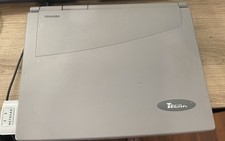
Vintage Toshiba Tecra 780CDM Laptop Computer Windows 98 & WiFi Adapter
$170.00
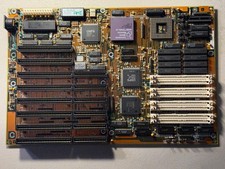
Vintage AMD Am386 DX/DXL-33 Motherboard - Works
$120.00
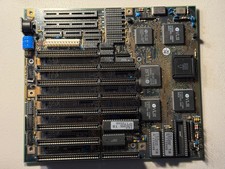
Vintage Siemens 286-16 Motherboard - Works
$140.00
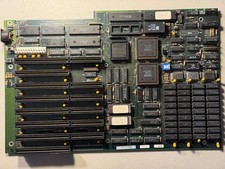
Vintage Everex EV1812 Intel 80286-10 640K Motherboard - Works
$160.00
Rare Vintage IBM 3604 Model 2 Keyboard Display Terminal, Beam-Spring, Blue Caps
$1749.00

VINTAGE COLLECTIBLE Comp USA Maxtor 20 GB 3.5 Inch EIDE Hard Drive NEW SEALED
$500.00
VINTAGE Custom Desktop No [email protected] 4GB Ram 300GB HDD NVIDIA Win XP Pro
$200.00



 Reply With Quote