-
Knoppix not recognizing my display (flickering)
Hi all,
After a search I figured I'd post.
I am trying to get knoppix to boot on my pc that has an Nvidia 5600 FX card and a dell 2001fp display.
On bootup the video card seems to be recognized but the display comes up as 'Old Monitor (No DDC)'. Not sure why. When knoppix boots I end up with a screen that reminds me of the old days of TV where you had to adjust the horizontal flickering...the xwindow just continually scrolls across the display.
As a total noob I am looking for ideas to get this to work!
Thanks in advance....GM
-
Senior Member
registered user
You might try one of the cheatcodes at boot.
e.g. "knoppix xvrefresh=60" see this: http://download.linuxtag.org/knoppix...cheatcodes.txt
for more cheatcodes. You could experiment with those codes that relate to your x-display to see if
you can get a usable screen and then configure xfree86.
I don't know what version of knoppix you're trying to boot but I think these should work.
-
I am using the latest version of knoppix -- 3.6. The knoppix graphic screen shows up fine, but scrolls past me at about 3 screens a second.
Tried your suggestion and same scrolling screen.
I don't have a clue what 'no ddc' means, but it seems strange to me that this recent display shows up as 'Old Monitor'. SiSoft shows it has ddc, again whatever that is.
I also tried vsync=60 hsync=60
xserver=xfree86
xmodule=nv
nada.
-
Senior Member
registered user
I believe ddc has to do with features of plug and paly. There are threads on this through google.
But before we assume the worst how does windows see you monitor? Is it recognizing it the same
as it did?
Also here:http://www.knoppix.nl/3.6/knoppix-cheatcodes.txt are the specific cheatcodes for 3.6 you could try to load the nv driver at boot.
knoppix xmodule=nv|radeon|savage|s3 but I don't know if that will fix your problem.
If you can see the screen enough to use it you might try to configure the xserver.
Have your monitor specs and do "dpkg-reconfigure -plow xserver-xfree86"
Good luck
-
Windows works fine, recognizes both the fx 5600 ultra and the 2001fp.
knoppix recognizes the 5600 ultra, but not the display (old monitor -- no ddc). I tried xmodule=nv to no avail.
The screen is unusable. It flies by too fast to do anything.
-
Senior Member
registered user
From the knoppix cheatcodes:
"In case of a failing hardware autodetection, try booting with any of
the "no-" options as shown in the table above, like in
knoppix noagp noaudio noapm noapic acpi=off nodma nopcmcia noscsi nousb
to skip some critical parts of the autodetection system."
And perhaps even more to your problem:
If you would like to edit your X-Server configuration manually
(/etc/X11/XF86Config-4 for XFree86 V4.x), use "knoppix 2" to boot
into runlevel 2 (textmode only) and, after changing the X
configuration, start the X environment with "init 5". Note that
you can always leave the graphical environment with "init 2", and
restart it later with "init 5".
Note: to edit the Xfree86 file you will need your monitor specs
and some experiance or willingness to learn a text editor.
It would be really helpful for you if someone had a configuration for
your monitor. Still you might just start with the basics to get a usable screen.
See if either or both of those suggestions work and let us know
how you make out. Good luck!
Similar Threads
-
By CrackerWorld in forum Laptops
Replies: 0
Last Post: 03-02-2005, 07:27 PM
-
By Randy in forum Hardware & Booting
Replies: 1
Last Post: 02-03-2005, 07:36 PM
-
By sn0wflake in forum General Support
Replies: 0
Last Post: 03-30-2004, 06:53 PM
-
By Encrypted_File in forum Hardware & Booting
Replies: 15
Last Post: 02-28-2004, 11:22 AM
-
By zoolander in forum Hdd Install / Debian / Apt
Replies: 4
Last Post: 07-29-2003, 12:23 PM
 Posting Permissions
- You may not post new threads
- You may not post replies
- You may not post attachments
- You may not edit your posts
-
Forum Rules


Genuine Cisco SFP-10G-SR 0-2415-03 10 Gigabit Transceiver
$5.40

Dell Intel X710-DA2 5N7Y5 Dual-Port 10GbE SFP+ PCIe 3.0 x8 Network Adapter
$27.50

NEW Sealed Cisco SFP-10G-LR 10GBASE-LR SFP+ 1310nm 10km *US Shipping*
$24.00

Cisco Acacia DP04QSDD-E25-840 400G QSFP-DD Coherent DCO Transceiver Module
$699.99

SFP TO RJ45 TRANSCEIVER SFP MODULE COPPER SFP OPTICAL PORT TO RJ45 ETHERNET PORT
$7.99

Intel X520-DA2 10Gb 10Gbe 10 Gigabit Network Adapter NIC Dual Port E10G42BTDA
$28.94

HP 560SFP+ 10GB 2-port PCIe NIC Ethernet ADAPTER 669279-001 w/ (2) 10GB SFP+
$16.99
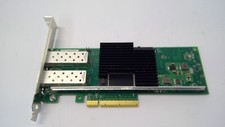
Lenovo 00YK615 Intel X710-DA2 10GbE 2-port SFP+ PCI-E FC Network Adapter NIC
$27.99

CISCO 10GBASE-SR SFP "Lot of 4” SFP-10G-SR
$47.99

Cisco WS-C3650-12X48UR-L 48-Port Stackable Layer 3 8x10G SFP+ Port Switch
$129.99



 Reply With Quote