

 Reply With Quote
ziocalepino, we haven't heard back from you and it's been a couple of weeks now. Have you resolved whatever reason it was that you thought the iso was too large? Did you get a tool that would burn it properly? Have you managed to boot into Knoppix?


No, if the md5 sum matches then the file is right. There have been a lot of problems downloading from some mirrors that cause a Linux "new line" to Microsoft style "CR/LF" translation that does cause the file to enlarge. This should never happen for binary transfers but I have seen it a lot. Never to the size that you stated, but any such translations are enough to make the ISO corrupt and useless. And other corruption could have happened too. Thus the md5 check is important when you get the file from a mirror. It's less important (but still a good idea) if you get the ISO by Bittorrent since Bittorrent has its own checks built in.Originally Posted by ziocalepino
As to the size: If the md5 matches then I'm certain that the file is right. Assuming that you are using the English ISO (the one named KNOPPIX_V3.7-2004-12-08-EN.iso), then the file will be 698 megs in size, exactly 732,942,336 bytes or 715,764 KBytes. This fits fine on a 700 meg CD with a few meg left over. And just to help recheck everything for you I recalculated my md5 (I discarded the original md5 file after I made the check and confirmed that the file was good) and my result should match what you have: a98fb9823414dc3d33c5e53f120c0339 *KNOPPIX_V3.7-2004-12-08-EN.iso. The chances of getting the same MD5 sum with any other file are too slim to even consider.
As to why you are now having a problem: You said " Trying to put it into a CD ROM using DAemon Tools.....". I haven't used this software, but their own website describes it as software used to circumvent CD copy protection and play games. They say it creates a virtual drive for you. They give no indication that it burns CD's, and in fact the web page says "DAEMON Tools is used to RUN GAMES, NOT TO BURN THEM!!!" and also talks about actually burning CDs with the phrase "Just do an image file using one of the supported burning programs and..." which says to my way of thinking that it doesn't burn CD's itself at all.
Exactly why you think your file is too large I have no idea. But if the program you talked about for breaking copy protection is what is telling you this, then my advice would be not to trust it and not to use it. The file passed MD5, the file is fine.
There were a few other posts here suggestiing software to burn an ISO. The DOCUMENTATION link at the top of this page will lead you to a "Downloading FAQ" that will give you additional information. Searching this and the Windows users forum (and maybe the lounge) will give you lots of discuussions on burning ISO images. I don't know what real burning software that you have and use to make CDs, so I'm not going to try to go into a lot of detail on how every burning program works. I will however give you these suggestions:
- Look for a feature to burn an ISO or burn an image. Load Image or Open Image are likely canidates.
Do NOT just take the first option in the Nero 5 or Nero 6 wizard and create a new ISO compilation and drag the ISO to the CD, that will just write one big ISO file to the CD. which is not what you want.
Do not use any feature of your burning software that offers to make the CD "bootable". If the ISO is burned properly it will be bootable, if you use such features it will not boot into Knoppix.
Burn ithe CD, at least until you get everything booting, at 4x or slower, or even use a 700 meg CDRW until you get it right. High speed burns should boot, but often don't.
You do not want to put the ISO file onto a CD. An ISO file is a form of a CD image. You want to write the contents of the ISO to the CD. This is why you do not just drag and drop the ISO to the CD burning software.
You do know we're not talking about a program that runs under Windows here and that you would set up under windows, don't you? You do understand that under a different Operating System that a Windows concept of what is an excuitable application based on file extension may not (and will not) hold true, don't you? You're not going to be able to run this under Windows with your warez game copy protection circumvention virtual drive; you are going to be booting from a Live CD into an entire new operating system.
That would be a real good idea, particularly in our southern states and/or amoung our darker skinned population.
ziocalepino, we haven't heard back from you and it's been a couple of weeks now. Have you resolved whatever reason it was that you thought the iso was too large? Did you get a tool that would burn it properly? Have you managed to boot into Knoppix?
 Posting Permissions


1969 EAI TR-20 Analog Computer Programming PACE Philbrick Electronic Associates
$36.00

Vintage George A Philbrick Researches Tube Analog Computer Module Serial 005503
$109.99

Refurbished Working 1960's Heathkit EC-1 Educational Electronic Analog Computer
$2999.99
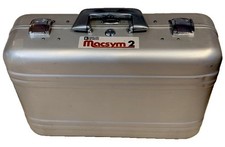
Analog Devices Macsym 2 Signal Simulator
$220.00

Extron RGB-160XI Analog Computer Video 60-378-01
$127.06

Vintage Early Week 12 1984 Apple Macintosh 128K Computer M0001 w/Analog Board+
$209.99
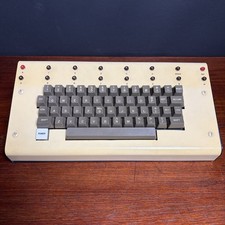
1979 vintage apple II 2 keyboard Mod CV Control Analog Synthesizer Paia Buchla
$500.00
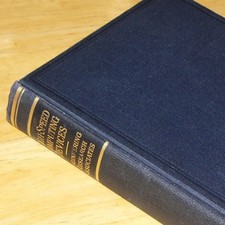
1950 High Speed Computers Analog ENIAC UNIVAC EDVAC IBM SSEC Relay Logic Tubes
$65.00

VINTAGE 1970s SKIT Scientific Kit for Computer & Electronics SEALED INSIDE Rare
$380.00

RARE VINTAGE Kontron 80 Psi Compact Microcomputer Computer Germany Early 1980s
$319.99