-
Adding a DVD writer post- HD-install
Hey everyone, I run a Knoppix 3.4 HD-install on my home computer. It currently has a combo CD writer/DVD reader drive, but I've been thinking about adding an internal DVD writer.
What I'd like to know is, will there be any problems installing a new piece of hardware like this on an existing HD-install? I'd rather not have to do any significant OS modifications. SImple updates through Apt-get would be fine of course.
I'm guessing things with hardware and drivers overall are better now, but part of the reason I'm asking is that a few years back I replaced a standard CD drive with a CD writer on a dual boot Mandrake machine, but I never did get the writer to work under Linux, and reinstalling wasn't really an option (very limited HD space). So if anyone could answer this question and point out any potential pitfalls I be quite grateful. Also, I'd appreciate any recommendations on good models of internal DVD writer to buy and install.
Some info about my system:
Knoppix 3.3 HD-install, 2.4 kernel
Athlon XP on Asus MB
IDE hard drive
IDE CD writer/DVD reader (all functions work properly here)
-
update
Since I haven't gotten any replies yet I thought I might relax the restrictions on my problem.
While I would prefer an internal DVD writer I could live with an external one, though it would be nice to know the pros and cons for each. Also, whatever I need to do to my Knoppix/Debian install I'll do (as long as it doesn't mean a reinstall) as long as someone can explain what likely needs to be done.
If anyone is pretty sure that I can just install a drive and have it Just Work (TM) because my system likely already has everything it needs working, I'd appreciate knowing.
Thanks.
-
Senior Member
registered user
I would think that a fstab update would be needed and running running k3bsetup should be all thats needed.
-
Senior Member
registered user
Should be fine. Your experience a few years ago was just that - a few years ago. So many advances in Plug and Play compatibility have been made since then that you should not have much trouble at all. I would go with the internal personally.
-
Good to hear. I suspected this might be true, especially since I already have a working CD burner/DVD reader, and already use k3B, but would rather be safe than sorry.
And I think I will go with the internal, as my desk is cluttered enough as it is.
Similar Threads
-
By c123 in forum Hdd Install / Debian / Apt
Replies: 10
Last Post: 04-20-2004, 09:31 AM
-
By bamarob in forum Hdd Install / Debian / Apt
Replies: 6
Last Post: 09-25-2003, 12:16 PM
-
By stupidflanders in forum Hdd Install / Debian / Apt
Replies: 6
Last Post: 09-04-2003, 10:05 AM
-
By Lilmuckers in forum Hdd Install / Debian / Apt
Replies: 2
Last Post: 07-30-2003, 11:20 AM
-
By andecla in forum Hdd Install / Debian / Apt
Replies: 2
Last Post: 04-18-2003, 07:53 PM
 Posting Permissions
- You may not post new threads
- You may not post replies
- You may not post attachments
- You may not edit your posts
-
Forum Rules

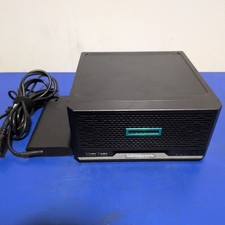
HPE ProLiant MicroServer Gen10 Plus with Power Adapter
$599.00

HP ProLiant MicroServer Gen8 Tower Server Xeon E3-1220 v2 2.3GHz 16GB RAM
$289.99

HP Proliant MicroServer Gen 8 2.23GHz Xeon 16GB RAM NO SSD
$249.99

Supermicro E300-12C Mini 1U Barebone X12SCV-LVDS LGA1200 SNK-P0073A4 w/ Adapter
$225.00

New Barebones Supermicro 5019D Server, 4C/8T Xeon D-2123T, 1U Rackmountable, 10G
$404.99
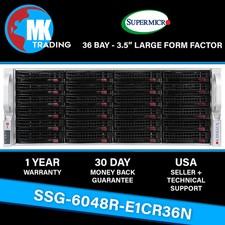
Supermicro SYS-6048R-E1CR36N 36B LFF 4U Server -V3- Choose CPUs/RAM - Wholesale
$4574.00
HP PROLIANT MICROSERVER GEN8 INTEL PENTIUM G2020T @ 2.50GHz, 8GB RAM, NO HDD/OS
$164.98
HP PROLIANT MICROSERVER GEN8 INTEL PENTIUM G2020T @ 2.50GHz, 8GB RAM, NO HDD/OS
$164.98

Supermicro 938-16 16-LFF MicroCloud SuperServer 5038MR-H8TRF *No Blade Servers*
$159.99

Nasuni NF-50 Supermicro Server, Atom CPU C2558, @ 2.40GHz, 8GB RAM-No HDD/OS/AC
$250.00



 Reply With Quote