-

Originally Posted by
Stephen
Try booting with a cheat code of:
boot: knoppix lang=us vga=normal
boot: knoppix lang=us fb800x600
boot: knoppix failsafe
The keyboard still works the light going out would be the num lock key. IIRC KDE starts with the num lock key off by default you have to change a setting for it to be turned on at startup of KDE.
OK I tried all 3 settings none of them worked vga=normal put the screen into powersaver mode i.e. what happens when I'm not using the computer for a while and changed the boot screen. Keyboard is working, at least the num lock and cap lock lights show when pressing them. So I'm left with 2 theories:
1) This build can't deal with digital video input to the monitor  Is this a known issue that I missed?
2)I have a corrupt copy of Knoppix. 
It did take me 2 tries to get a complete download. The second is the right size 700mg.
I do have the analog input cable that came with the monitor but currently only have the digital cable plugged in.
Ken
Similar Threads
-
By MattS in forum Customising & Remastering
Replies: 3
Last Post: 04-14-2005, 04:13 PM
-
By MattS in forum General Support
Replies: 2
Last Post: 04-10-2005, 10:06 PM
-
By 5thelephant in forum General Support
Replies: 7
Last Post: 02-21-2004, 09:01 PM
-
By drenmi in forum General Support
Replies: 2
Last Post: 11-18-2003, 06:16 PM
-
By MusicLaunch in forum Networking
Replies: 2
Last Post: 06-22-2003, 09:53 PM
 Posting Permissions
- You may not post new threads
- You may not post replies
- You may not post attachments
- You may not edit your posts
-
Forum Rules


SFP TO RJ45 TRANSCEIVER SFP MODULE COPPER SFP OPTICAL PORT TO RJ45 ETHERNET PORT
$7.99

Dell Intel X710-DA2 5N7Y5 Dual-Port 10GbE SFP+ PCIe 3.0 x8 Network Adapter
$27.50

Cisco Acacia DP04QSDD-E25-840 400G QSFP-DD Coherent DCO Transceiver Module
$699.99

NEW Sealed Cisco SFP-10G-LR 10GBASE-LR SFP+ 1310nm 10km *US Shipping*
$24.00

Genuine Cisco SFP-10G-SR 0-2415-03 10 Gigabit Transceiver
$5.40

Intel X520-DA2 10Gb 10Gbe 10 Gigabit Network Adapter NIC Dual Port E10G42BTDA
$28.94

HP 560SFP+ 10GB 2-port PCIe NIC Ethernet ADAPTER 669279-001 w/ (2) 10GB SFP+
$16.99
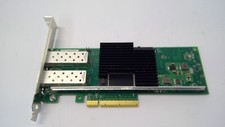
Lenovo 00YK615 Intel X710-DA2 10GbE 2-port SFP+ PCI-E FC Network Adapter NIC
$27.99

Dell 10 Gigabit SFP+ SR Transceiver 0XYD50 NEW SEALED
$24.99

Arista SFP-10G-SR 10GBASE-SR XVR-10001-20 850nm SFP+ Optical Transceiver
$30.00



 Reply With Quote