

 Reply With Quote
I solved my own problem....


I am a neophyte when it comes to LINUX. I do use it occasional for programming, etc..., but I never had to configure anything.
I have the iso I burnt to a CD, which I am trying to boot and run. I have WindowsXP installed on my first partition of my first drive. I have a Maxtor 200GB ATA 133 drive which is connected to an ATA PCI card. It does see my drives because I see them listed and their info.
When the system boots I type expert and see what is going on and I wrote down this info:
hde: pio
hde: host protected area => 1
hde: status timeout: {busy}
hde: drive not ready for command
hde: 398297088 sectors (203928 MB) w/ 1819KiB cache CHS = 155114/16/63
I get a similar display for hdf, too.
What is going on and what do I do? I did read some of the posts on here, but none of them were the exact same as my situation. I spent a few hours looking up the info myself. I tried some cheatcodes that I thought would work like nodma, noapic, acpi=off. Nothing works. I really could use the help.
Anyway, thanks for the help in advance.
I solved my own problem....
 Posting Permissions

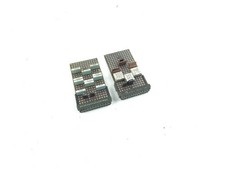
2 x Vintage IBM Mainframe Computer Card - Circuit Board
$49.99

HP 5060-8359 8K Semiconductor Memory Module 5080-9747 Vintage HP Computer
$157.30

Vintage Intel Mainframe Server MCM CPU Substrate Lot Prototyping PGA Validation
$500.00

Vintage Telex 952003-112 Mechanical Terminal Keyboard IBM 3270 Mainframe DB25
$799.00
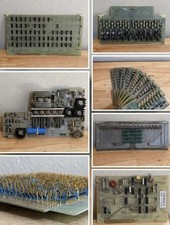
LOT of 14 DATA 100 Corporation Mainframe Terminal Boards Memory Backplane Gold
$749.99

Vintage Mainframe Computer Disk Drive Pack Dyson SMD 5 Level Disks
$79.00
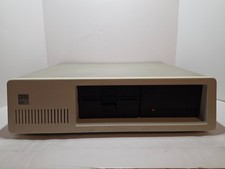
Vintage IBM XT 5160 PC Computer 640KB RAM with Expansions (Powers On As Is)
$350.00

Computer Tape Reel 1600 BPI 9 Track Vintage Mainframe LOT OF 2 WITH BOX
$89.95

SOYO SY25 R-Vesa Socket 3 Motherboard SiS Chipset Mainframe
$73.99
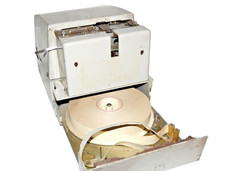
Vintage Soviet Paper Tape Punch PL-150 Mainframe Computer Peripheral USSR
$390.00