-
Knoppix & MS Virtual PC
Anyone installed Knoppix on MS Virtual PC?
If so, any chance of a potted guide, pointing out potential gotchas.
-
Hey, I actually got Knoppix 3.7 running under MS Virtual PC today and its not all that bad. You don't actually have to install knoppix you can just run it through the Knoppix.iso on CD ROM or as I prefered, just so the CD wasn't spinning all the time from the Knoppix.iso on my hard drive.
I read on some website that devoting 64MB of RAM would be suffucient for Knoppix to run, but as I found out this wasn't to be as when Knoppix was starting up is suddenly stopped and claimed that 64MB of RAM was suffucient but it wouldn't be enough to start the KDE. Anyway I then devoted have of my RAM (128MB) to running Knoppix while running no programs under Windows. The first difference I noticed when it booted up was that the graphics quality of knoopix was some what worse than running knoppix by itself (not through Virtual PC). I soon figured out that it was down to my graphics card (only being 16MB), Windows seemed to be using the majority of it (reason for crap graphics in Knoppix).
Anyway apart from that it worked perfectly fine, actually even better when it wasn't running under Virtual PC. My WiFi card seemed to work now allowing access to the internet when it didn't work before, probably because it was already running under Windows. It also solved some problems while booting, I used to only be able to boot under expert mode for some reason, but now it will boot in any of the modes. And lastly one of the best features of Virtual PC is being able to save the exact configuration of the OS you are using, which rules out booting your configuration from floppy or other removeable media, the next time you start it up it starts at the exact point, with all the exact windows open and everything.
So if your machine has a higher spec than mine (laptop, 256MB RAM, 16MB Graphics), say 512MB of RAM and 64MB graphics card then it will basically be exactly the same.
Anyway good luck.
Similar Threads
-
By davidebond in forum Hardware & Booting
Replies: 1
Last Post: 12-19-2005, 05:59 PM
-
By kenblood in forum MS Windows & New to Linux
Replies: 7
Last Post: 09-07-2004, 09:24 AM
-
By ndv2l in forum General Support
Replies: 2
Last Post: 05-26-2004, 04:57 AM
-
By cinzano in forum Laptops
Replies: 3
Last Post: 01-30-2004, 02:30 AM
-
By orang55 in forum General Support
Replies: 0
Last Post: 06-20-2003, 04:14 AM
 Posting Permissions
- You may not post new threads
- You may not post replies
- You may not post attachments
- You may not edit your posts
-
Forum Rules


Supermicro 2U X10DRU-i 2x E5-2680 v3 2.5ghz 32gb Ram 240gb SSD 2x GPU *READ*
$369.99

HP Proliant MicroServer Gen 8 2.23GHz Xeon 16GB RAM NO SSD
$249.99

Supermicro 505-2 Server
$280.00

Supermicro CSE-937 3U Storage Chassis No CPU No HDD No Ram Tested & Reset
$129.99

New Barebones Supermicro 5019D Server, 4C/8T Xeon D-2123T, 1U Rackmountable, 10G
$449.99
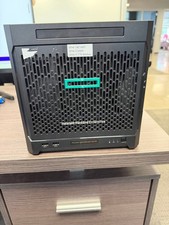
HPe Proliant Microserver Gen10 AMD Opteron 16GB RAM, 3x Intel SSD, Working
$600.00

SuperMicro 4U CSE 847 36 Bay LFF Barebone 2x 1280W w/ 2x Bays 2.5 Rear w/Trays
$499.99

Supermicro SuperServer E300-15 - SYS-e300-9C - 16GB RAM 240GB Samsung SSD
$239.00

Supermicro E300-12C Mini 1U Barebone X12SCV-LVDS LGA1200 SNK-P0073A4 w/ Adapter
$225.00

Nasuni NF-50 Supermicro Server, Atom CPU C2558, @ 2.40GHz, 8GB RAM-No HDD/OS/AC
$250.00



 Reply With Quote