-
Senior Member
registered user
Knoppix 3.7 HD Install not saving settings
I installed knoppix to my multiboot setup, but there are a few things I need to change. First locale is in German, I changed this by editing knoppix-autoconfig and appending LANG=en
Second it is detecting 2 network cards when I only have 1, eth0 and eth1. How can I force it to only use 1 network card on eth0?
Also it is auto-logging into kde with username knoppix, I would like to run kdm and use a choice of users.
When I reboot knoppix it does not remember the locale or network settings ?? Is this because I choose the knoppix (Cd type)
install which resets all values to run in memory?
Thanks in advance for any help. 
-
not sure about the installing to a multi-boot system, so i'll stay out of that.
i guess if it detects two network cards it might be because you have two ?
but also, with one network card, it will show two network 'interfaces' !!
on eis the net address you are using, (192.168.0.1, 10.0.0.1, etc)
the other might be the std 'lo' or loopback address (127.0.0.1)
this is okay.
if you have a generic install to disk, or copy the cd somewhere, i guess you are still in single user cd mode,
but a proper
sudo knoppix-installer
install might be taking over the whole drive.
someone else will point you there too
and if it's not remembering, it points to not being properly installed. like a cd install
after that, i'm a newbie, with my first usable working linux box (redhat, pah) so i try to help.
pardon my english, but i type like this all the time. tehe
44 years old, still joking around , ah, life, can't beat it!
Similar Threads
-
By majorstar in forum Hardware & Booting
Replies: 0
Last Post: 11-10-2007, 05:50 PM
-
By turbines in forum Hdd Install / Debian / Apt
Replies: 0
Last Post: 05-29-2004, 07:44 PM
-
By biscuits91 in forum General Support
Replies: 1
Last Post: 05-20-2004, 06:59 PM
-
By Jim_The_Obscure in forum General Support
Replies: 3
Last Post: 05-12-2004, 07:10 PM
-
By ankit in forum Hardware & Booting
Replies: 1
Last Post: 09-14-2003, 03:23 AM
 Posting Permissions
- You may not post new threads
- You may not post replies
- You may not post attachments
- You may not edit your posts
-
Forum Rules


Supermicro 2U X10DRU-i 2x E5-2680 v3 2.5ghz 32gb Ram 240gb SSD 2x GPU *READ*
$369.99

HP Proliant MicroServer Gen 8 2.23GHz Xeon 16GB RAM NO SSD
$249.99

Supermicro 505-2 Server
$280.00

Supermicro E300-12C Mini 1U Barebone X12SCV-LVDS LGA1200 SNK-P0073A4 w/ Adapter
$225.00

New Barebones Supermicro 5019D Server, 4C/8T Xeon D-2123T, 1U Rackmountable, 10G
$449.99
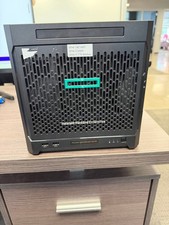
HPe Proliant Microserver Gen10 AMD Opteron 16GB RAM, 3x Intel SSD, Working
$600.00

SuperMicro 4U CSE 847 36 Bay LFF Barebone 2x 1280W w/ 2x Bays 2.5 Rear w/Trays
$499.99

1U Edge Firewall Server X11SCW-F Xeon E-2174G 0 RAM M.2 NVME 3x PCI-e 2x PSU X
$175.00

Supermicro CSE-937 3U Storage Chassis No CPU No HDD No Ram Tested & Reset
$129.99

Nasuni NF-50 Supermicro Server, Atom CPU C2558, @ 2.40GHz, 8GB RAM-No HDD/OS/AC
$250.00



 Reply With Quote