

 Reply With Quote
You wouldn'y be the only person to see problems witha 3com card, see this recent post: http://www.knoppix.net/forum/viewtop...4190f8051928dcOriginally Posted by nickmages


I'm new to linux but am fairly familliar with Windows networking.
I am unable to connect to my router (D-Link DI-624) with a 3COM NIC over cable. When Knoppix boots up, all my hardware seems to be detected and when I run ifconfig it lists the loopback (which looks fine) and "eth0", however "eth0" doesn't have an IP address. Here's what it lists (typing this by hand so it may not be complete)
eth0 Link encap:Ethernet HWaddr 00:50A:7A:EB:A2
inet6 addr: fe80::250:daff:fe7a:eba2/64\ Scope:Link
UP BROADCAST RUNNING MULTICAST MTU:1500 METRIC:1
RX packets:0 errors:13 dropped:0 overruns:0 frame:26
TX packets:15 errors:0 dropped:0 overruns:0 carrier:0
collisions:0 txqueuelen:1000
Running the network config and trying to get the card to use DHCP hangs for about 20 secs, then fails and configuring manually doesn't let me ping my router. I'm pretty sure the problem isn't hardware, when I boot back into windows everything works fine. I've also tried booting into ubuntu and get the same results. Why does my card not work under linux? I've read a few threads on this board that suggest that Windows service pack 2 may overwrite some of the settings on my card's EEPROM but the posts don't explain a clear way of telling if this is the case. I've also booted both knoppix and ubuntu on my laptop (which has a PCMCIA wireless lan card (Lucent Technologies)) and it works flawlessly. So, these are my half-baked conclusions:
-I can't imagine that BOTH flavors of linux I've tried not being able to support a 3COM card, and it seems to me that it's being detected (though I'm a newb, so I can't be sure).
-The problem can't be that the card is bunk, as it works when I boot into windows. The only hardware problem I could imagine is that it is this EEPROM issue, but I have no idea how I would be able to tell.
Any help would be appriciated.
You wouldn'y be the only person to see problems witha 3com card, see this recent post: http://www.knoppix.net/forum/viewtop...4190f8051928dc
Okay, so Linux doesn't work with some 3COM cards, any reason why the D-Link DWL-G520 wireless card I have in the same machine doesn't work with it either? Knoppix detects the card but I can't get connected with it and Ubuntu doesn't detect the D-Link at all. Is there a brand of card I can buy that I won't have to waste my weekend trying to get to work with Linux? I'm looking to learn the basic unix syntax and file structure before I move on to things like hardware troubleshooting (my original plan for this weekend) and I've read that Knoppix and Ubuntu are good starting points. I'm a little frustrated that I can't even get that far because I can't get either card to work, making it hard to work with tutorials online. I'll gladly spend 70 bucks if anyone can recommend a card they're sure will work out of the box without me having to pull my hair out.
I'm not even sure I'm using the right utility to configure the D-Link. What I've been doing is:
1) Going to Network/Internet->Wavelan configuration
2) It prompts me with "Configuration of wireless parameters for auth0" and I select "Ok"
3) It asks me for an "ESSID" for ath0, which I assume corrisponds to "SSID" on my Router's setup page. I enter "default", which is what it says in my router's wireless setup screen.
4) Then it asks for and "NWID (cell identifier)". I have no idea what this means and it isn't anywhere in my router's setup so I leave this blank.
5) then it asks for the mode for ath0. I also don't know what this means, so I leave this feild blank.
6) then it asks for the channel number, which my router setup says is "6"
7) then it asks for the encryption key, which is disabled on my router, so I leave this blank.
then it asks for additional parameters for "iwconfig ath0", which I leave blank
9) more additional parameters, blank
10) MORE additional parameters, blank
it finishes, I can't connect to the internet or ping my router and ifconfig only lists my loopback. So, I'm left with my 3COM card which I know how to configure but doesn't work with this OS, and my dlink, which I'm not too sure how to configure (Windows makes it a no-brainer so I've never really had to know, it all auto-detects). Can anyone give me any ideas??? Am I configuring my wireless card wrong? It's a simple, unsecured network, I would never have guessed I would have this much trouble getting a NIC to work.
Well, sure. Just read through this forum and you will see that most people can't get their wreless cards working woth Knoppix. I know I've never got it to work with my 2 Dlink cards. I haven't had much luck with a Belkin card either in spite of several attempts, but I did get some advice on this forum from someone else who got the same card to work, I just have to make time to follow his detailed steps. Maybe someone will post their experiences with your model card, but there is a chance that you're not going to get good support for it in Linux and Knoppix.
 Posting Permissions

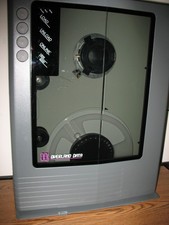
VINTAGE RARE Overland 9 Track tape drive for mainframe computer storage
$800.00
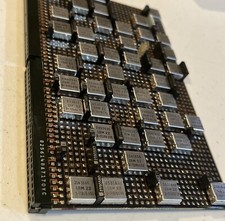
IBM MST-2 370 Integrated Circuit Computer Chips Lot Of 43 Rare 1970s Vintage
$249.00

Vintage Telex 952003-112 Mechanical Terminal Keyboard IBM 3270 Mainframe DB25
$679.15

HP 5060-8359 8K Semiconductor Memory Module 5080-9747 Vintage HP Computer
$165.58
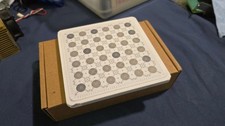
IBM Prototype ES/9000 Mainframe Computer MCM CPU Vintage White Ceramic Gold
$1000.00

Vtg IBM Mainframe Prototype Chip Module Lot 146 pc 1988-1993 ES/9000 Lab Arcive
$649.00
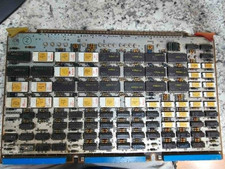
Vintage Sperry Rand Univac Mainframe Control Board Gold IC Rare Piece Of History
$289.95

Vintage IBM #192726 Paper Tape Punch Mainframe Computer Programming Tool 1960s
$94.95
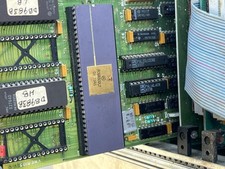
Mystery Vintage Computer Mizar Motorola 68000 Based System W Shugart Drives
$500.00

Vintage 1992 IBM 3476 InfoWindow Display Terminal CRT Monitor w/ Key & Y-Cable
$150.00