

 Reply With Quote
Glad you got it sorted out. One more thing to try would have been removing usb legacy support in bios, but if it works now, don't tweak it


Hi Markus,
I thought I'd touch base with you and tell you that (knock on wood) the DVD problem seems to be resolved.
While I think the noapm addition to the lilo.conf file was necessary, a few weeks later the screen went blurry for a second or two and then lost the usb-DVD drive.
I changed the memory timings in the bios to their most conservative settings. I had read somewhere one should do that to ensure the host USB card works properly. Willing to try anything, I did that and so far...... no more problems.
Nice to know the problem was not really Knoppix, but resided at a deeper level.
sakiZ
Glad you got it sorted out. One more thing to try would have been removing usb legacy support in bios, but if it works now, don't tweak it
Markus - MANY thanks! Cured my CDROM woes at a stroke. Brilliant.
Hi Markus,
Long time since I checked in with you. Over the course of many weeks and months, I've been plumbing the depths of my Knoppix install and found the offending APM driver that I've sent posts to you about.
It's:
/usr/X11R6/lib/modules/drivers/apm_drv.o
Whenever this driver would activate, it would bring down my USB storage so I could not read my external USB DVD drive as you may remember.
Apparently there are different levels to apm, the one above being geared toward working the GUI environment.
To make a long story short, I disabled this driver by renaming it. Now I have no more errant apm problems that bring down my USB DVD drive. No more cheat codes needed for apm. I only use acpi=force now.
The screen still goes blank after sitting a long time and I have no problems on shut down so I wonder how critical that driver is. Apparently not very. And of course, I have no problems with my DVD drive. I can't say to this day I understand the connection.
An unexpected thing happened after I disabled it. My HD performance went up. Buffered disk reads went from 38 to 42+ mbytes. The whole system seems a little snappier.
I hope this helps someone else.
sakiZ
If you do a "locate apm" you'll find stuff like /etc/apm/event.d/20hdparm and /etc/devfs/conf.d/apm
The first one possibly explains hd performance.
I suppose you don't have power control in kcontrol -> Peripherals -> Display? Finally, some monitors have their own power saving. Can't really be of much help there.
A few more thing to try is "xset s off", see man xset for what it does, and "setterm -blank 0". If one works, add to some x startup script or where you wish. They're really workarounds and not taking care of whatever powers down the display, but OTOH it shouldn't matter as long as it works like you want
Well, first the good news. After tinkering with my module conf file for the 2.6.9 kernel I am able to boot into the 2.6.9 kernel on my Knoppix 3.7 HDD install. Wow. I never thought that would happen. I about fell off my chair.
I wanted to see if my external USB DVD-rw drive could be found. After doing a "lsusb" I discovered Linux does see the USB External DVD-rw drive as an "sda" mass storage device. I was expecting an "scr2" or similar. Hmm.
Although I went ahead and made a mount point for the drive called "DVD-USB-Storage" in fstab, and I can mount and read the drive like this, it's not what I was really looking for as K3b does not see it as a writeable drive. So, it is usable to pull info off the DVDs I have made as backups. But no more than that.
So, for the time being I'll just keep using the 2.4 kernel.
Any thoughts on this?
sakiZ
That could be just a problem with scsi devices on 2.6.9, note that on 2.6.8 cdrecording itself is quite broken. I'd try a newer kernel as 2.6.9 is old anyway. If you have an older 2.6.7 lying around it should work as well. Nothing wrong with 2.4 series of course.
Yeah, I was wondering if that was the case.That could be just a problem with scsi devices on 2.6.9,
Well, I won't be putting much energy into it.
The 2.4 kernel is doing everything I want for now.
sakiZ
Thanks Markus this post is very useful. Just a question...
I'm unable to make it permanent, after every reboot old icon reappear, how to avoid thatIf the desktop icons aren't working you can delete them...
quick and dirty but works: chmod 0 /usr/bin/mkdesktophdicons
 Posting Permissions


SFP TO RJ45 TRANSCEIVER SFP MODULE COPPER SFP OPTICAL PORT TO RJ45 ETHERNET PORT
$7.99

Dell Intel X710-DA2 5N7Y5 Dual-Port 10GbE SFP+ PCIe 3.0 x8 Network Adapter
$27.50

NEW Sealed Cisco SFP-10G-LR 10GBASE-LR SFP+ 1310nm 10km *US Shipping*
$24.00

Intel SPTSLP2SLCDE 100G-DR1 QSFP28 500m 1311nm Transceivers - Lot of 10 - New
$200.00

Genuine Cisco SFP-10G-SR 0-2415-03 10 Gigabit Transceiver
$5.40

HP 560SFP+ 10GB 2-port PCIe NIC Ethernet ADAPTER 669279-001 w/ (2) 10GB SFP+
$16.99

Intel X520-DA2 10Gb 10Gbe 10 Gigabit Network Adapter NIC Dual Port E10G42BTDA
$28.94
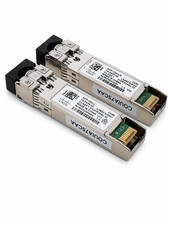
Lot of 2 Cisco SFP‑10G‑LR – 10Gb 1310nm 10km – LC SMF – Open Box
$74.99
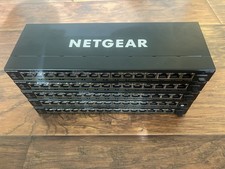
Lot Of 5x Netgear 16 Port-POE+ Switches, SFP, 4x PSU. GS316EP (3), GS316EPP (2)
$249.99

Cisco WS-C3650-12X48UR-L 48-Port Stackable Layer 3 8x10G SFP+ Port Switch
$129.99